AI chatbot development company for assistants that know your company.
Comet Lab builds AI chatbots and assistants that answer from your systems, manuals and policies, with the source shown. Staff use one workspace for every team. Customers and dealers ask on website chat and WhatsApp.
AI chatbots that answer from your company’s own facts
Individuals adopted AI. Companies are next.
-
Personal AI
- On personal phones and personal accounts.
- Answers questions. The work still happens by hand.
- What it learns leaves with the person.
-
Company AI
- Grounded in your company's facts, apps, knowledge and history.
- Completes work across your systems.
- Your data and your work stay your property.
Personal AI sits on personal phones and personal accounts. It answers questions, and the work still happens by hand. What it learns leaves with the person. Company AI is grounded in your company’s facts, apps, knowledge and history. It completes work across your systems. Your data and your work stay your property.
Comet Lab builds company AI. Its name for the service is the company assistant: one workspace for every team, connected to your systems, with shared knowledge, skills and automations.
What an AI assistant for business includes
- Answers from your systemsWith the source shown.
- Shared knowledgeYour terms, policies and definitions.
- SkillsThe best way to do a task, saved for everyone.
- Team spacesEach team with its own assistant.
- AutomationsWork that runs on a schedule or a trigger.
Chatbots for staff, customers and dealers
The use case library shows assistants at work on Microsoft Teams, Slack, Google Chat, WhatsApp and website chat.
-
 Microsoft Teams
Staff
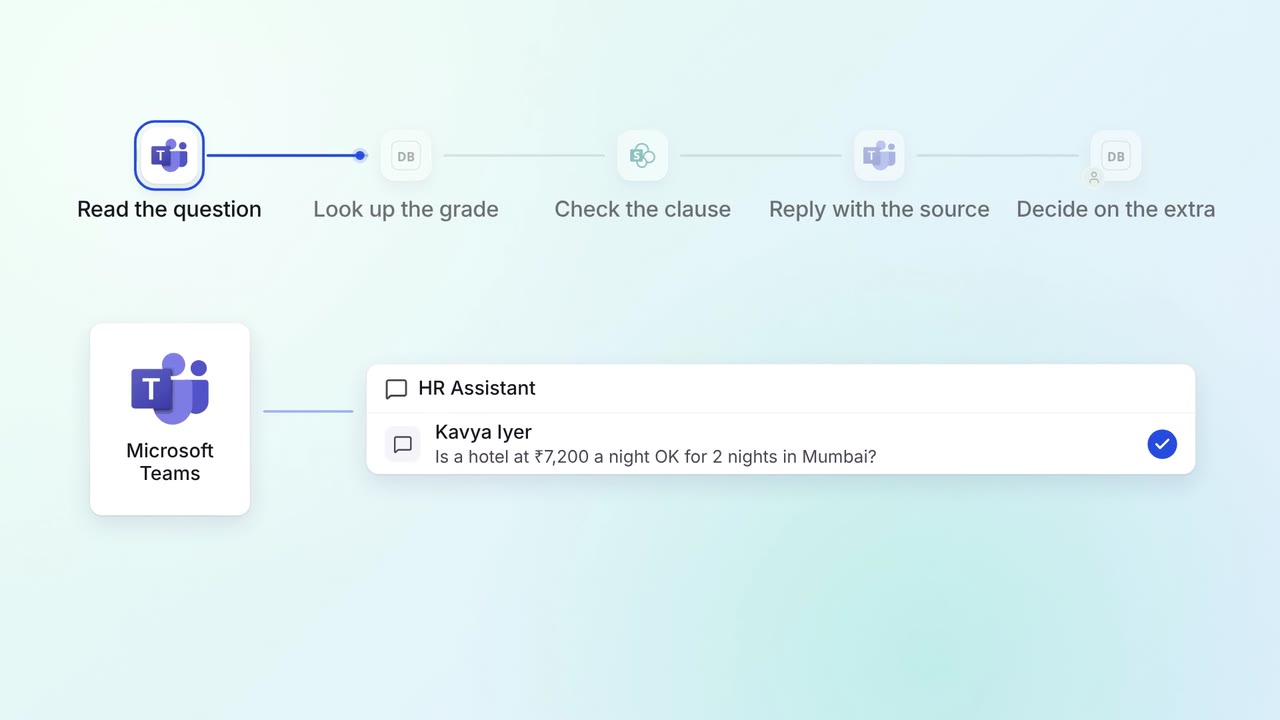
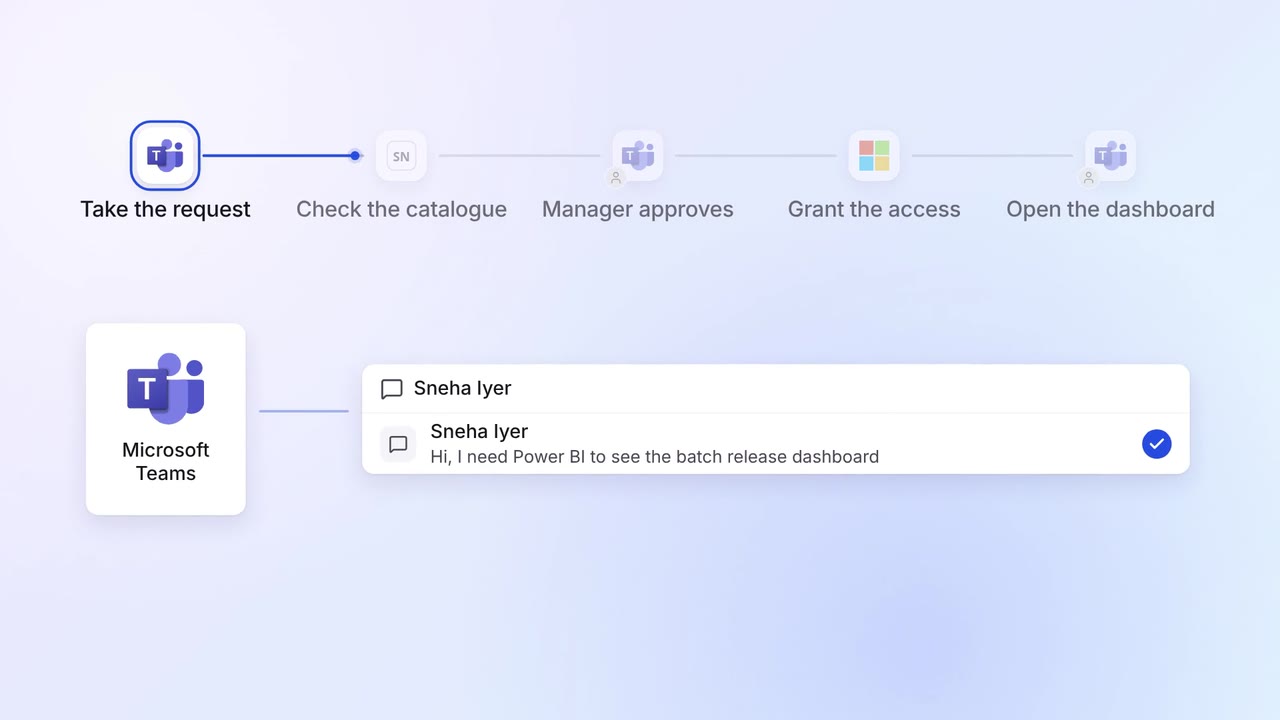
Staff ask about a policy and get the clause behind the answer. They ask for a password reset or software access, and every request is logged.
-
 Google Chat
Account managers
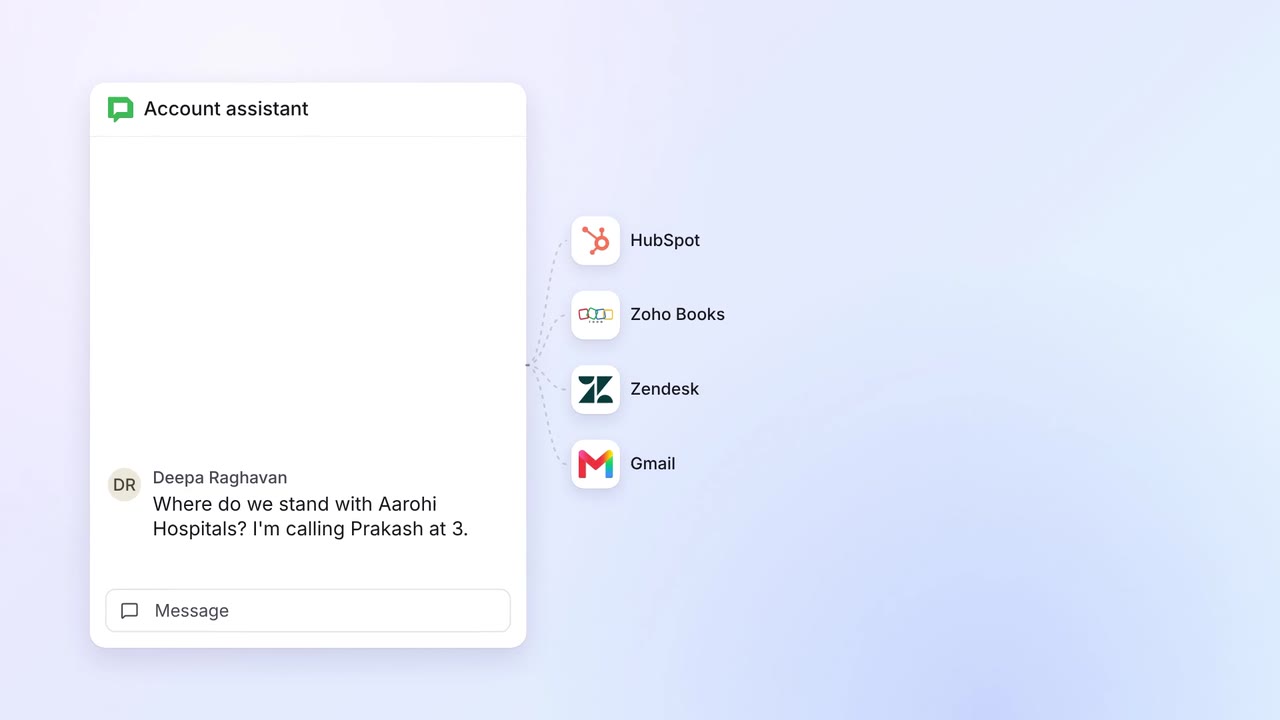
Account managers ask about a customer and get open deals, unpaid invoices, open tickets and last emails in one answer.
- Website chat
Customers
Customers ask on website chat and get answers from their order, the warranty record and the product manual.
-
 WhatsApp
Dealers
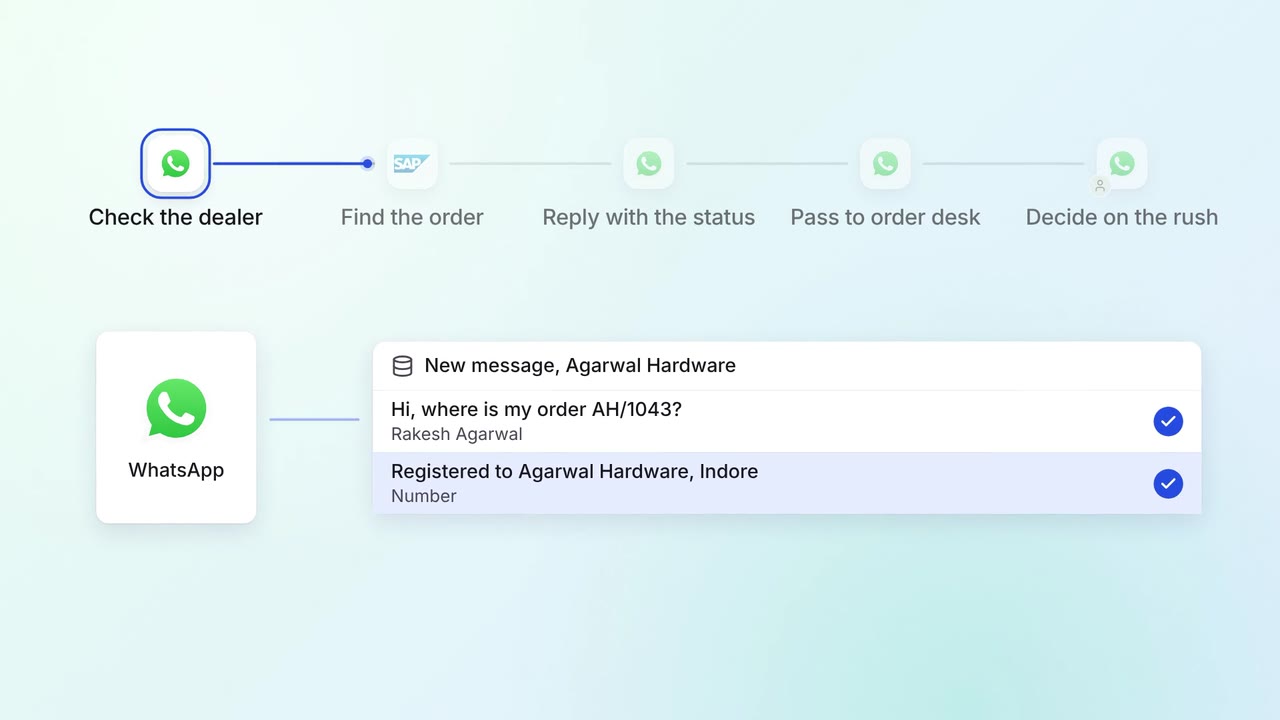
Dealers message one WhatsApp number and get their order status.
A question the chatbot leaves open goes to a person, with everything it found.
AI at work in every department.
Explore AI use cases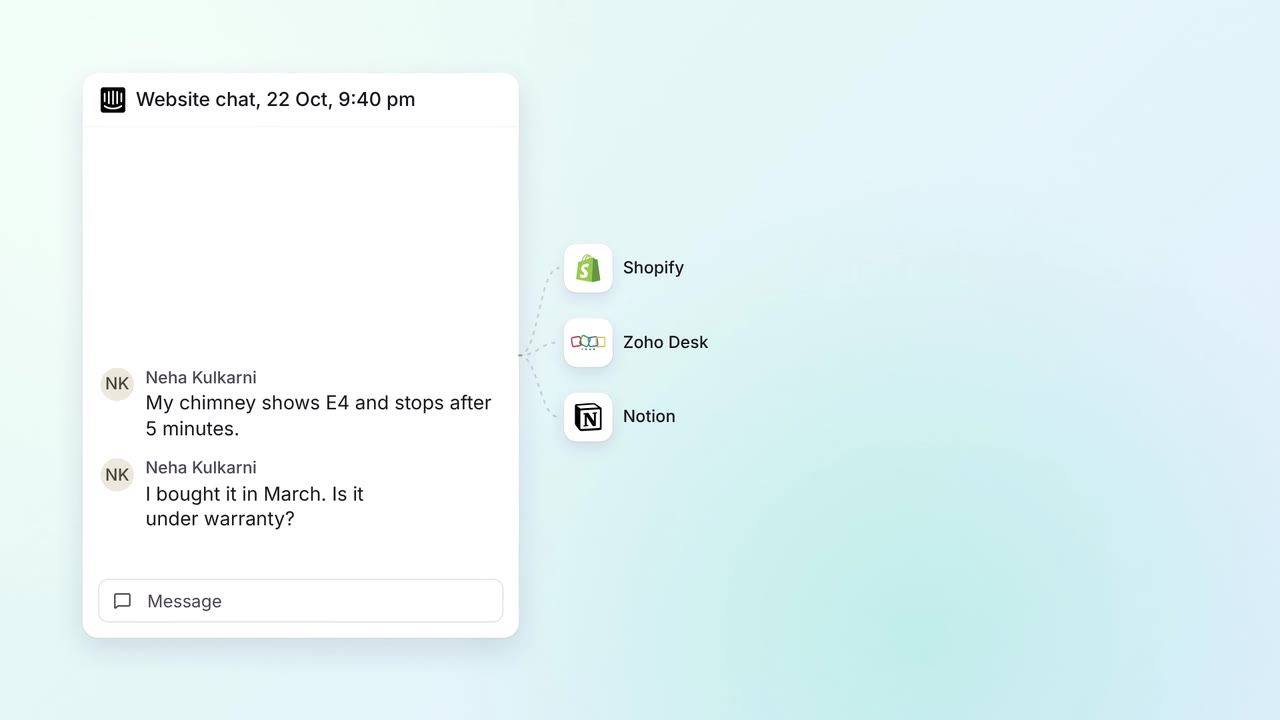
Customer service
AI chatbot for customer service, from manuals and orders
HR
AI policy chatbot on Teams, with the clause behind each answer
IT
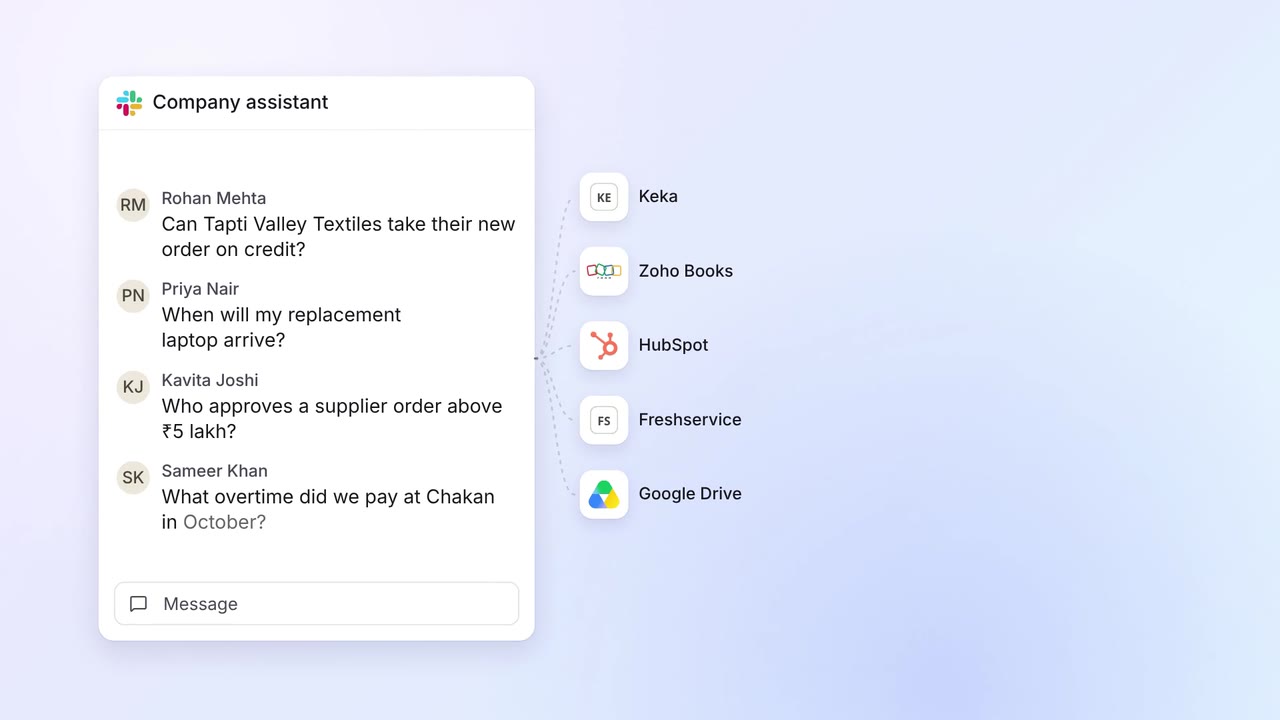
Enterprise AI assistant on Slack, within each person's access
Customer service
WhatsApp business automation: order status straight from SAP
IT
AI service desk on Teams: password resets and access
Sales
AI for account managers: deals, dues, tickets and emails
Skills and automations: an assistant that does the work
The assistant goes further than answers.
The library shows three examples:
-
A sales team agrees its weekly report once, as a skill. Each rep runs it, and the sales head gets every report in the same format.
-
A senior buyer’s way of comparing supplier quotes is saved as a skill. Every buyer then runs the same comparison, and the buyer chooses the supplier.
-
A manager describes the morning brief he wants, in plain words. The assistant sends it at the time he chose, within his own access.
Built on your company’s context
The assistant works from two kinds of context, built with your team and kept current as the business changes.
Durable facts
The slow-changing truth.
- SOPs
- Policies
- Pricing rules
- Org chart
- Approval chain
- Customer history
Live context
The state of the business today.
- Service tickets
- Payments due
- Stock in hand
- Pending approvals
- Current priorities
Chatbot integration with your systems
The assistant connects to the apps your teams already use, such as the CRM, the ERP, the accounts app, email and documents.
Enterprise AI chatbot controls
The assistant is open to every team and governed by the company.
Admin
- Each person sees only what their role allows.
- Every question and answer is recorded.
- Usage limits by person and team.
- Runs on your servers or your cloud.
Every conversation is traceable and auditable.
Each person sees only what their role allows. Every question and answer is recorded. Usage limits are set by person and team. The assistant runs on your servers or your cloud. Every conversation is traceable and auditable.
How chatbot development runs, from audit to handover
- 1Audit Map the teams and systems, and choose where to start.
- 2Set up Connect your systems, and build the company context and the first skills.
- 3Roll out Team by team, with training.
- 4Hand over Your team runs the assistant and adds its own skills.
What you end up with
One AI workspace for every team, connected to your systems.
- Company context and the first skills, built with your team.
- Teams trained as the assistant rolls out.
- Code, context and settings in your repository, documented for whoever comes next.
- A team of your own that runs the assistant and adds its own skills.
Before you choose an AI partner.
Start with the AI Audit.
Intro call


With Pranav Parekh or Deepak Sharma, co-founders
Talk to a founder.
- First ideas on where AI pays off for you
- How the audit runs, and what you get
- A straight answer on fit
Services
- Company assistant The main fit. One AI workspace for every team, connected to your systems.
- AI agents For requests the chatbot should complete, such as a password reset or software access, with a manager's approval.
- AI apps For customers and partners who need their own screen for orders, service and payments.