Competitor price changes, launches and hiring arrive in one email every Monday
Every Monday the AI checks competitor websites, price lists and job posts, compares new prices with yours and emails a short digest of what changed.
- Used day to day by
- Marketing head
- Regional sales managers
- Product managers
How it runs with AI
Every Monday the AI checks each competitor's website, price lists and job posts, and compares every new price list with the last one and with yours. It posts price moves to the regional sales channels on Teams and emails a one-page digest of everything that changed. Your marketing and sales heads decide what to do about each move.
How it is done today
Someone in marketing visits each competitor's website when they find the time, downloads the latest price list and compares it with the last one by hand. Launches and job posts come to light by chance, often when a dealer mentions them. By the time the sales team hears of a price change, dealers have been asking about it for a week.
Step by step
Where the work happens, what the AI does, and where it hands over to a person.
-
Step 1, AI
Checks each competitor's website, price lists and job posts
Needs to know: Competitor pages to watch, Last week's findings
In Competitor websites , Job portals
Exception to step 1
Marks any site it cannot read, for a person to check by hand
-
Step 2, AI
Compares each new price list with the last one and yours
Needs to know: Your current price list, Matching competitor products
In Competitor websites
-
Step 3, AI
Posts each price move to the regional sales channels
Needs to know: Each region's sales channel
In
 Microsoft Teams
 -
Step 4, AI
Emails a one-page digest of every move to the marketing head
Needs to know: Who gets the digest, Digest format
In
 Outlook
 -
Step 5, Person
Decides with the sales heads whether to respond on price
In
Outlook , Microsoft Teams
What stays with a person
- Decides with the sales heads whether to respond on price
What it checks each week
- Price lists: the price pages and PDFs each competitor publishes for dealers and buyers
- Products: new product pages, catalogues and launch announcements
- Hiring: job posts on their careers page and on job portals, by role and city
- News: press releases and announcements on their websites
You choose the competitors and the pages. Adding a competitor means adding its pages to the list.
Apps in this example
- Competitor websites
- Job portals
- Microsoft Teams
- Outlook
The same flow works with the apps you use.
This fits you if
- Your competitors publish price lists, MRPs or product catalogues online
- Dealers or distributors often hear of a competitor's price change before your sales team does
- You watch 5 or more competitors across several regions
- Competitor tracking today depends on one person finding the time
What to watch for
- The AI reads public pages only, such as websites, published price lists, press releases and job posts. Your team checks each site's terms of use before it goes on the list
- A redesigned website can break the check for that competitor. The digest names every site it could not read, so a person checks it that week
- Job posts and launches are signals. The digest states what it saw, and marks any reading of what it means as a possibility
- Pricing decisions stay with your marketing and sales heads. The digest gives them the facts and they decide whether to respond
Often done together
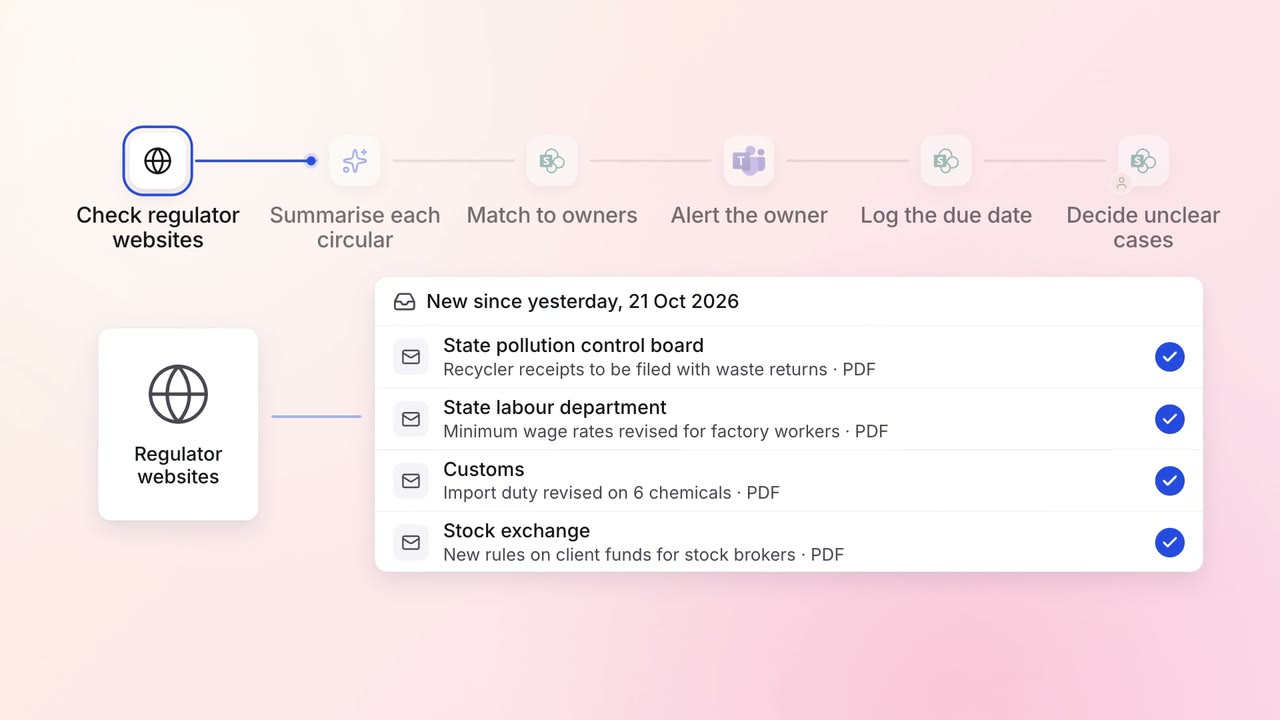
Legal and compliance Regulatory tracking
Every new circular is summarised and sent to the team that must act on it
- Regulator websites
 SharePoint
- Microsoft Teams
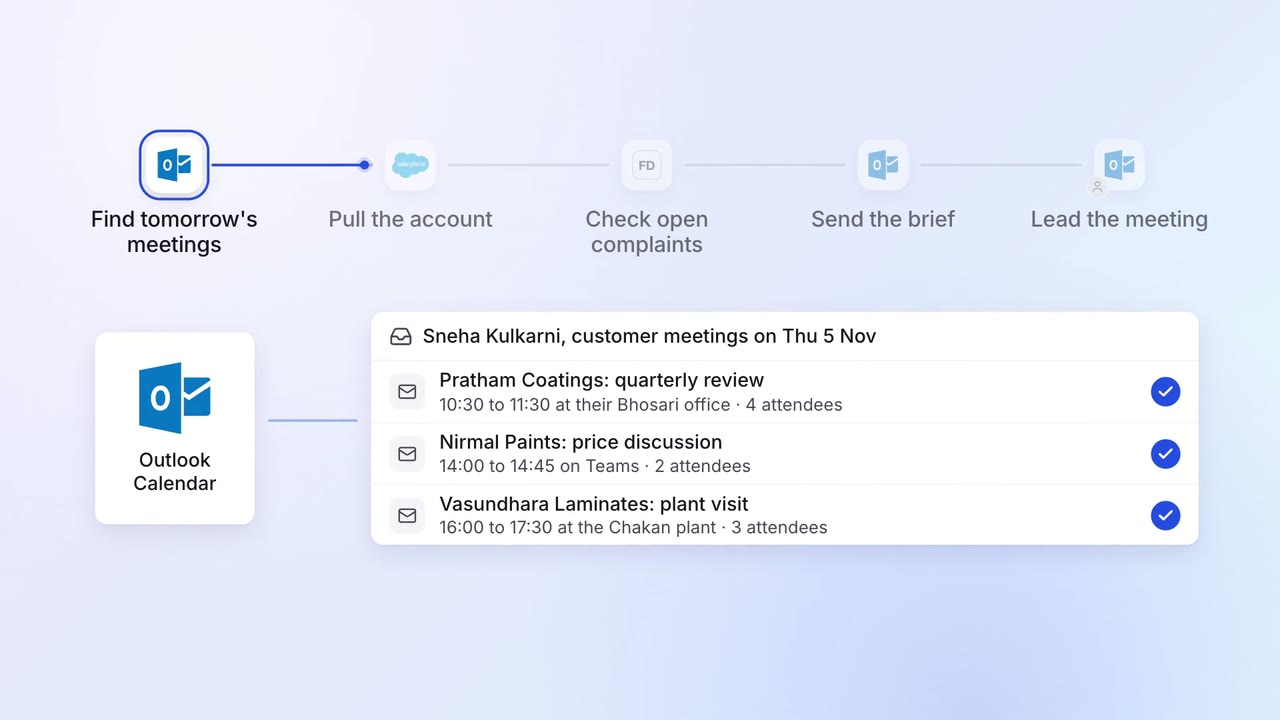
Sales Renewals and account care
Account managers get a one-page brief before every customer meeting
- Outlook
 Salesforce
 Freshdesk
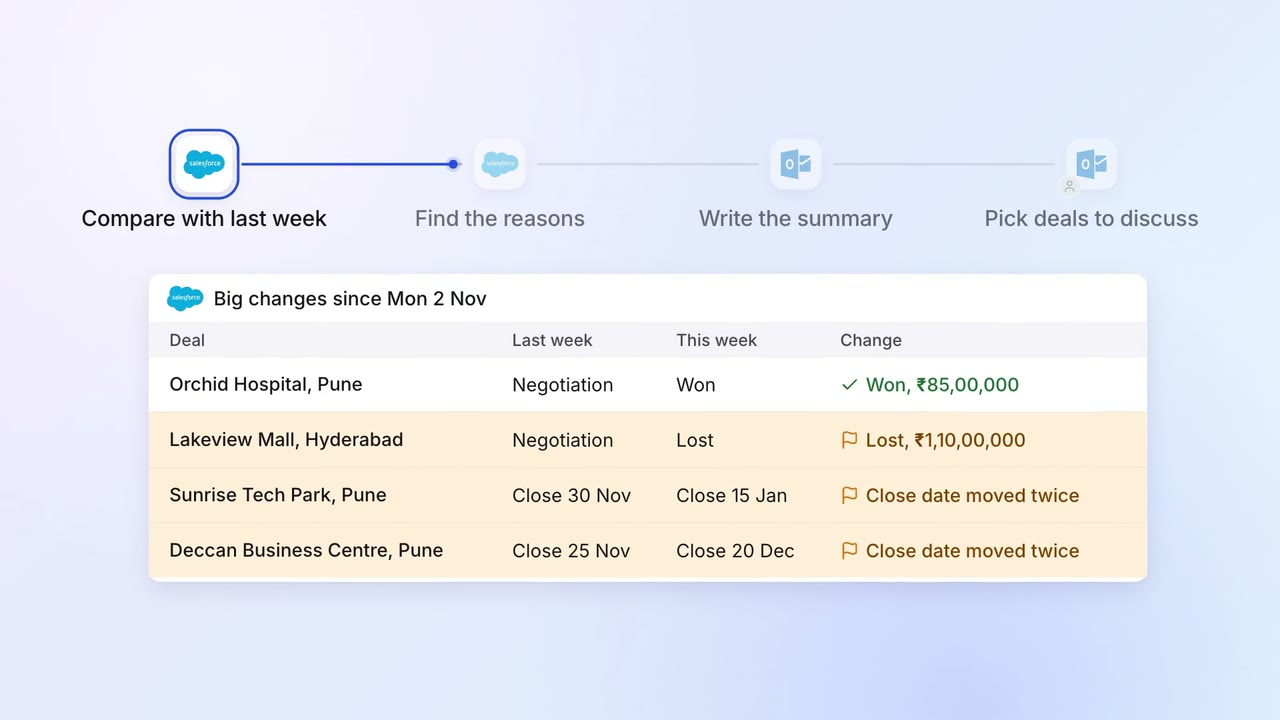
Sales Pipeline and forecasting
The sales head gets a one-page pipeline summary every Monday, with what changed and why
- Salesforce
- Outlook