Every new circular is summarised and sent to the team that must act on it
The AI reads new circulars from the regulators you follow, summarises each one and sends it on Teams to the person who owns that obligation.
- Used day to day by
- Compliance team
- Plant heads
- Department heads
How it runs with AI
The AI checks each regulator website every morning, reads every new circular and writes a short summary: what changes, from when and for whom. It matches the change to your obligation register, sends it on Teams to the owner and logs the due date. Your compliance head sees every open item and decides the unclear ones.
Step by step
Where the work happens, what the AI does, and where it hands over to a person.
-
Step 1, AI
Checks every regulator website you follow, each morning
Needs to know: Regulators you follow
In Regulator websites
-
Step 2, AI
Reads each circular and sums it up: what changes, from when, for whom
Needs to know: Your sites and businesses
In Regulator websites
-
Step 3, AI
Matches each change to your obligation register and finds the owner
Needs to know: Obligation register, Who owns each obligation
In
 SharePoint
 Exception to step 3
Sends it to the compliance head when it is unclear whether it applies
-
Step 4, AI
Sends the summary on Teams to the owner and asks them to confirm
Needs to know: Who covers each site, Reminder timings
In
 Microsoft Teams
 Exception to step 4
Reminds the owner if there is no reply, then tells the compliance head
-
Step 5, AI
Logs the owners, the due date and the status in the tracker
Needs to know: How the tracker is kept
In
SharePoint -
Step 6, Person
Reviews the open items each Monday and decides the unclear ones
In
SharePoint
What stays with a person
- Reviews the open items each Monday and decides the unclear ones
Apps in this example
- Regulator websites
- SharePoint
- Microsoft Teams
The same flow works with the apps you use.
This fits you if
- You have plants or offices in more than one state, each with its own regulators
- You keep an obligation register or tracker with a named owner for each obligation
- Circulars reach plant and function heads as forwarded emails today
- An audit or a notice has brought up a change your team learnt about late
What to watch for
- Whether a change applies to you, and how to comply, is a legal judgement. The AI gives its view with the reasons, and your compliance head or legal adviser decides the unclear ones
- Each summary links to the original circular, and owners act on the original
- Someone in compliance keeps the owners in the obligation register up to date as people change roles, so each update reaches the right person
- Scanned circulars are read too, and a person checks the dates and amounts in them before the summary goes out
Often done together
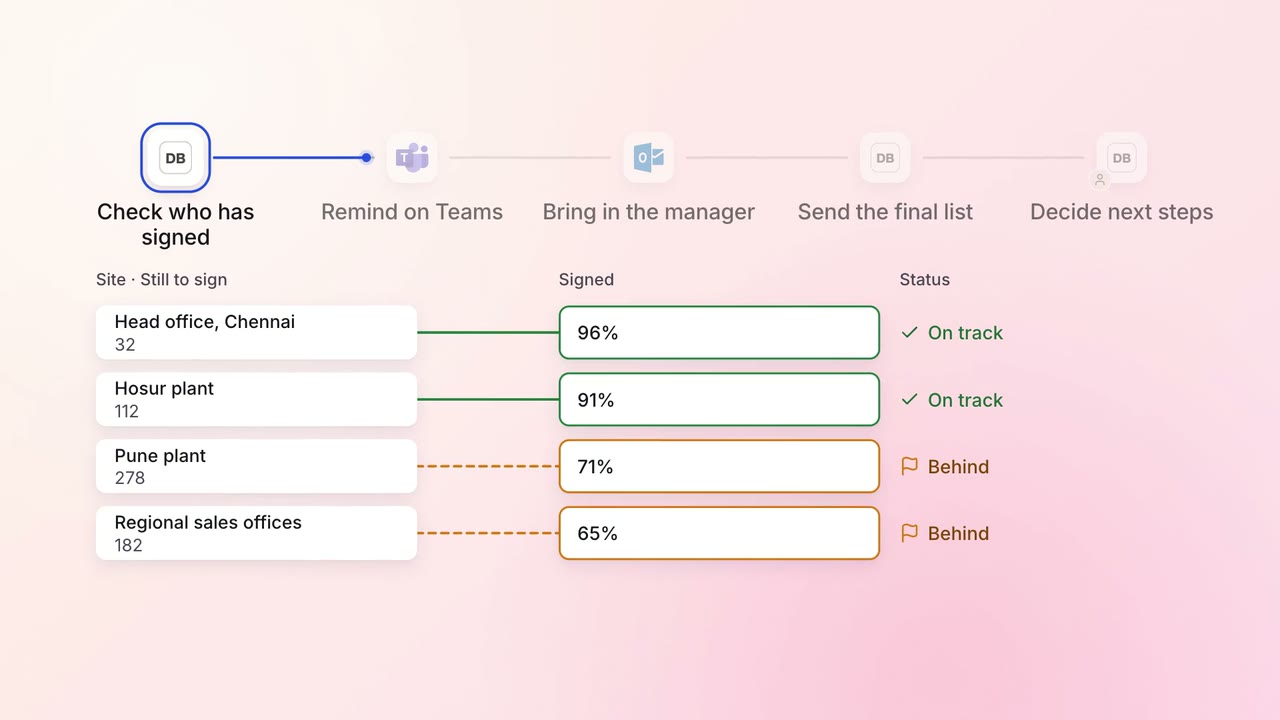
Legal and compliance Policy upkeep
Annual policy acknowledgements are chased until everyone has signed
 Darwinbox
- Microsoft Teams
 Outlook
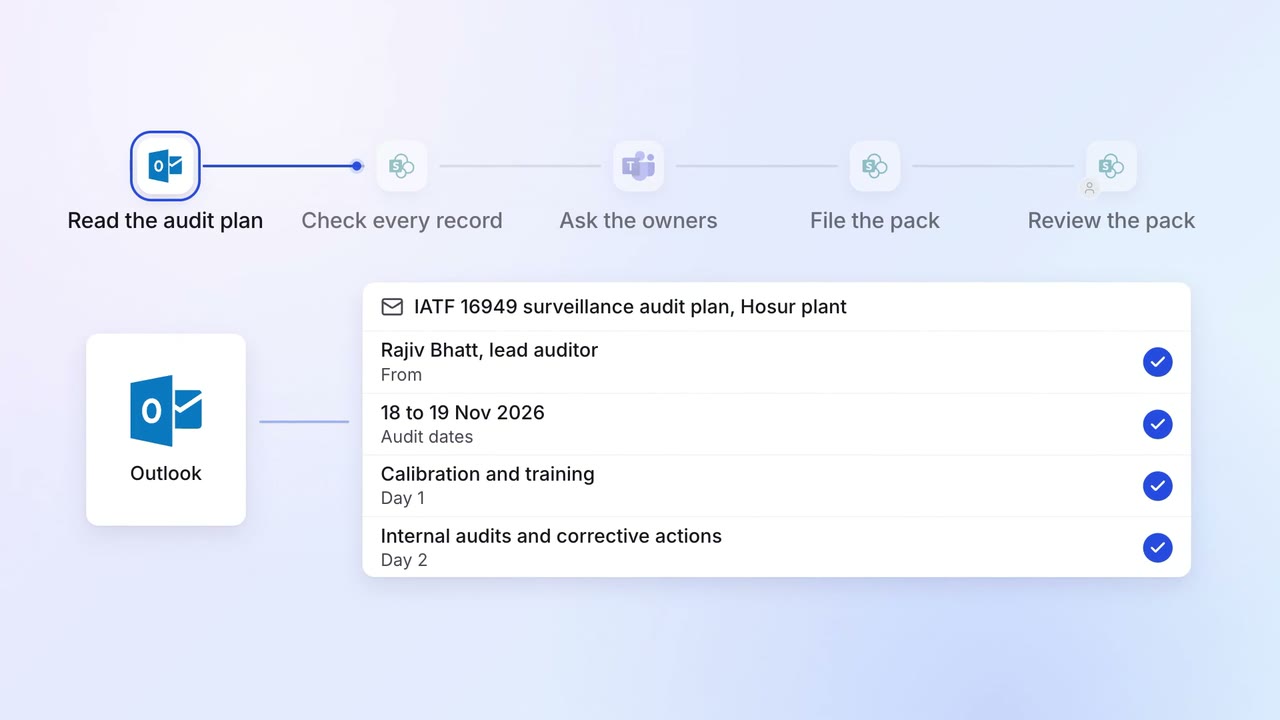
Operations Quality and audits
Evidence for every audit point is ready before the auditor asks
- Outlook
- SharePoint
 SAP S/4HANA
- Microsoft Teams
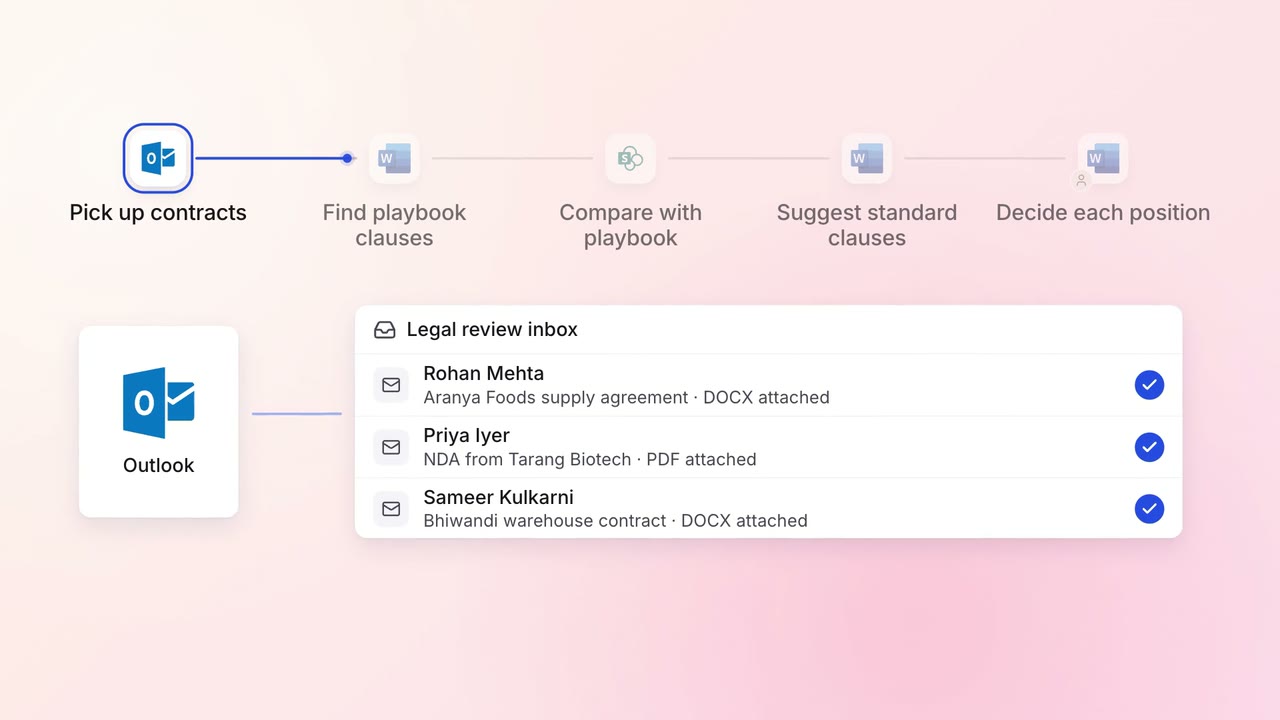
Legal and compliance Contract review
Incoming contracts are checked against your standard positions, with each difference marked
- Outlook
 Microsoft Word
- SharePoint