Most RFP questions are answered from your past bids, and experts fill the gaps
The AI drafts each RFP answer from your past bids and current documents on SharePoint, asks the right expert on Teams for anything new, and the bid manager signs off.
- Used day to day by
- Bid team
- Department heads
- Sales head
How it runs with AI
The AI reads the questionnaire and drafts each answer from your past bids and current documents, with the source beside it. Answers that are missing or out of date go to the right expert on Teams as short, specific questions. The bid manager starts from a full draft and spends the time on pricing and the answers written for this customer.
How it is done today
A new RFP arrives with a long list of questions on capacity, systems, safety and rates. The bid manager searches old bids on SharePoint, copies answers across and emails colleagues for the rest. Old figures slip through, and the last days before the deadline go on chasing replies.
Step by step
Where the work happens, what the AI does, and where it hands over to a person.
-
Step 1, AI
Reads the RFP and lists every question with its section
Needs to know: Common RFP sections
In
 Microsoft Word ,
  SharePoint
 -
Step 2, AI
Drafts each answer from past bids and current documents
Needs to know: Bid library, Current figures and certificates
In
SharePoint -
Step 3, AI
Asks the right expert on Teams to fill each gap
Needs to know: Expert for each topic
In
 Microsoft Teams
 Exception to step 3
Tells the bid manager about any answer still missing close to the due date
-
Step 4, AI
Fills the customer's template, with each answer's source
Needs to know: House style for bids
In
Microsoft Word -
Step 5, Person
Reviews the full response and approves the submission
In
Microsoft Word
What stays with a person
- Reviews the full response and approves the submission
Apps in this example
- SharePoint
- Microsoft Word
- Microsoft Teams
The same flow works with the apps you use.
This fits you if
- You answer more than 3 RFPs or vendor questionnaires a month
- Your past bids sit in SharePoint folders or email threads
- The same questions on capacity, safety, systems and certificates come up in most bids
- Experts in operations, IT, safety and finance each own part of every response
What to watch for
- Rates, commitments and contract terms stay with your bid manager and commercial head. A person approves every submission
- Each answer shows its source and date, so the reviewer can spot an old figure quickly
- Past answers sometimes name another customer. The AI marks every customer name it finds, and the bid manager removes them
- Someone owns the bid library and adds each final, approved response after it is submitted
Often done together
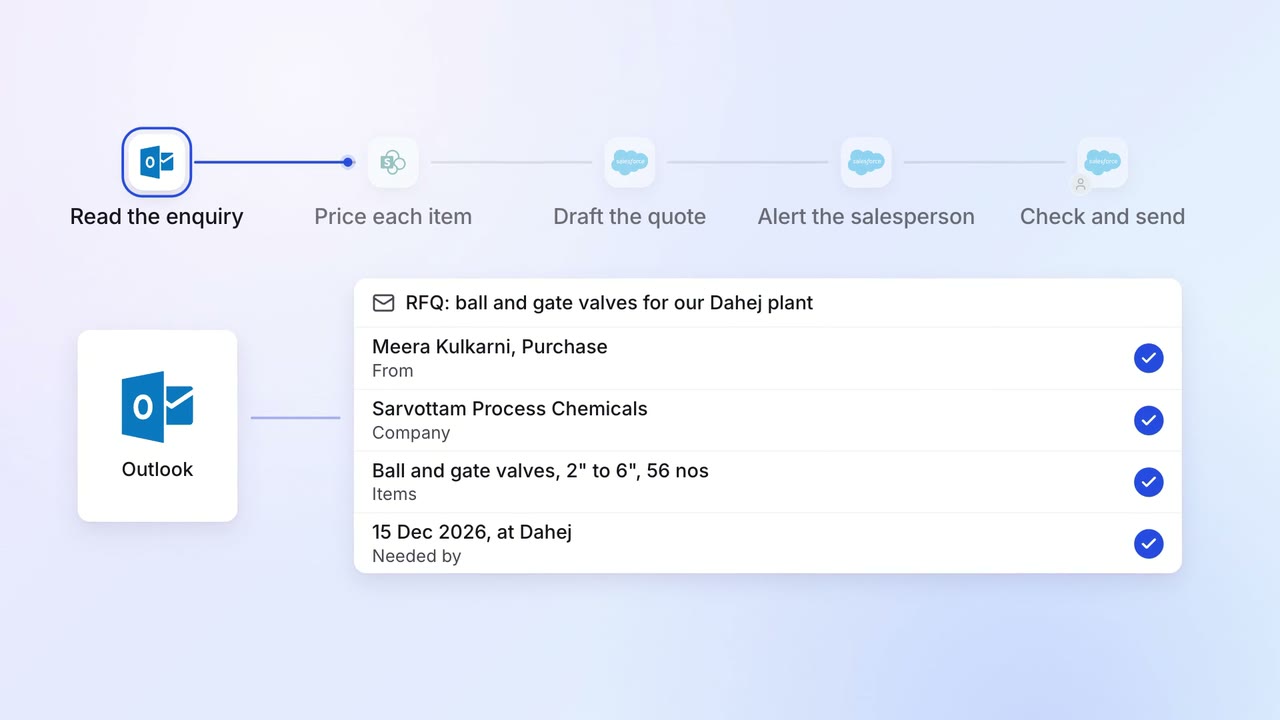
Sales Proposals and quotes
Every enquiry gets a draft quote, priced from your list and past deals
 Outlook
- SharePoint
 Salesforce
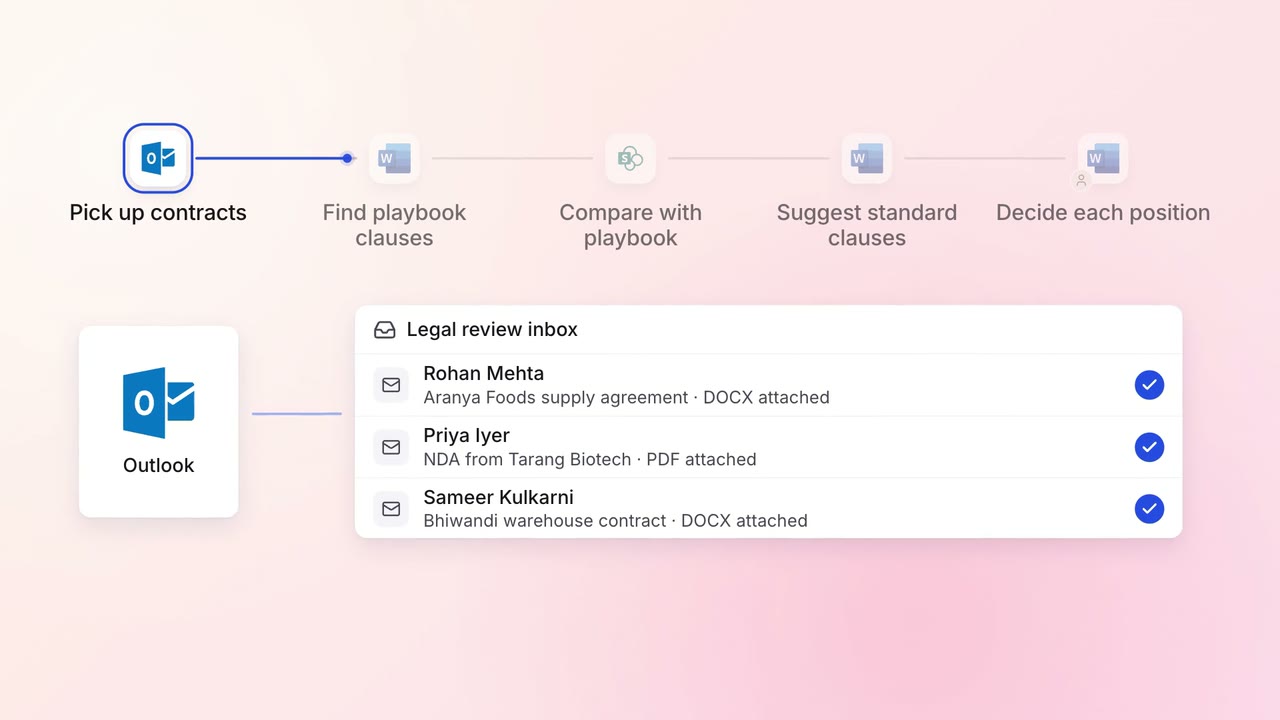
Legal and compliance Contract review
Incoming contracts are checked against your standard positions, with each difference marked
- Outlook
- Microsoft Word
- SharePoint
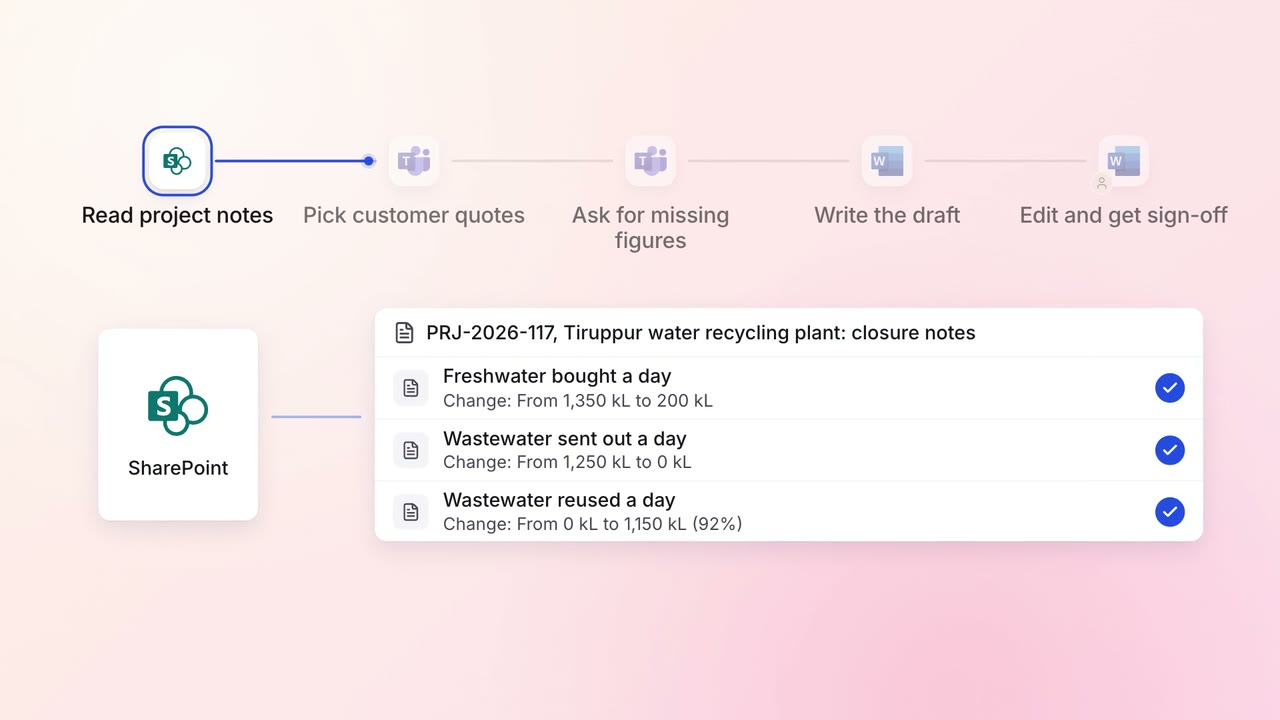
Marketing Content
Case study drafts come from project notes and the customer interview, ready for review
- SharePoint
- Microsoft Teams
- Microsoft Word