Supplier bills are checked against what actually arrived, then entered in TallyPrime
Each emailed bill is checked against the PO and the goods receipt in Zoho Inventory, then entered in TallyPrime with any difference held back. Your accounts team approves it.
- Used day to day by
- Accounts team
- Stores team
- Purchase team
How it runs with AI
The AI reads each bill as it arrives and checks every line against the PO and the goods receipt the stores logged in Zoho Inventory. Where something differs, it asks the stores or purchase team on Google Chat, then enters the bill in TallyPrime with the difference held back from payment. Your accounts team approves each entry and settles the difference with the supplier.
How it is done today
Suppliers email their bills to the accounts inbox. Someone in accounts opens each PDF, finds the PO in Zoho Inventory, rings the stores to ask what actually arrived and types the bill into TallyPrime. With many bills each month, short deliveries and quiet price rises are often paid in full.
Step by step
Where the work happens, what the AI does, and where it hands over to a person.
-
Step 1, AI
Picks up each bill from the accounts inbox and reads the supplier, PO number and every line
Needs to know: Approved supplier list
In
 Gmail
Gmail -
Step 2, AI
Checks each line against the PO and the goods receipt in Zoho Inventory
Needs to know: Matching tolerances
In
 Zoho Inventory
 Exception to step 2
Holds the bill and reminds the stores when no goods receipt is logged yet
-
Step 3, AI
Asks the stores on Google Chat to confirm the short delivery
Needs to know: Stores contact by plant
In
 Google Chat
 -
Step 4, AI
Enters the bill in TallyPrime as an optional voucher for approval, with the difference held back from payment
Needs to know: Supplier and GST ledgers
In
 TallyPrime
 -
Step 5, Person
Approves the entry and asks the supplier for a credit note for the difference
In
TallyPrime , Gmail
What stays with a person
- Approves the entry and asks the supplier for a credit note for the difference
Apps in this example
- Gmail
- Zoho Inventory
- Google Chat
- TallyPrime
The same flow works with the apps you use.
This fits you if
- You receive more than 100 supplier bills a month, most of them by email
- Your purchase orders and goods receipts are in Zoho Inventory, and your accounts are in TallyPrime
- Your stores team logs each delivery in Zoho Inventory when it arrives
- Short deliveries or price rises have been paid by mistake before
What to watch for
- The check relies on the stores logging each delivery on the day it arrives. Bills for goods not yet logged wait, and the stores get a reminder on Google Chat
- Your team sets the tolerance once, for example how large a weighbridge difference can be and still count as a match
- Each entry stays an optional voucher, outside your books, until your accounts team approves it
- Credit notes, payment holds and supplier payments stay with your accounts team. The automation prepares the entry and the reasons
Often done together
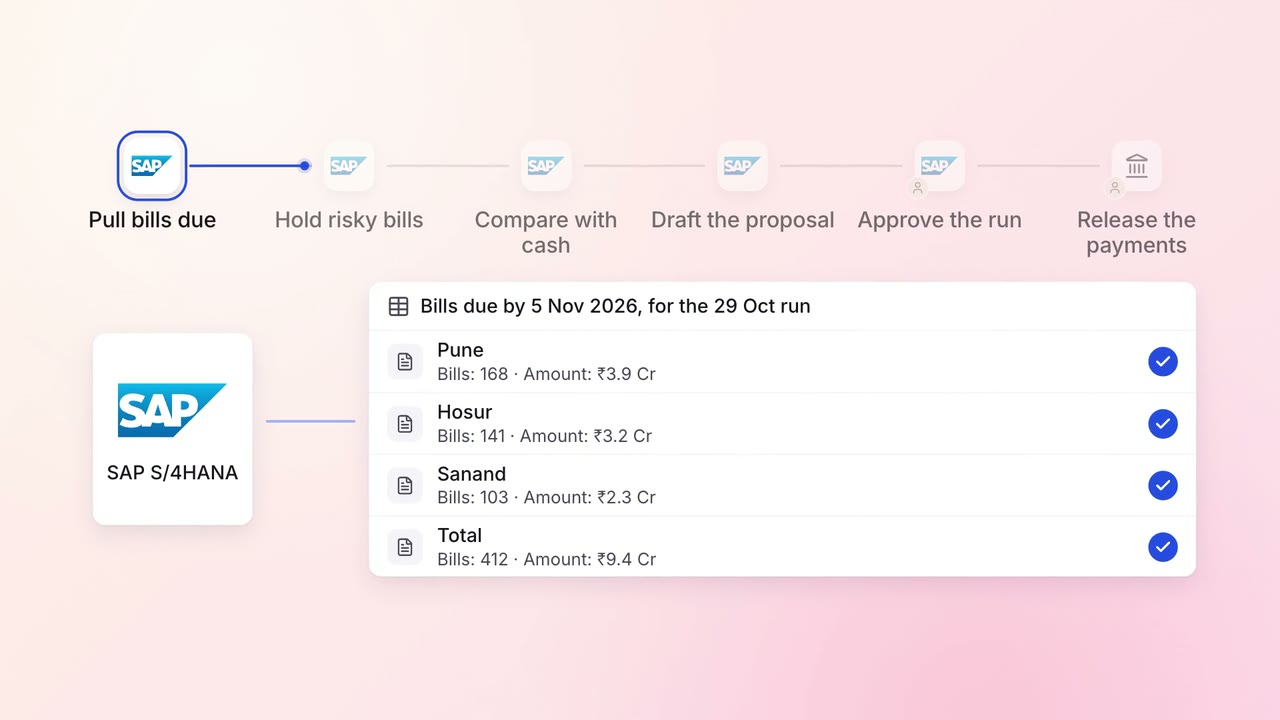
Finance Supplier bills and payments
The weekly payment run is drafted to fit your cash, in your order of priority
 SAP S/4HANA
- Bank portal
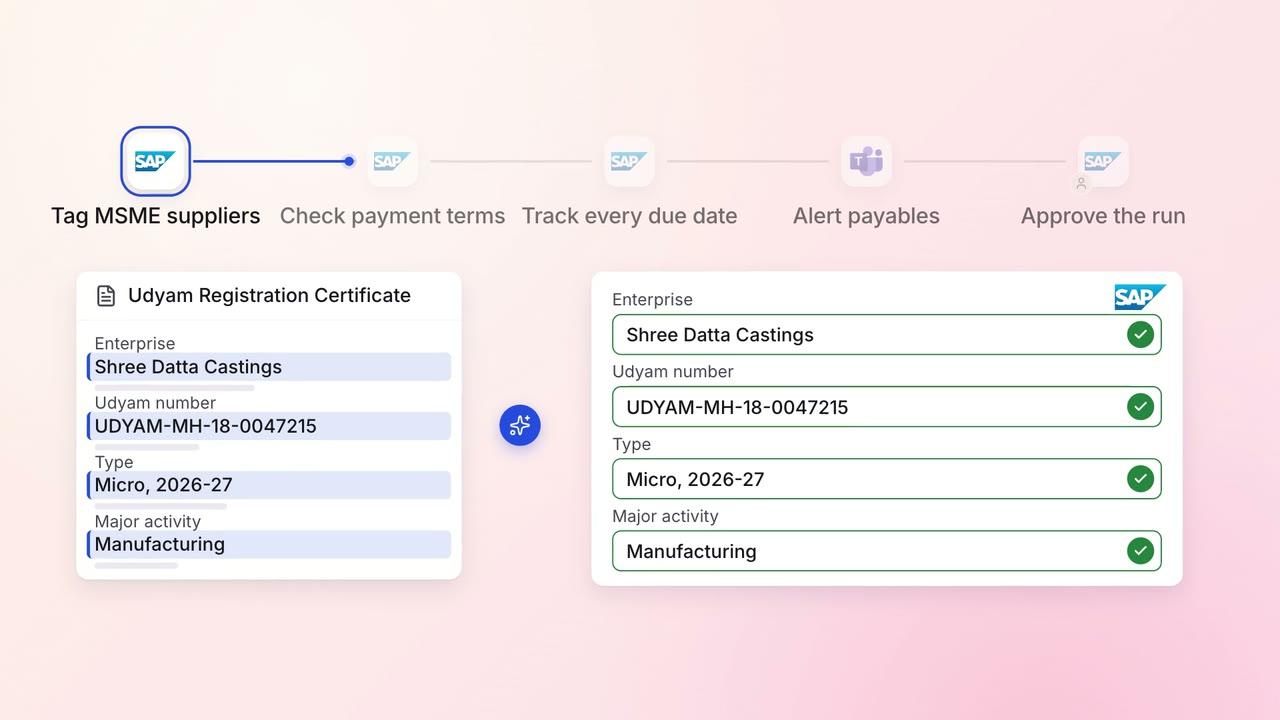
Finance Supplier bills and payments
MSME suppliers are paid on time, with every due date tracked from delivery
- SAP S/4HANA
 Microsoft Teams
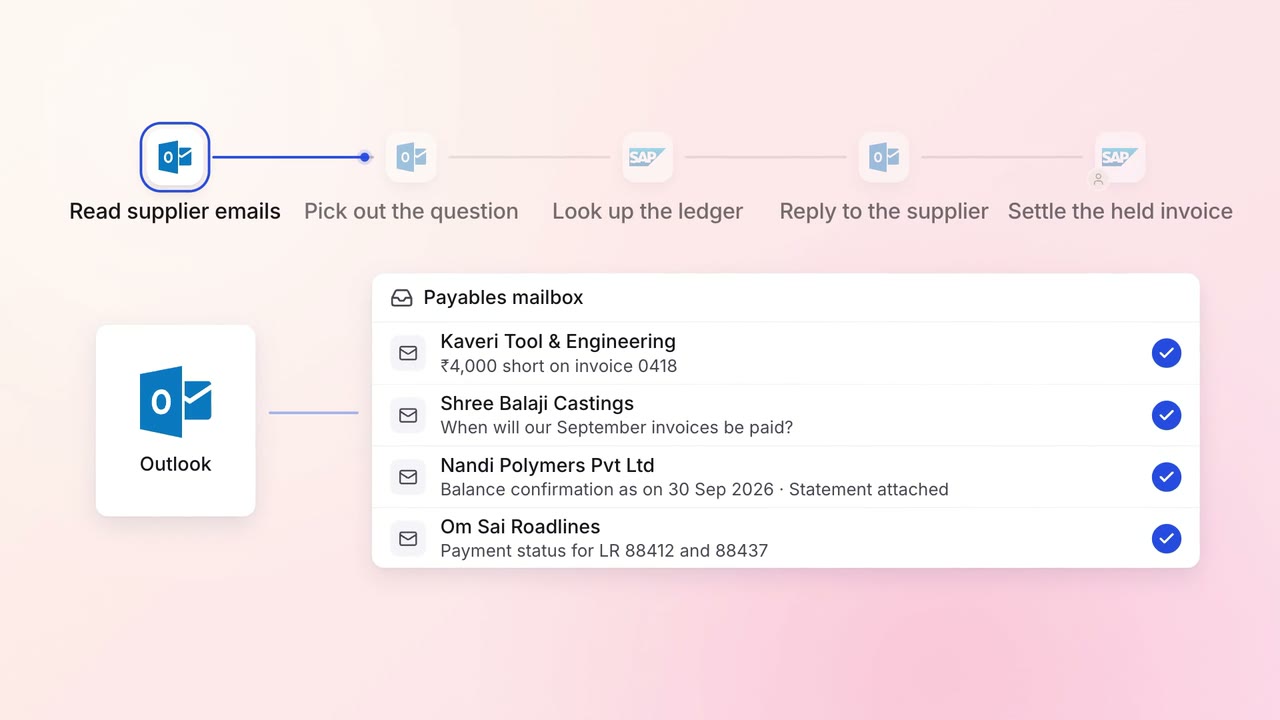
Finance Supplier bills and payments
Supplier payment queries get an answer the same day, straight from the ledger
 Outlook
- SAP S/4HANA