Finance asks for any cut of the numbers and gets the chart and the workings, from Tally
A controller asks the company assistant on Teams for a view of the numbers, such as debtor ageing by region against last year. It runs the analysis on TallyPrime data and returns the chart, the table and each step of the working.
- Used day to day by
- Financial controllers
- Accountants
- CFO
What the assistant uses here
Answers from your systems, within each person's access.
- Channels Reaches people where they already talk
- Analysis Runs the numbers as code and shows the working
How it runs with AI
The controller asks on Teams in plain words. The company assistant pulls the ledgers it needs from TallyPrime, runs the analysis as code, and returns a chart with the table behind it and an Excel file showing each step. Anyone in finance can check the working or run it again.
How it is done today
A one-off question about the numbers means exporting from Tally, cleaning the export and building a pivot table and a chart. It waits for the one person who does that well, and the working is hard for anyone else to check.
How the assistant works here
Where people ask, what it draws on, and what comes back.
Where people ask
-
 Microsoft Teams, steps 1 and 4
Who asks
- Financial controllers
- Accountants
- CFO
What it draws on
Apps
-
 TallyPrime, step 2
 -
 Excel, steps 3 and 4
Context
- Region and ledger names, step 1
- Ageing rules, step 3
What comes back
- A chart with its working, step 3
- An answer with its sources, step 4
How a request runs
-
Step 1, the assistant: Takes a question about the numbers, asked in plain words on Teams
-
Step 2, the assistant: Pulls the ledgers it needs from TallyPrime, for both years
-
Step 3, the assistant: Runs the analysis as code and draws the chart
-
Step 4, the assistant: Replies with the chart, the table and an Excel file of the workings
The same flow works with the apps you use.
Who controls it
-
Access
It reads the books with the asker's own access, so views stay within what that person may see
-
Approvals
A person approves before it changes anything in your systems
-
Record
Every question, source, action and approval is recorded
This fits you if
- Your books are in TallyPrime
- Finance is often asked for one-off views of the numbers
- Only one or two people build the pivot tables and charts
What to watch for
- The analysis runs as code on the ledgers, and the working comes back as a spreadsheet, so anyone in finance can check it
- For figures that go to the board or the bank, finance checks the working before they are used
Often done together
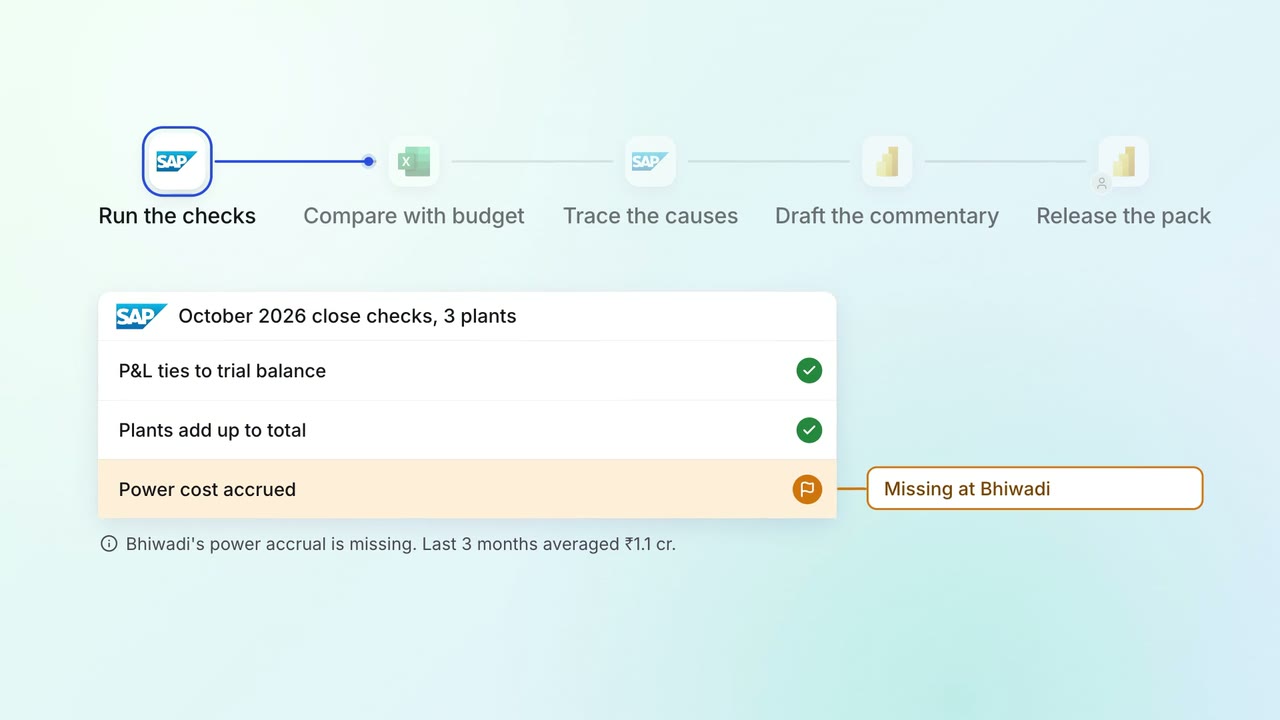
Leadership Management reports
The monthly MIS pack arrives with the numbers checked and the variances explained
 SAP S/4HANA
- Excel
 Power BI
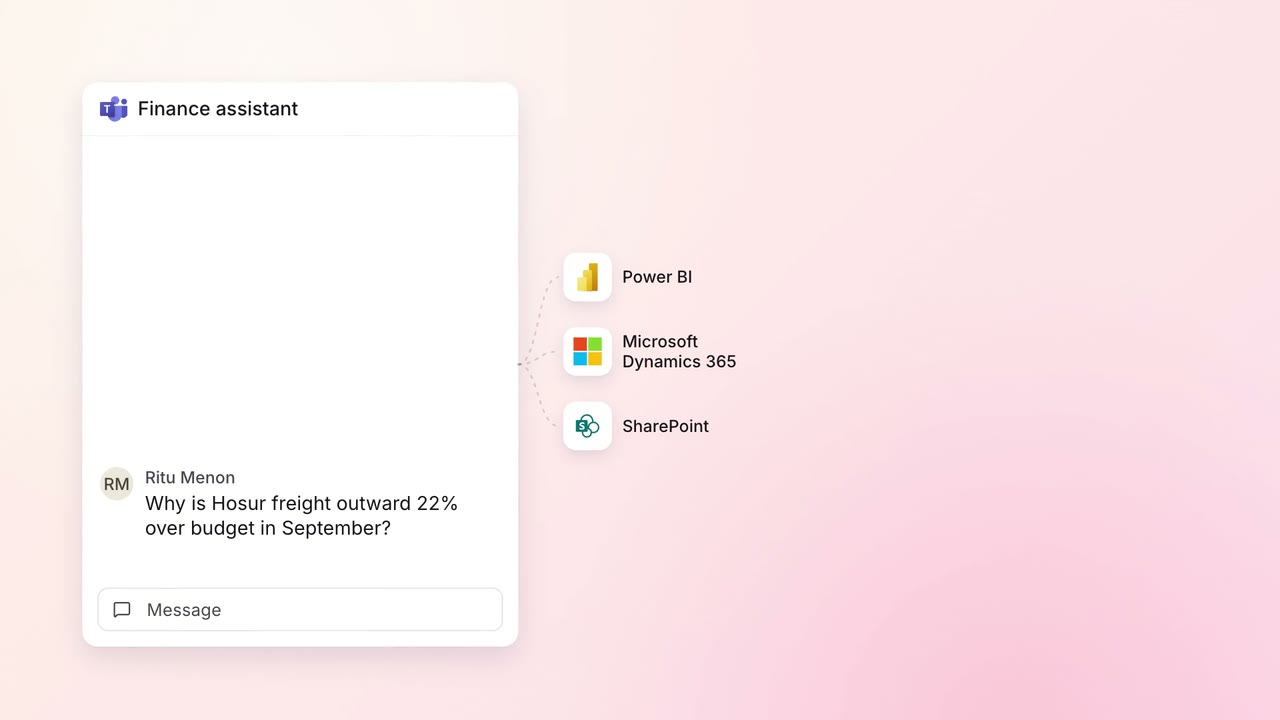 Company assistant
Finance MIS and cash flow
Any budget variance explained in minutes, down to the records behind it
- Microsoft Teams
- Power BI
 Microsoft Dynamics 365
 SharePoint
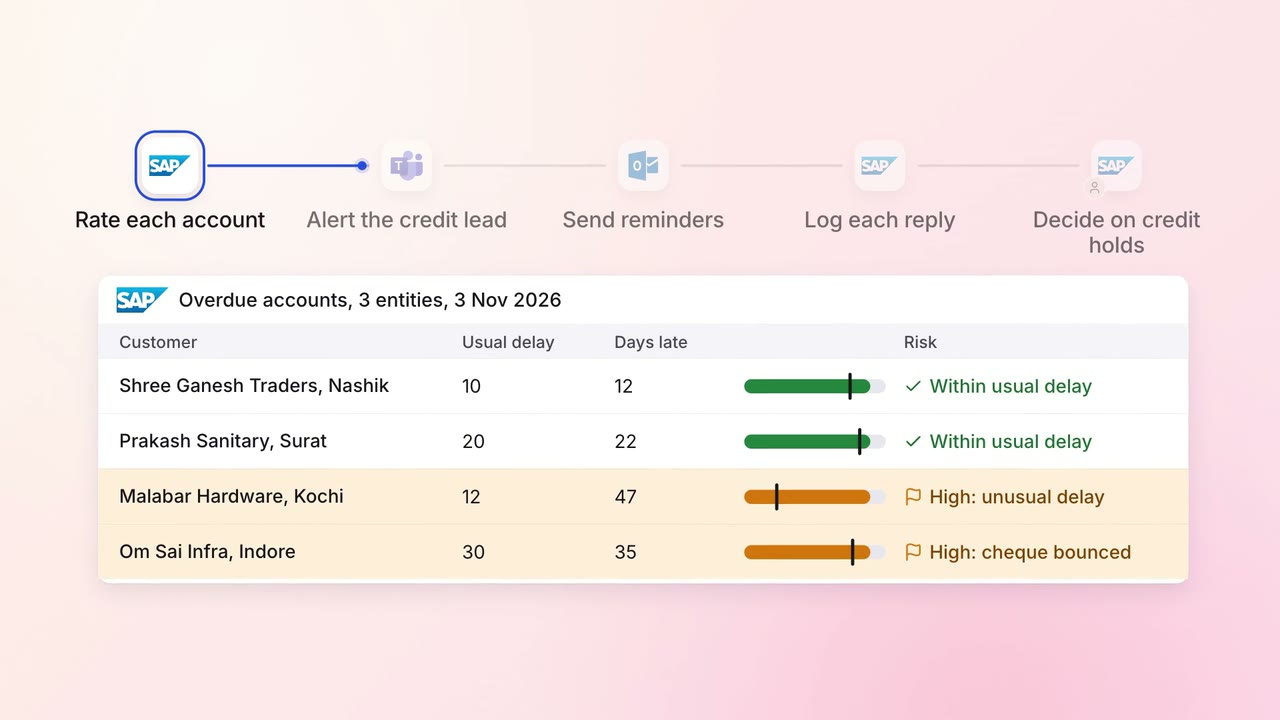
Finance Invoicing and collections
Overdue invoices get the right reminder, and risky accounts reach a person first
- SAP S/4HANA
 Outlook
- Microsoft Teams