Evidence for every audit point is ready before the auditor asks
The AI reads the audit plan, finds each record in SharePoint and SAP, checks that it is current and signed, and asks owners to close the gaps weeks ahead.
- Used day to day by
- Quality team
- Plant heads
- Department heads
How it runs with AI
The AI reads the audit plan the day it arrives and lists the evidence each audit point needs. It finds each record in SharePoint and SAP, checks that it is current, complete and signed, and asks the owner of each gap to close it by a set date. The pack sits in SharePoint, one folder per audit point, a week before the auditor arrives.
How it is done today
A few weeks before each audit, the quality team emails every department for its records. People search shared folders and SAP, send files in different formats, and the quality team checks dates and signatures by hand. Some gaps come to light only when the auditor asks for a record.
Step by step
Where the work happens, what the AI does, and where it hands over to a person.
-
Step 1, AI
Reads the audit plan and lists the evidence each point needs
Needs to know: Audit standard clauses, Evidence needed per point
In
 Outlook
 -
Step 2, AI
Finds and checks each record in SharePoint and SAP
Needs to know: Where each record is kept, Valid date ranges, Who must sign
In
 SharePoint ,
  SAP S/4HANA
 -
Step 3, AI
Asks each owner on Teams to close their gap by a date
Needs to know: Who owns each record, Audit dates
In
 Microsoft Teams
 Exception to step 3
Alerts the plant head if a gap is still open a week before the audit
-
Step 4, AI
Files the evidence pack in SharePoint, one folder per point
Needs to know: Pack folder layout
In
SharePoint -
Step 5, Person
Reviews the pack a week before the auditor arrives
In
SharePoint
What stays with a person
- Reviews the pack a week before the auditor arrives
Apps in this example
- Outlook
- SharePoint
- SAP S/4HANA
- Microsoft Teams
The same flow works with the apps you use.
This fits you if
- Your plants face 6 or more audits a year, from certification bodies, customers and your own team
- Your records are spread across SharePoint folders and SAP S/4HANA
- Your quality team gathers evidence by email in the weeks before each audit
- Past audits have raised findings for expired, missing or unsigned records
What to watch for
- Each owner creates and signs their own records. The AI finds them, checks them and asks for the gaps to be closed
- Your quality head decides once, for each audit standard, what counts as good evidence for each point, such as the date range and who must sign
- The AI gets read access to the SharePoint folders and SAP reports the pack needs, and only those
- The quality head reviews the pack and leads the audit. Every answer to the auditor comes from your people
Often done together
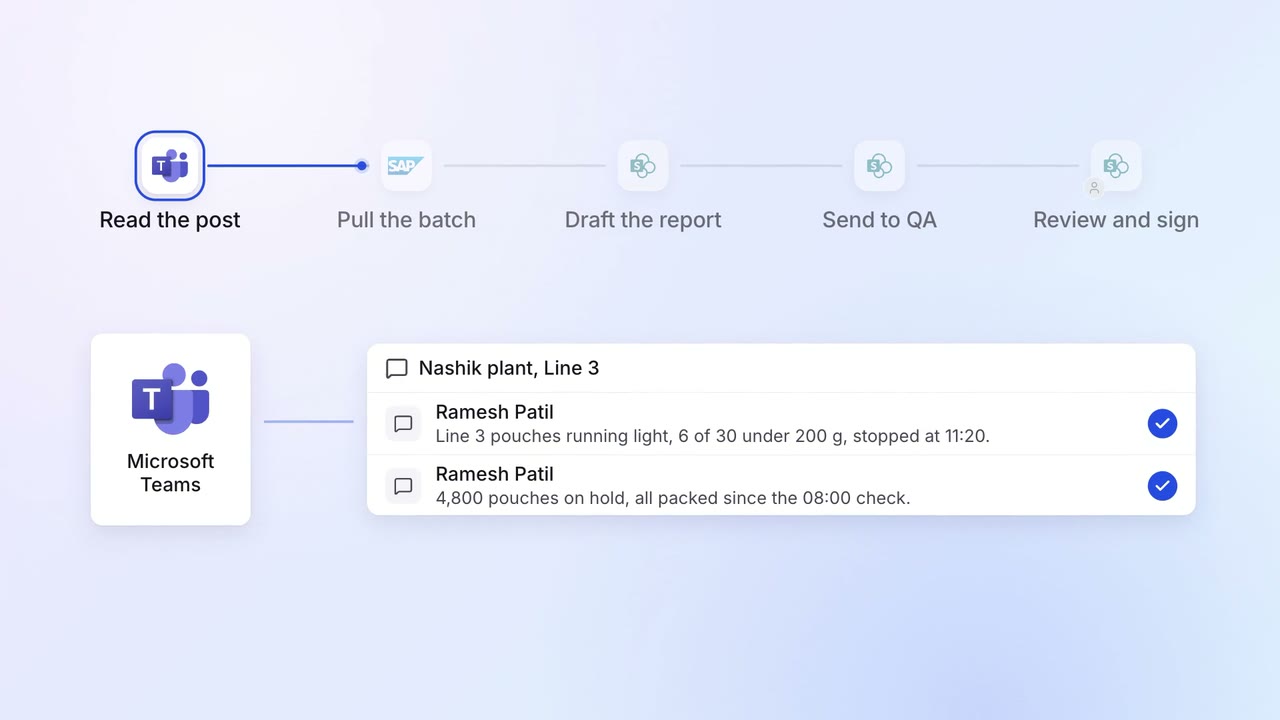
Operations Quality and audits
Quality deviations are written up and sent for sign-off on the same shift
- Microsoft Teams
- SAP S/4HANA
- SharePoint
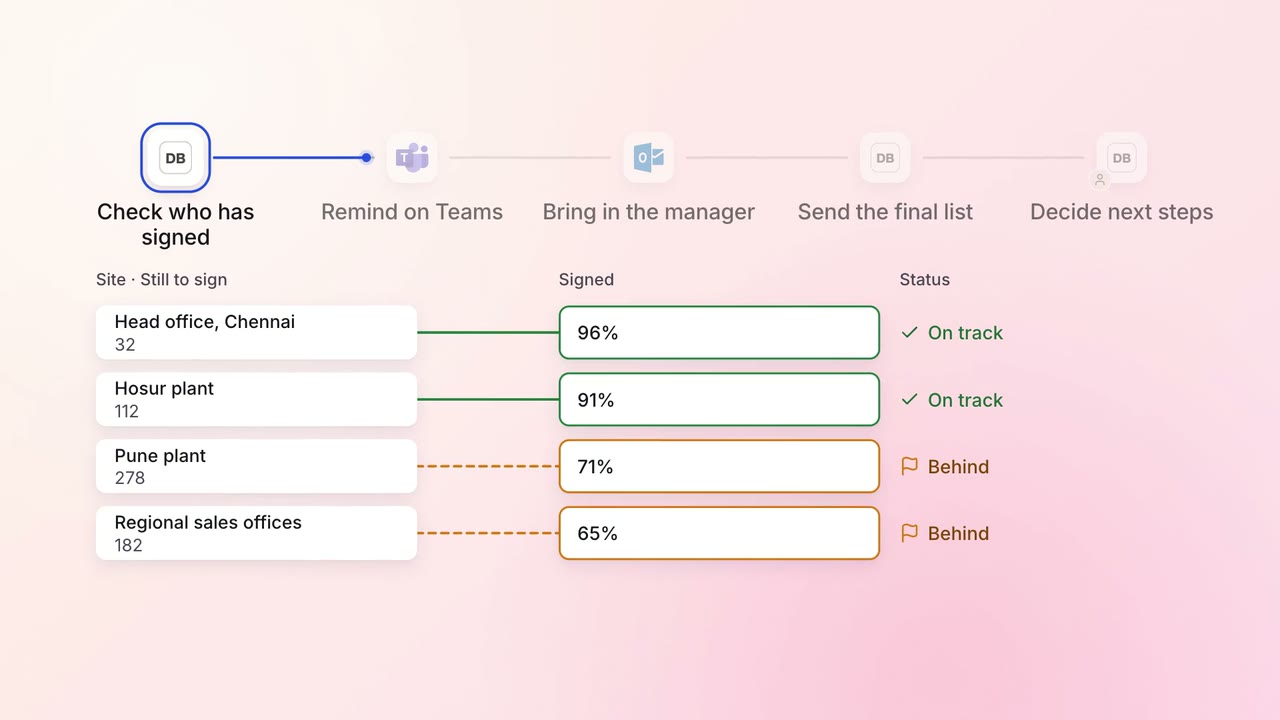
Legal and compliance Policy upkeep
Annual policy acknowledgements are chased until everyone has signed
 Darwinbox
- Microsoft Teams
- Outlook
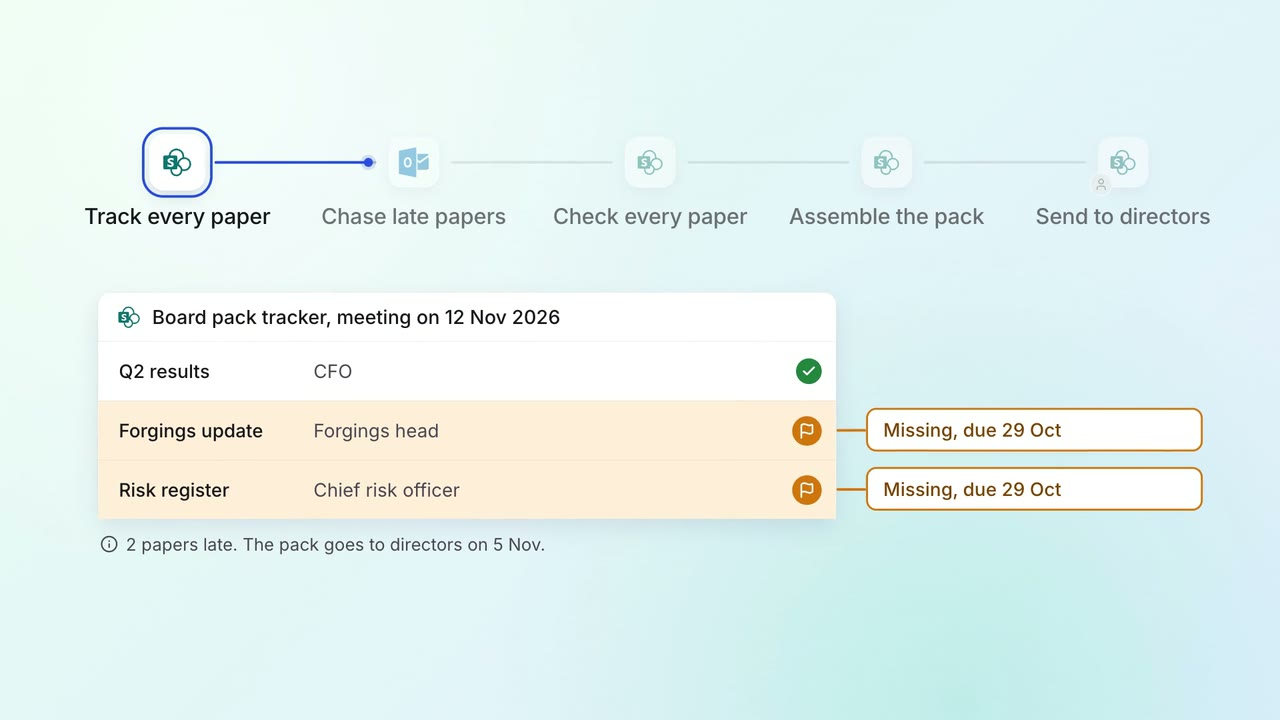
Leadership Board and investor packs
The board pack comes together from every department's papers, with late ones chased
- SharePoint
- Outlook