The board pack comes together from every department's papers, with late ones chased
The AI tracks every agenda paper, chases the late ones, checks each against the template and the quarter's results, and assembles the pack for your company secretary.
- Used day to day by
- Company secretary
- Finance head
- Department heads
How it runs with AI
The AI keeps a live tracker of every agenda paper in SharePoint and emails each owner as the deadline passes, as an automated reminder from the company secretary's office. As papers arrive, it checks each one against the template and the quarter's results and marks any number that differs. It then assembles the pack in agenda order, with an index and page numbers, for the company secretary to review and send.
How it is done today
A month before each board meeting, the company secretary's office emails every department head for a paper and tracks the replies in a spreadsheet. Papers arrive late, on last year's template, or with numbers that differ from the results paper. The last few days go into chasing, checking by hand and merging PDFs.
Step by step
Where the work happens, what the AI does, and where it hands over to a person.
-
Step 1, AI
Tracks every agenda item against the papers filed in SharePoint
Needs to know: Board agenda, Paper owners, Paper deadlines
In
 SharePoint
 -
Step 2, AI
Emails each owner whose paper is late, with the new deadline
Needs to know: Pack send date, Escalation rules
In
 Outlook
 Exception to step 2
Alerts the CFO if the paper is still missing close to the pack date
-
Step 3, AI
Checks each paper against the template and the quarter's results
Needs to know: Board paper template, Quarter's results, Page limits
In
SharePoint Exception to step 3
Sends any difference to the paper's owner and the CFO to settle
-
Step 4, AI
Assembles the pack in agenda order, with an index and page numbers
Needs to know: Agenda order, Pack layout
In
SharePoint -
Step 5, Person
Reviews the pack and sends it to the directors
In
SharePoint , Outlook
What stays with a person
- Reviews the pack and sends it to the directors
Apps in this example
- SharePoint
- Outlook
The same flow works with the apps you use.
This fits you if
- Your board pack draws papers from 5 or more departments or business units
- Papers arrive by email and someone merges them by hand
- The company secretary tracks papers in a spreadsheet
- Numbers in business updates sometimes differ from the results paper
What to watch for
- Quarterly results stay confidential until they are announced. The AI works inside your Microsoft 365, and the pack folder keeps the access list it has today
- When a number differs, the AI shows both. The CFO and the paper's owner decide which one is right
- The company secretary decides the agenda and sends the pack to the directors
- Reminders go to the owners on the agenda list, so the company secretary updates that list before each meeting
Often done together
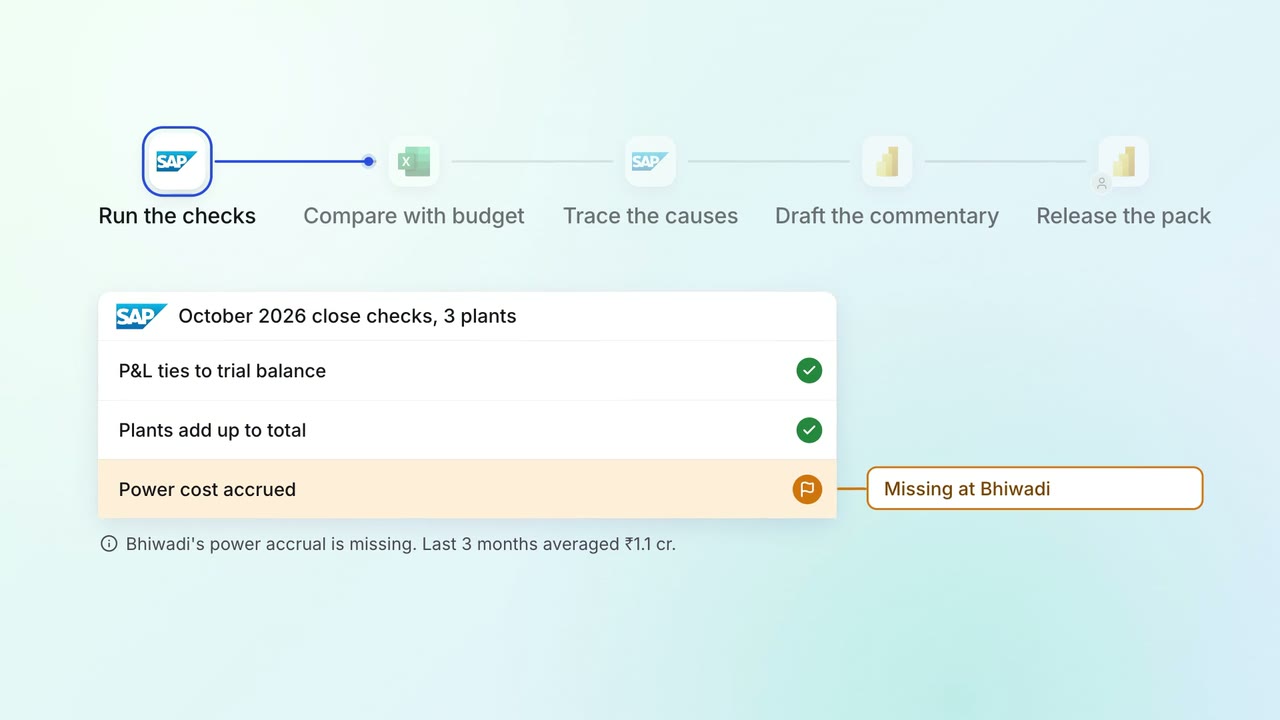
Leadership Management reports
The monthly MIS pack arrives with the numbers checked and the variances explained
 SAP S/4HANA
 Excel
Excel Power BI
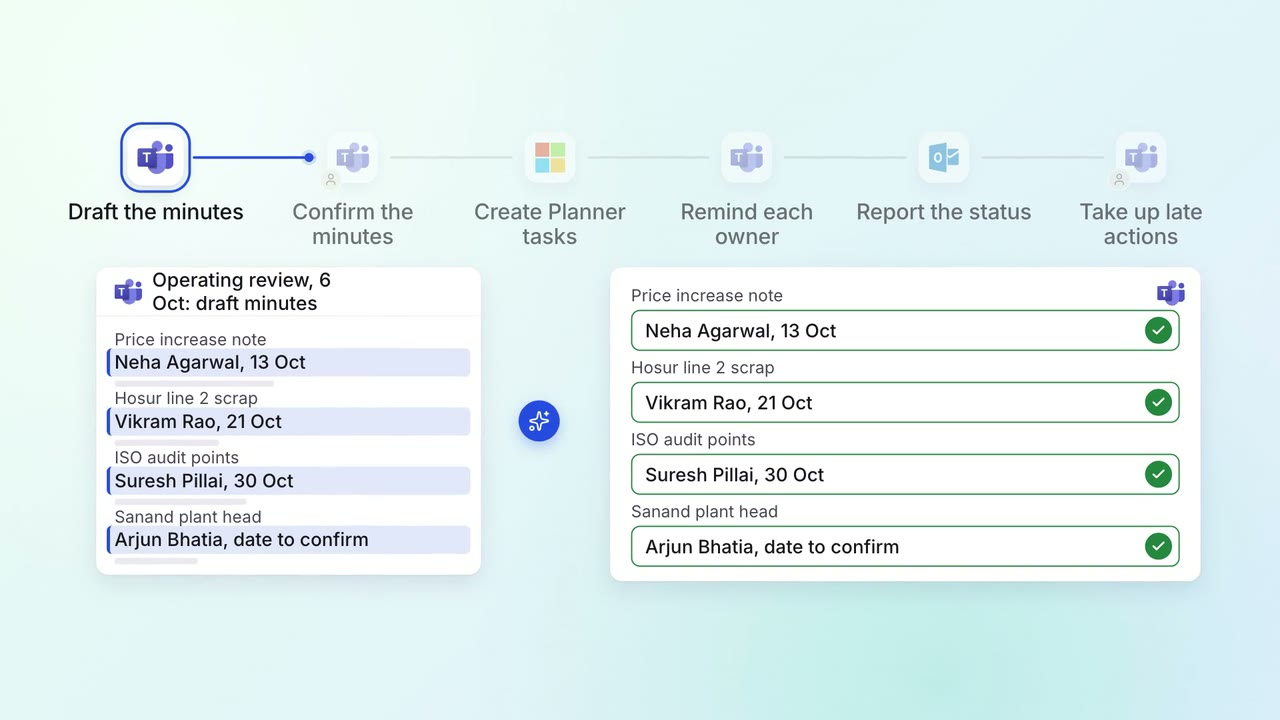
Leadership Meeting follow-ups
Every action from a leadership meeting gets an owner, a date and a follow-up
 Microsoft Teams
 Microsoft Planner
- Outlook
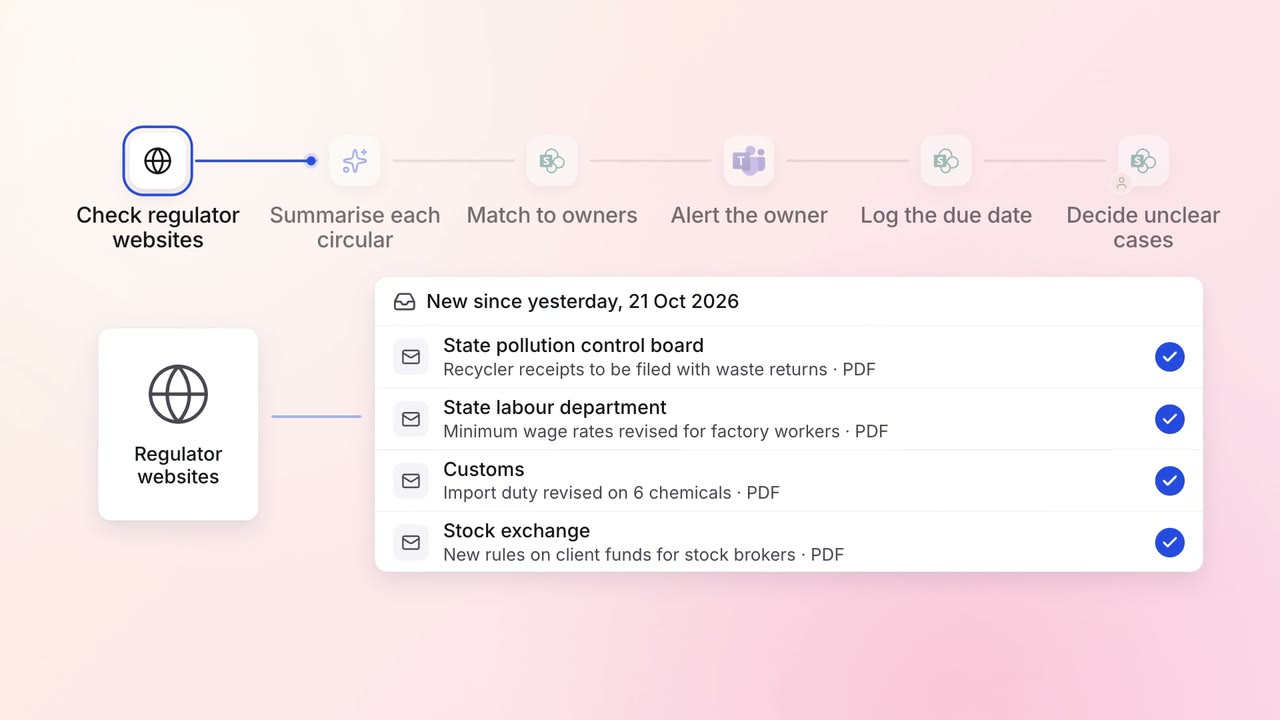
Legal and compliance Regulatory tracking
Every new circular is summarised and sent to the team that must act on it
- Regulator websites
- SharePoint
- Microsoft Teams