Paid days and overtime are settled from punches, leave and shifts before payroll
Each month the AI checks every person's punches against their shift and their leave, asks the shift supervisors to confirm what differs and puts the agreed paid days and overtime into greytHR.
- Used day to day by
- HR team
- Shift supervisors
- Plant heads
How it runs with AI
On the 1st, the AI lines up each person's punches against their rostered shift and their leave in greytHR, day by day. Each day that differs goes to the supervisor of that shift, in the roster sheet they already keep. The confirmed paid days, overtime and night shifts go into greytHR, and HR settles the few days left before locking attendance.
How it is done today
At month end, the HR team exports the punch report from the plant's eSSL machines, opens the shift roster the supervisors keep in Google Sheets and checks every person's days against leave in greytHR. Shift swaps, extra hours and work on weekly offs are settled over calls with each supervisor. It takes the first days of the month, and missed night shifts come back as claims after payday.
Step by step
Where the work happens, what the AI does, and where it hands over to a person.
-
Step 1, AI
Gathers the month's punches from eSSL, leave from greytHR and the shift roster from Google Sheets
Needs to know: Machine locations, Shift pattern
In eSSL ,
 greytHR ,
  Google Sheets
 -
Step 2, AI
Checks each person's day against their rostered shift and their approved leave
Needs to know: Grace time, Overtime rules, Weekly off rules
In eSSL ,
greytHR , Google Sheets -
Step 3, AI
Sends each day that differs to the supervisor of that shift, who confirms it in the roster sheet
Needs to know: Supervisor for each shift, Confirmation deadline
In
Google Sheets Exception to step 3
Lists every day still unconfirmed at the deadline for HR
-
Step 4, AI
Puts the confirmed paid days, overtime, night shifts and comp-offs into greytHR
Needs to know: Overtime rules, Comp-off rules, Night shift rules
In
greytHR -
Step 5, Person
Settles the days still open, then locks attendance for the payroll run
In
greytHR
What stays with a person
- Settles the days still open, then locks attendance for the payroll run
Apps in this example
- eSSL
- greytHR
- Google Sheets
The same flow works with the apps you use.
This fits you if
- Your plant runs rotating shifts and the supervisors keep the roster in a shared sheet
- Punches come from eSSL machines and leave is applied in greytHR
- HR spends the first days of each month matching punches by hand
- Overtime and night shift claims come back after payday
What to watch for
- Supervisors confirm what happened on the floor. HR sets the pay rules that turn it into paid days and overtime, and decides every loss of pay and every case the rules do not cover
- A machine that stops sending punches shows up as a whole shift without punches. The AI flags the machine to HR and holds those days, so nobody is marked absent for it
- HR sets the rules up front, such as the grace time, the half-day threshold, when extra hours count as overtime and when a weekly off earns a comp-off
- Supervisors see dates and shift times for their own shift. Pay figures stay in greytHR
Often done together
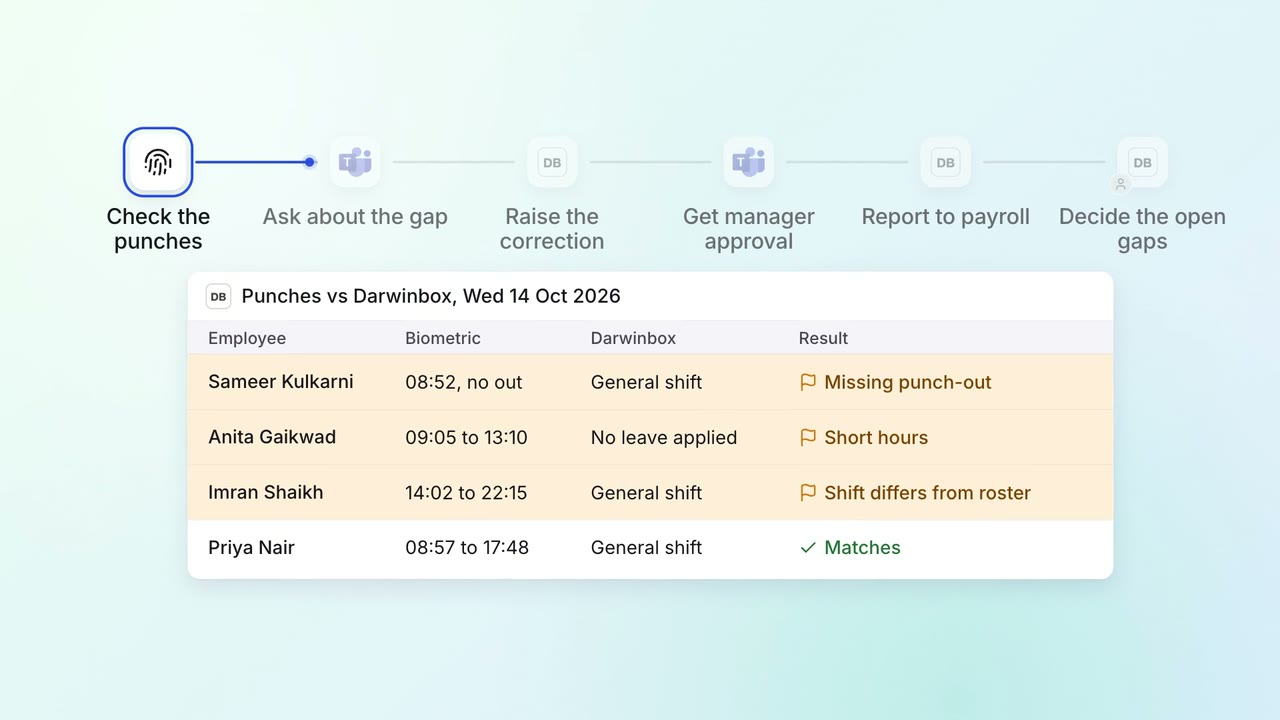
HR Leave, attendance and payroll questions
Attendance gaps are chased and cleared before payroll runs
- Biometric system
 Darwinbox
 Microsoft Teams
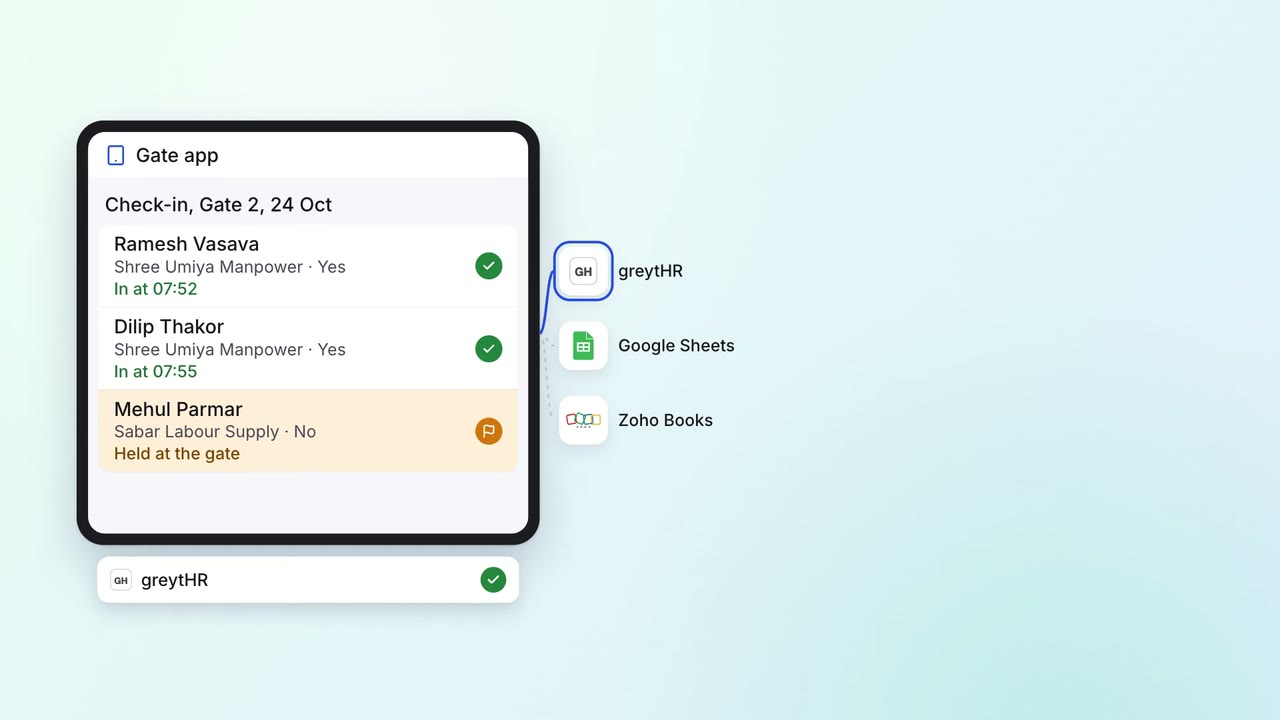
HR Leave, attendance and payroll questions
Contract workers' hours are recorded at the gate, and every contractor bill is checked against them
- Gate app
- greytHR
- Google Sheets
 Zoho Books
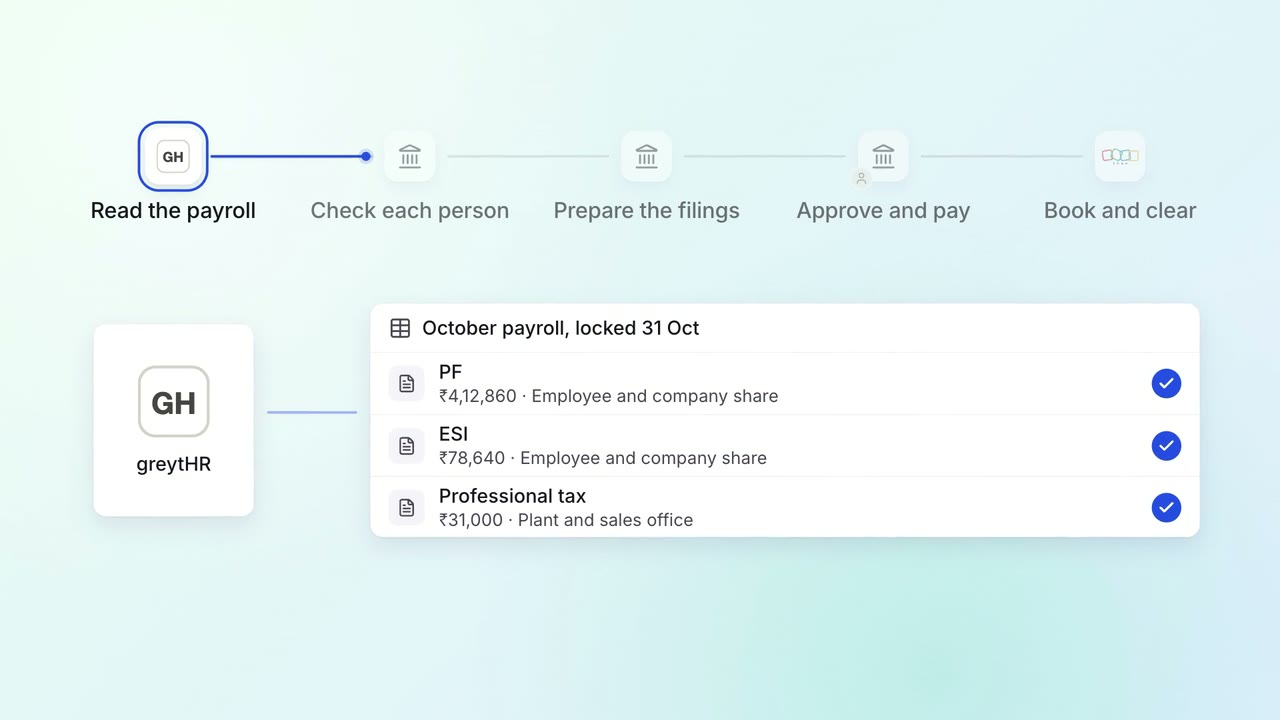
HR Leave, attendance and payroll questions
PF, ESI and professional tax are worked out from payroll and paid on time
- greytHR
- EPFO portal
- ESIC portal
- Zoho Books