Customers are reminded of their dues, and their salesperson hears about it the same day
Each morning, customers with dues get a polite reminder, and the salesperson who owns the account gets a Slack message with the dues and any open deal.
- Used day to day by
- Accounts team
- Salespeople
- Finance head
How it runs with AI
Each morning the AI picks out every invoice due soon or overdue in Zoho Books and emails the customer a polite reminder. It finds the salesperson who owns the account in Zoho CRM and sends them the dues on Slack, with any open deal for that customer. The date the customer promises is logged in Zoho CRM, reminders pause until then, and your finance head decides on new orders for accounts that are well behind.
How it is done today
Every Monday, someone in accounts exports the overdue list from Zoho Books and emails reminders to dealers one by one. Salespeople hear about a dealer's dues only when someone remembers to tell them, often after they have taken the next order. A payment date promised on a sales visit stays with the salesperson.
Step by step
Where the work happens, what the AI does, and where it hands over to a person.
-
Step 1, AI
Picks out every invoice in Zoho Books that is due this week or already overdue
Needs to know: Reminder schedule
In
 Zoho Books
 -
Step 2, AI
Emails each customer a polite reminder with the invoice attached and the salesperson copied
Needs to know: Approved reminder wording, Account owner in sales
In
 Gmail , Zoho Books , Zoho CRM
 Exception to step 2
Copies the finance head on the reminder once an invoice is 30 days overdue
-
Step 3, AI
Finds the account's salesperson in Zoho CRM and sends them the dues on Slack, with any open deal
Needs to know: Account owners by territory
In
Zoho CRM ,  Slack
Slack -
Step 4, AI
Logs the promised date on the account in Zoho CRM and pauses reminders until then
Needs to know: Past promises by customer
In
Slack , Gmail , Zoho CRM Exception to step 4
Alerts the finance head and the salesperson when a promised date passes
-
Step 5, Person
Decides whether new orders go ahead for accounts that are behind on payment
In
Zoho CRM
What stays with a person
- Decides whether new orders go ahead for accounts that are behind on payment
Apps in this example
- Zoho Books
- Zoho CRM
- Gmail
- Slack
The same flow works with the apps you use.
This fits you if
- You sell on credit to more than 100 dealers, distributors or contractors
- Each customer has a salesperson who owns the account in Zoho CRM
- Your invoices are in Zoho Books and reminders go out by hand today
- Your sales and accounts teams already talk on Slack
What to watch for
- Record the day's receipts in Zoho Books before the reminders go out each morning, so a customer who has just paid gets a thank-you instead
- Your finance head approves the reminder wording once. Each email says it comes from an automated assistant and names the person in accounts who reads replies
- Keep the account owner in Zoho CRM current. When a salesperson leaves or a territory changes, the messages follow the new owner
- Credit holds, payment plans and stopping supplies stay with your finance head or founder. The automation brings them the dues, the promises and the open orders
Often done together
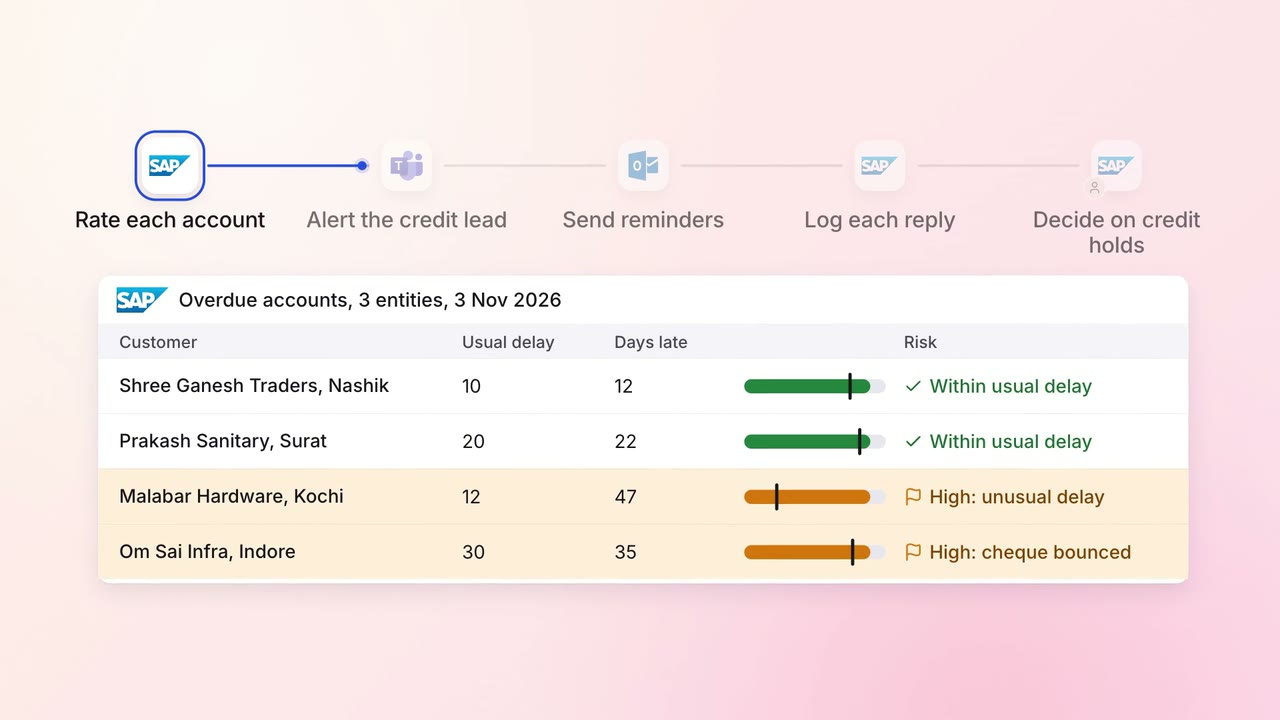
Finance Invoicing and collections
Overdue invoices get the right reminder, and risky accounts reach a person first
 SAP S/4HANA
 Outlook
 Microsoft Teams
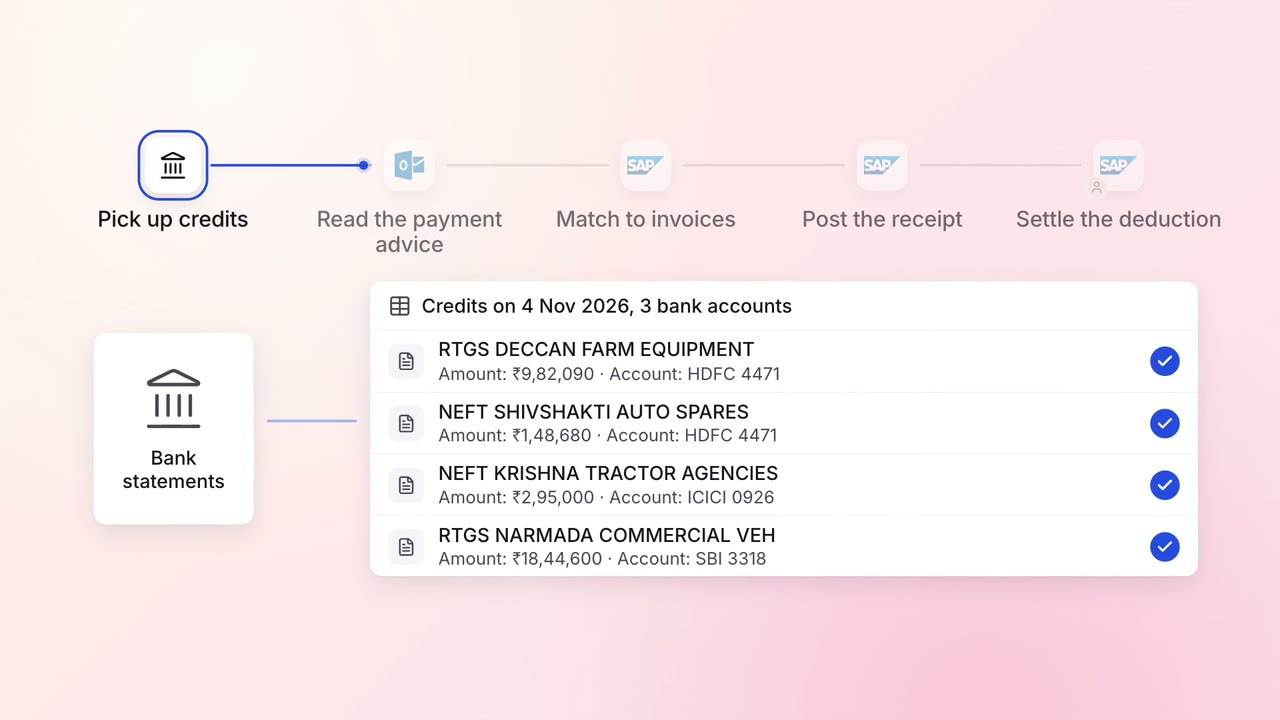
Finance Invoicing and collections
Customer payments are matched to the right invoices the day they land
- Bank statements
- Outlook
- SAP S/4HANA
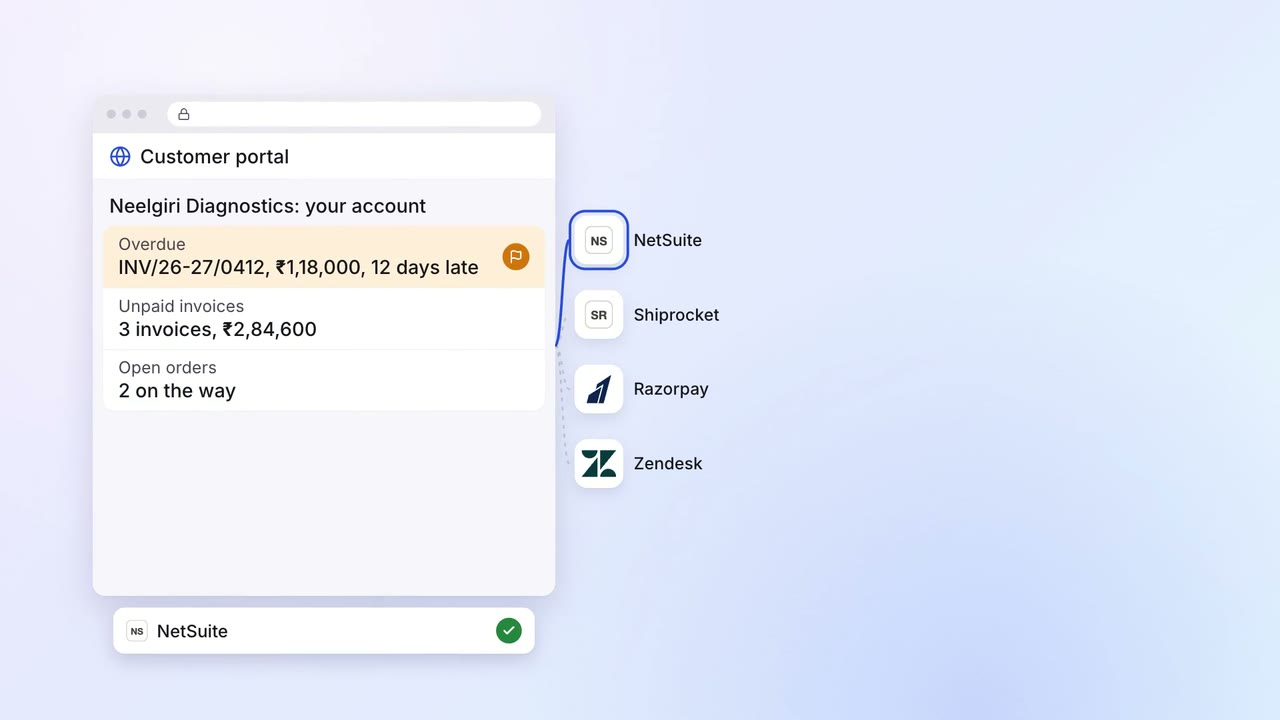
Sales Renewals and account care
Customers check their orders, dues and shipments in one portal, and pay online
- Customer portal
 NetSuite
 Shiprocket
 Razorpay
 Zendesk