Sales heads ask why the forecast moved and get the reasons, deal by deal
Ask in Slack why the forecast moved, and an assistant answers from deal history in Salesforce, customer emails in Gmail and orders in NetSuite, with each source linked.
- Used day to day by
- Sales head
- Regional sales managers
- Sales operations team
What the assistant uses here
Answers from your systems, within each person's access.
- Channels Reaches people where they already talk
- Your approval Acts in your systems only after a person approves
How it runs with AI
The sales head asks in Slack, in plain words. The automated assistant compares each deal's forecast history in Salesforce with last week, reads the call notes and customer emails behind each change, and checks the orders booked in NetSuite. It replies in about a minute, deal by deal, with each source linked. Regional managers get answers for their own region.
How the assistant works here
Where people ask, what it draws on, and what comes back.
Where people ask
-
 Slack, steps 1 and 5
Who asks
- Sales head
- Regional sales managers
- Sales operations team
What it draws on
Apps
-
 Salesforce, steps 2, 3, 4 and 6
 -
 Gmail, step 3
 -
 NetSuite, step 4
Context
- Who sees which region, step 1
- Forecast categories, step 2
- Quarter dates, step 2
- Deal owners, step 3
- Customer contacts, step 3
- Deal to order links, step 4
- Answer format with sources, step 5
What comes back, and who decides
- An answer with its sources, step 5
Who decides
- Decides which deals to chase and what forecast to give the MD, step 6
How a request runs
-
Step 1, the assistant: Reads the question the sales head asks in Slack
-
Step 2, the assistant: Compares every deal's forecast history in Salesforce with the week before
-
Step 3, the assistant: Reads the call notes and customer emails behind each change
Exception Names the deal owner to ask when no note or email explains a change
-
Step 4, the assistant: Checks the deals won this week against the orders booked in NetSuite
-
Step 5, the assistant: Replies in Slack with the deals that moved the number, each linked to its source
- Person
Step 6, a person: Decides which deals to chase and what forecast to give the MD
The same flow works with the apps you use.
Who controls it
-
Access
Each person gets answers for the deals they can see in Salesforce, so a regional manager sees their own region
-
Approvals
The forecast given to the MD, and any change to a deal's category, stay with the sales head and the deal owner
-
Record
Every question, source, action and approval is recorded
This fits you if
- Your sales team forecasts in Salesforce with categories such as Commit and Best case
- Won deals become orders in NetSuite
- Salespeople log call notes in Salesforce and talk to customers by email
- Forecast questions wait a day for sales operations to answer
What to watch for
- The assistant explains what the records say. When a change has no note or email behind it, the assistant says so and names the deal owner to ask
- Sales operations checks a sample of answers against the deal records each week in the first month
Often done together
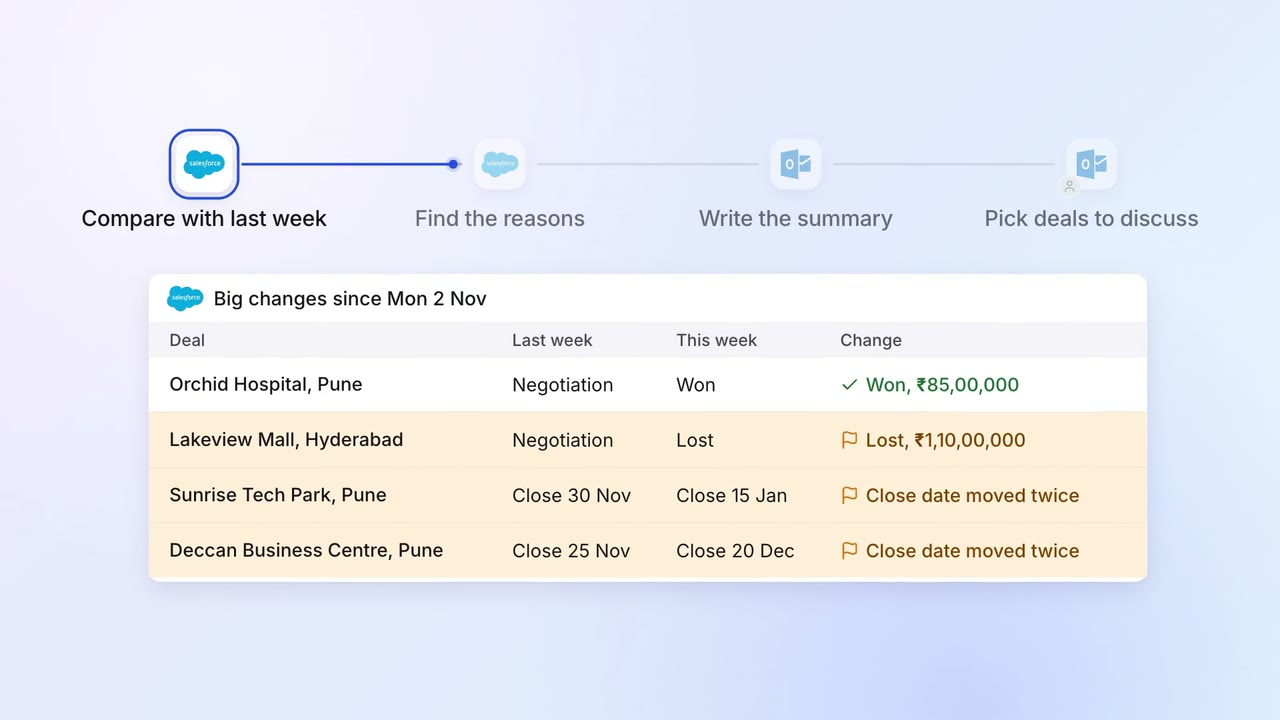
Sales Pipeline and forecasting
The sales head gets a one-page pipeline summary every Monday, with what changed and why
- Salesforce
 Outlook
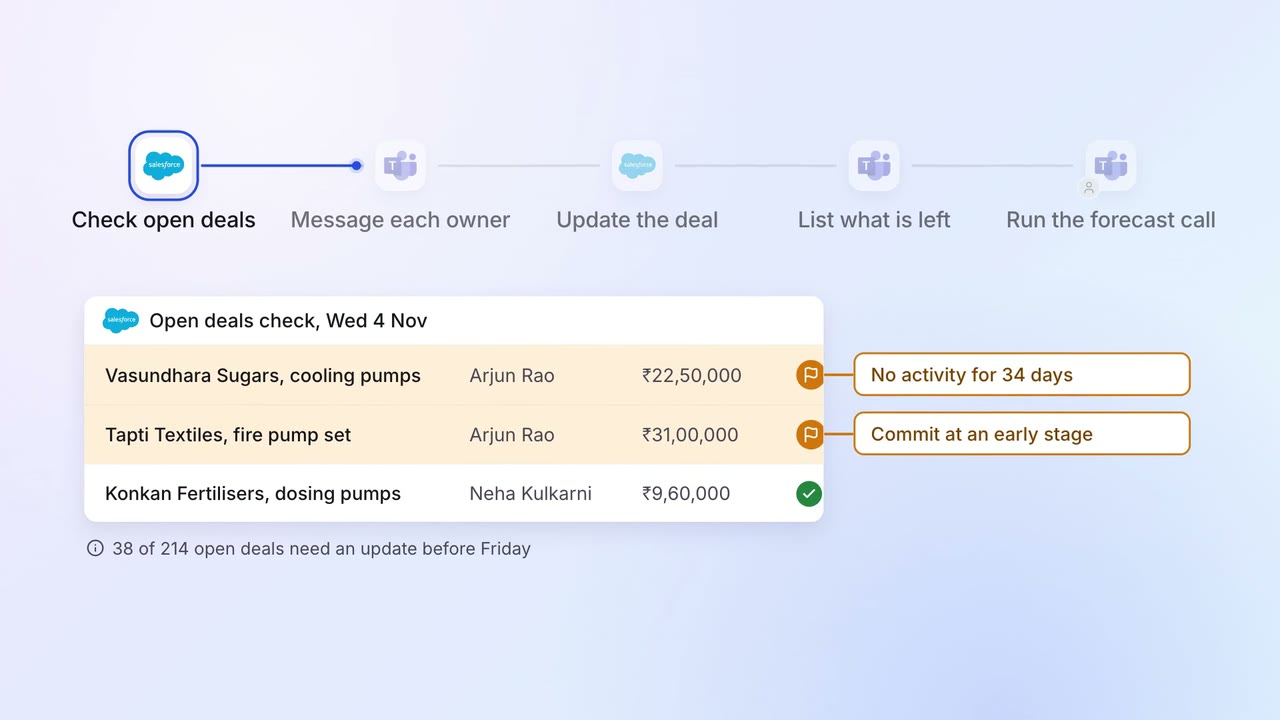
Sales Pipeline and forecasting
Every open deal is checked before the forecast call, and stale ones go back to their owners
- Salesforce
 Microsoft Teams
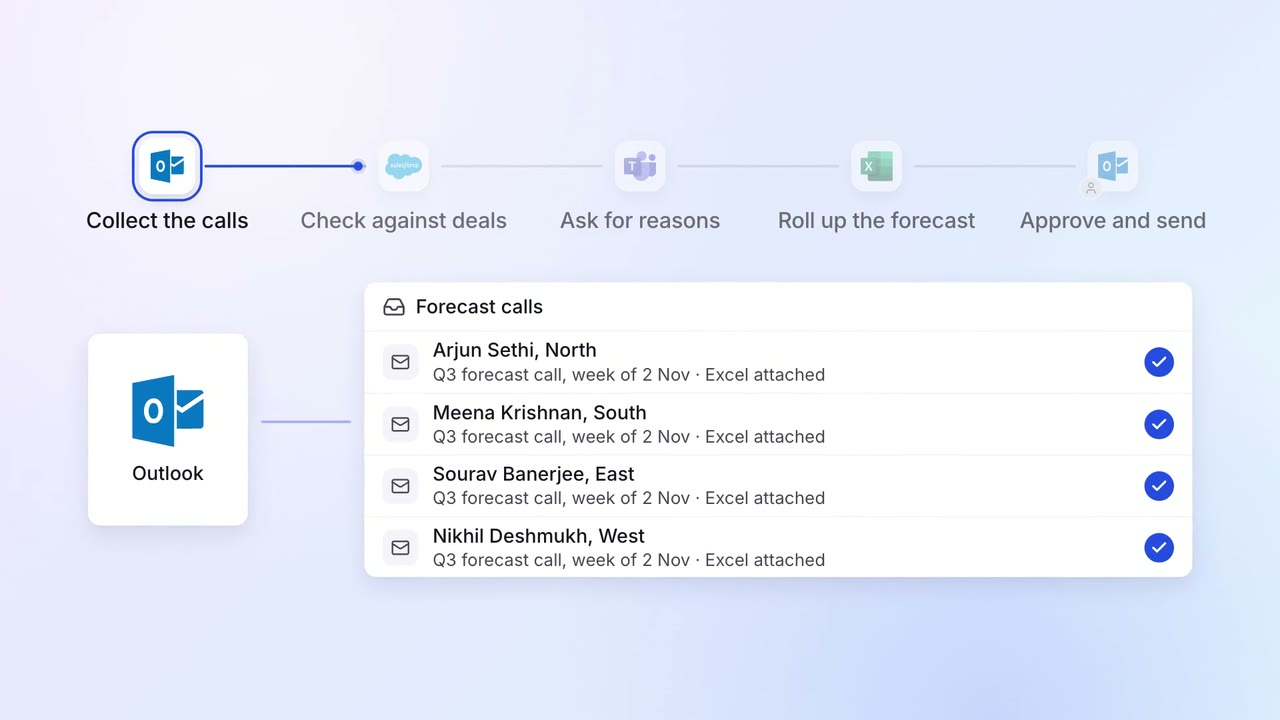
Sales Pipeline and forecasting
The quarterly forecast rolls up from every region, with the gaps explained
- Outlook
 Excel
Excel- Salesforce
- Microsoft Teams