The quarterly forecast rolls up from every region, with the gaps explained
Each regional manager's forecast call is checked against the deals in Salesforce, every difference gets a reason, and the sales head has one national forecast the same day.
- Used day to day by
- Sales head
- Regional sales managers
- Sales operations team
How it runs with AI
The AI reads each regional sheet as it arrives and checks the call against the Commit deals in Salesforce. It asks managers on Teams about each difference and records their reasons. Then it rolls the calls into one national forecast, with the gap to target explained for each region, and the sales head sends it to the CFO the same day.
How it is done today
Every week of the quarter, regional managers email their forecast call as an Excel sheet. A sales operations analyst merges the sheets, checks each call against the deals marked Commit in Salesforce and phones managers about every number that differs. The national forecast reaches the CFO days later, with the gaps to target explained in a few hurried lines.
Step by step
Where the work happens, what the AI does, and where it hands over to a person.
-
Step 1, AI
Collects each regional manager's forecast sheet from the inbox
Needs to know: Regional managers list, Forecast sheet layout
In
 Outlook ,
  Excel
Excel Exception to step 1
Reminds the manager on Teams when a sheet is still missing at the cut-off
-
Step 2, AI
Checks each call against the deals marked Commit in Salesforce
Needs to know: Difference limit, Forecast categories
In
Excel ,  Salesforce
 -
Step 3, AI
Asks each of those managers on Teams for the reason and records it
Needs to know: Manager for each region
In
 Microsoft Teams
 Exception to step 3
Marks the difference as unexplained when the manager has not replied by the cut-off
-
Step 4, AI
Rolls up the national forecast, with the gap to target explained for each region
Needs to know: Targets by region
In
Excel -
Step 5, Person
Reviews the forecast, adjusts any call and sends it to the CFO
In
Outlook , Excel
What stays with a person
- Reviews the forecast, adjusts any call and sends it to the CFO
Apps in this example
- Outlook
- Excel
- Salesforce
- Microsoft Teams
The same flow works with the apps you use.
This fits you if
- Regional managers send their forecast call in Excel every week or fortnight
- Your deals sit in Salesforce, marked Commit or Best case
- Someone merges the regional sheets by hand before the forecast reaches finance
- Leadership often asks why the forecast differs from target
What to watch for
- The check relies on current deals in Salesforce, so it works best alongside a weekly pipeline clean-up
- Each regional manager makes their own call. The AI shows where the call and the deals differ, and the manager gives the reason
- The sales head decides the number that goes to the CFO, and can change any region's call
- Sales operations sets how large a difference must be to count, so small ones pass through quietly
Often done together
Sales Pipeline and forecasting
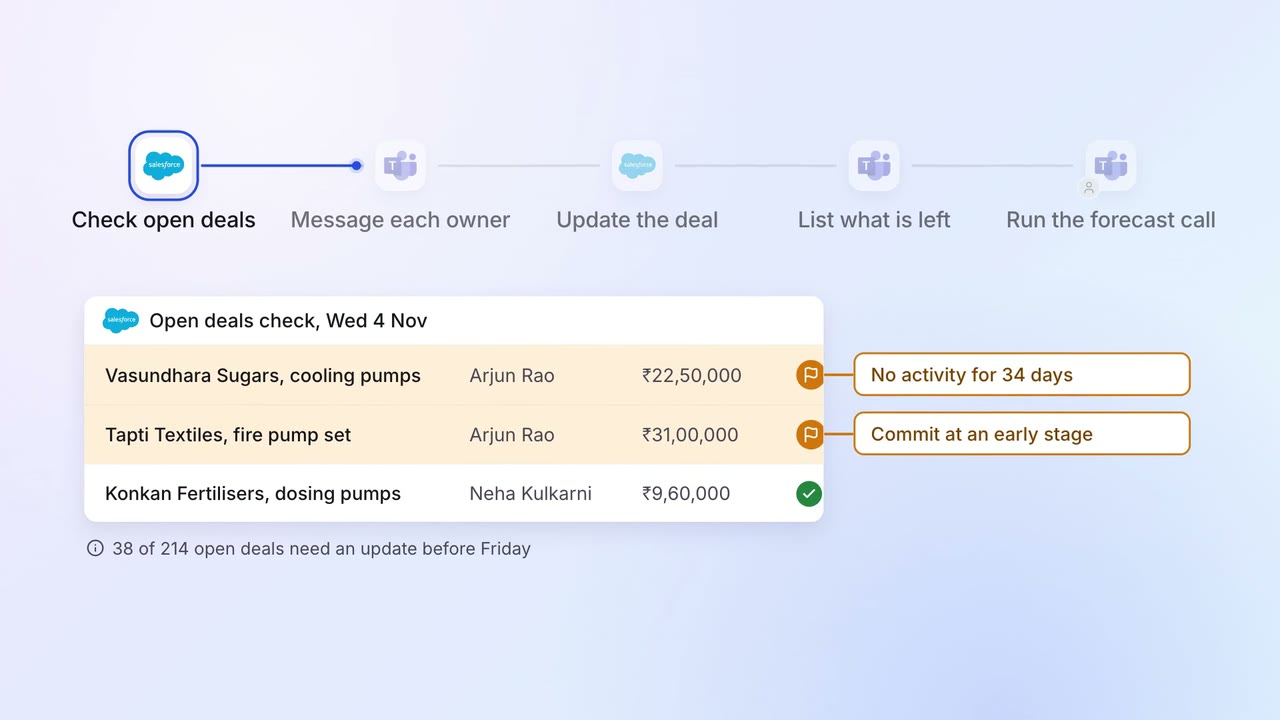
Every open deal is checked before the forecast call, and stale ones go back to their owners
- Salesforce
- Microsoft Teams
Sales Pipeline and forecasting
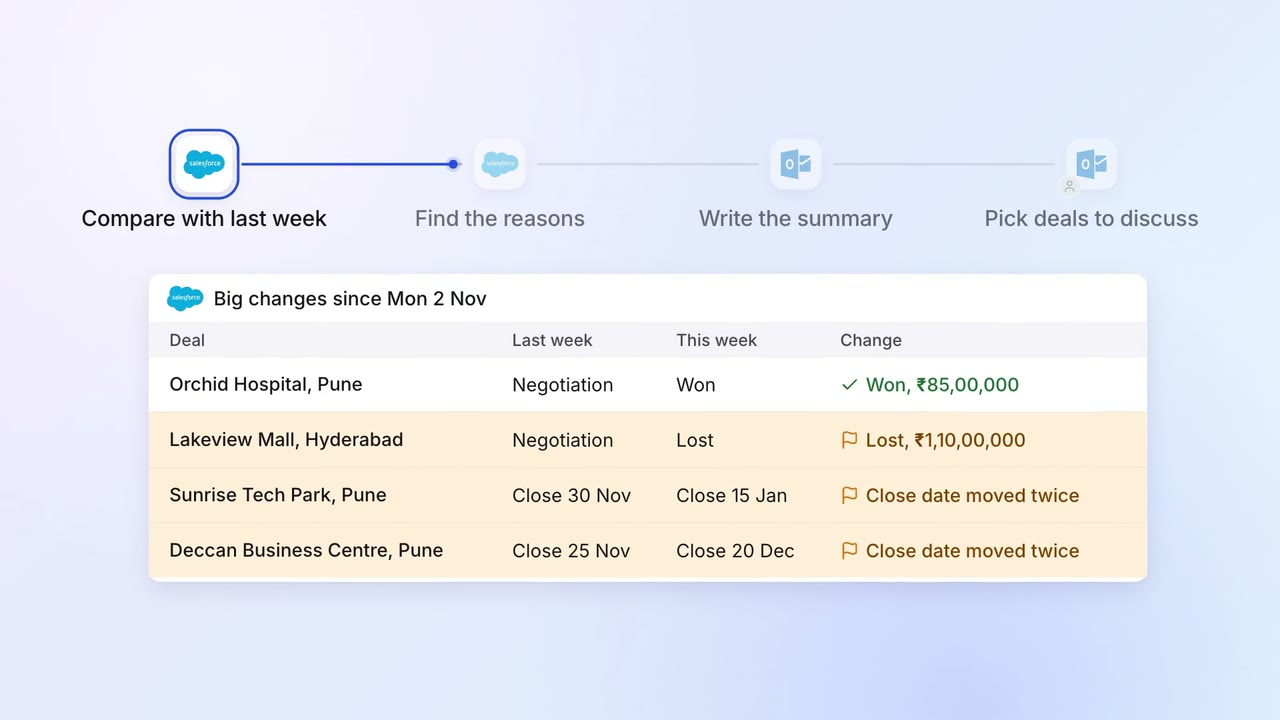
The sales head gets a one-page pipeline summary every Monday, with what changed and why
- Salesforce
- Outlook
Leadership Management reports
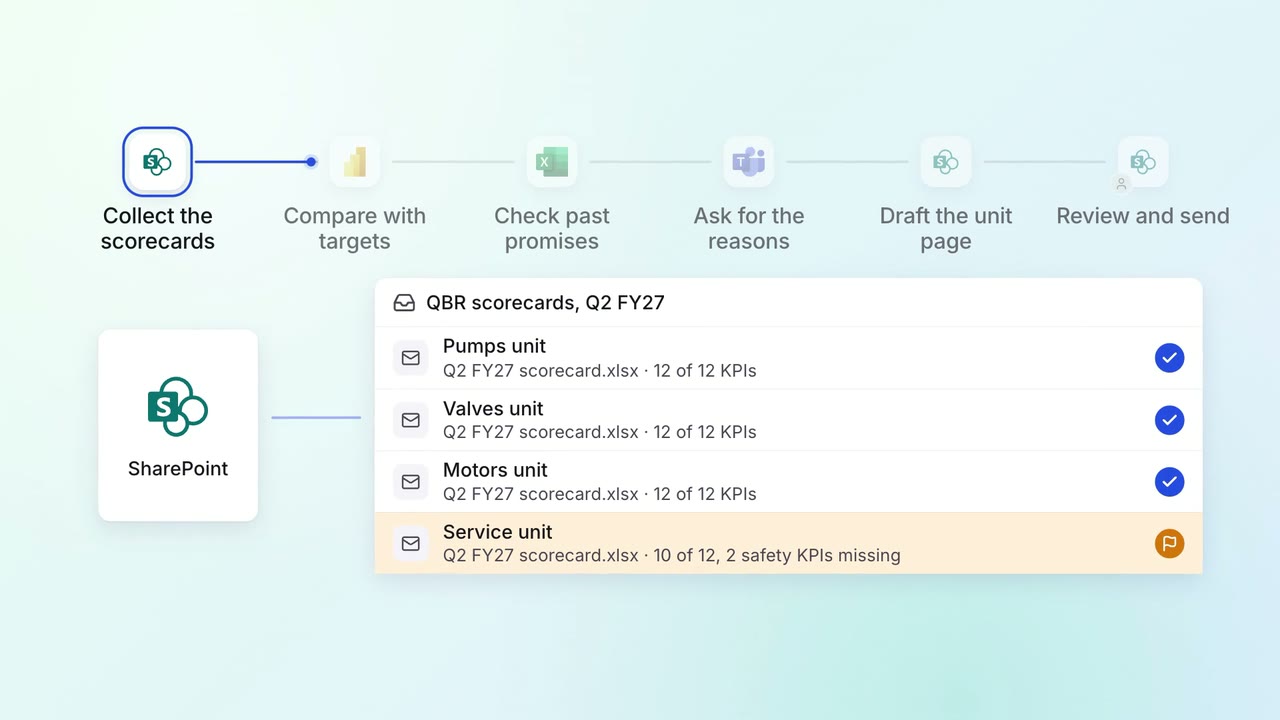
Quarterly business reviews arrive with every unit's KPIs explained
 Power BI
- Excel
 SharePoint
- Microsoft Teams