Every open deal is checked before the forecast call, and stale ones go back to their owners
The AI checks every open deal in Salesforce before the forecast call, asks owners on Teams about the stale ones and gives the sales head a short list to discuss.
- Used day to day by
- Salespeople
- Regional sales managers
- Sales head
How it runs with AI
Before each forecast call, the AI checks each open deal in Salesforce against the rules your sales head sets. It messages each owner on Teams with their flagged deals and what to fix, and records their answers in Salesforce. The call starts on clean numbers, with a short list of deals that need a decision.
How it is done today
Before the Friday forecast call, each regional manager scrolls through their team's deals in Salesforce, looking for close dates that have passed and deals that have gone quiet for weeks. They chase salespeople on calls and WhatsApp, and the call still spends its first half hour updating deals one by one.
Step by step
Where the work happens, what the AI does, and where it hands over to a person.
-
Step 1, AI
Checks every open deal in Salesforce ahead of the forecast call
Needs to know: Stale deal rules, Stage definitions
In
 Salesforce
 -
Step 2, AI
Sends each owner their flagged deals on Teams, with what to fix
Needs to know: Who owns each deal
In
 Microsoft Teams
 Exception to step 2
Reminds the owner the next morning, then tells their regional manager
-
Step 3, AI
Updates each deal in Salesforce from the owner's answer
Needs to know: Forecast categories, Stage definitions
In
Microsoft Teams , Salesforce -
Step 4, AI
Gives the sales head the deals that still need a decision
Needs to know: Sales head's review rules
In
Microsoft Teams , Salesforce -
Step 5, Person
Runs the forecast call, starting with the deals that need a decision
In
Microsoft Teams , Salesforce
What stays with a person
- Runs the forecast call, starting with the deals that need a decision
What it checks
Your sales head picks the rules and the limits, and can change them each quarter. A typical set:
- Close dates that have passed while the deal is still open
- Deals with no call, meeting or email for longer than your limit
- Close dates moved several times
- Deals marked Commit that are still at an early stage
- A missing value, next step or decision maker
Apps in this example
- Salesforce
- Microsoft Teams
The same flow works with the apps you use.
This fits you if
- You hold a weekly or monthly forecast call with your regional managers
- Your deals sit in Salesforce and your sales team works on Teams
- Close dates and stages often fall behind between calls
- Managers spend time before each call chasing updates
What to watch for
- The AI changes a deal when the owner gives a clear answer, and logs who said it. Unclear replies stay flagged for the call
- Your sales head sets the limits, such as how many quiet days make a deal stale. Limits set too tight send owners too many messages
- Decisions on a deal, such as dropping it or changing its value, stay with the owner and their manager
Often done together
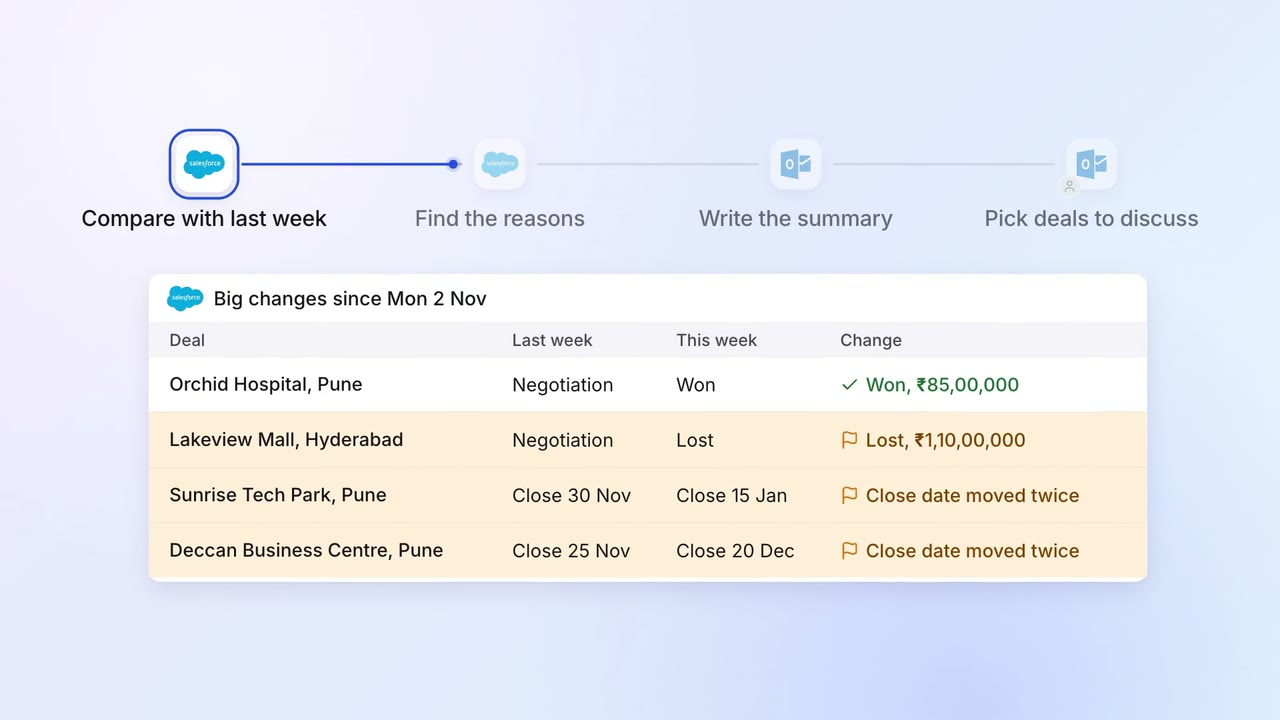
Sales Pipeline and forecasting
The sales head gets a one-page pipeline summary every Monday, with what changed and why
- Salesforce
 Outlook
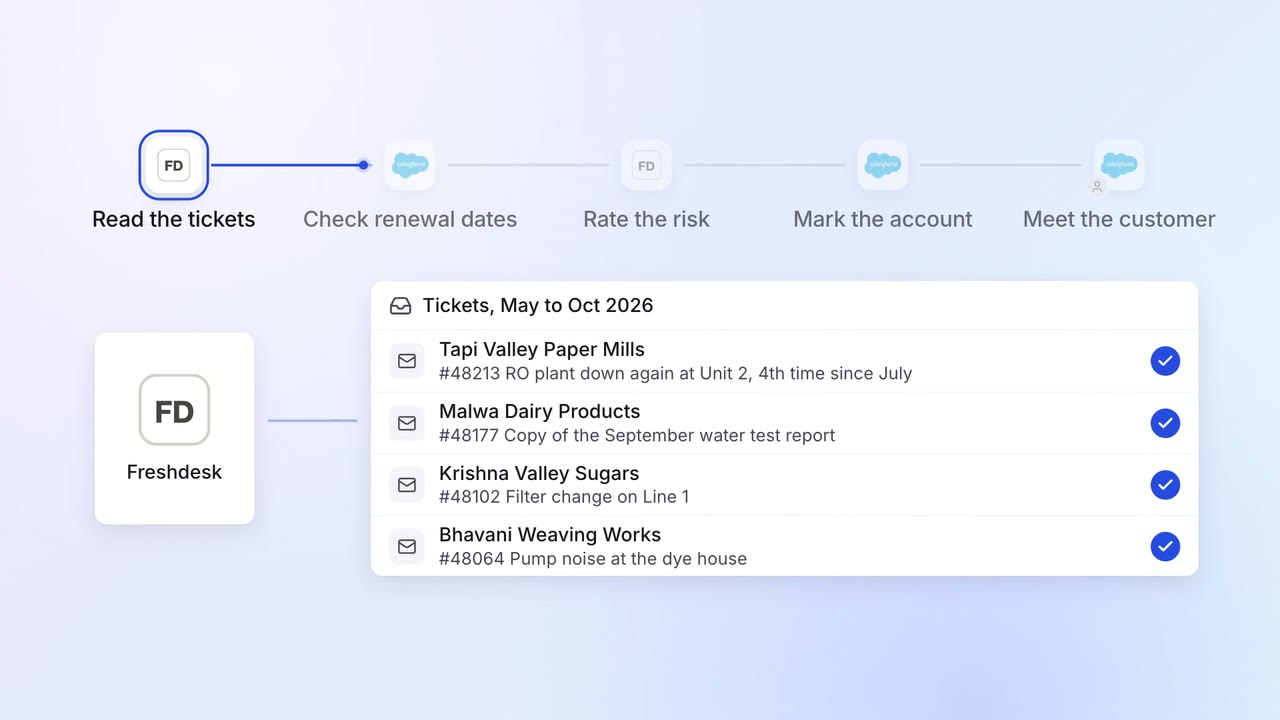
Sales Renewals and account care
Renewals at risk are flagged months ahead, with the reasons
- Salesforce
 Freshdesk
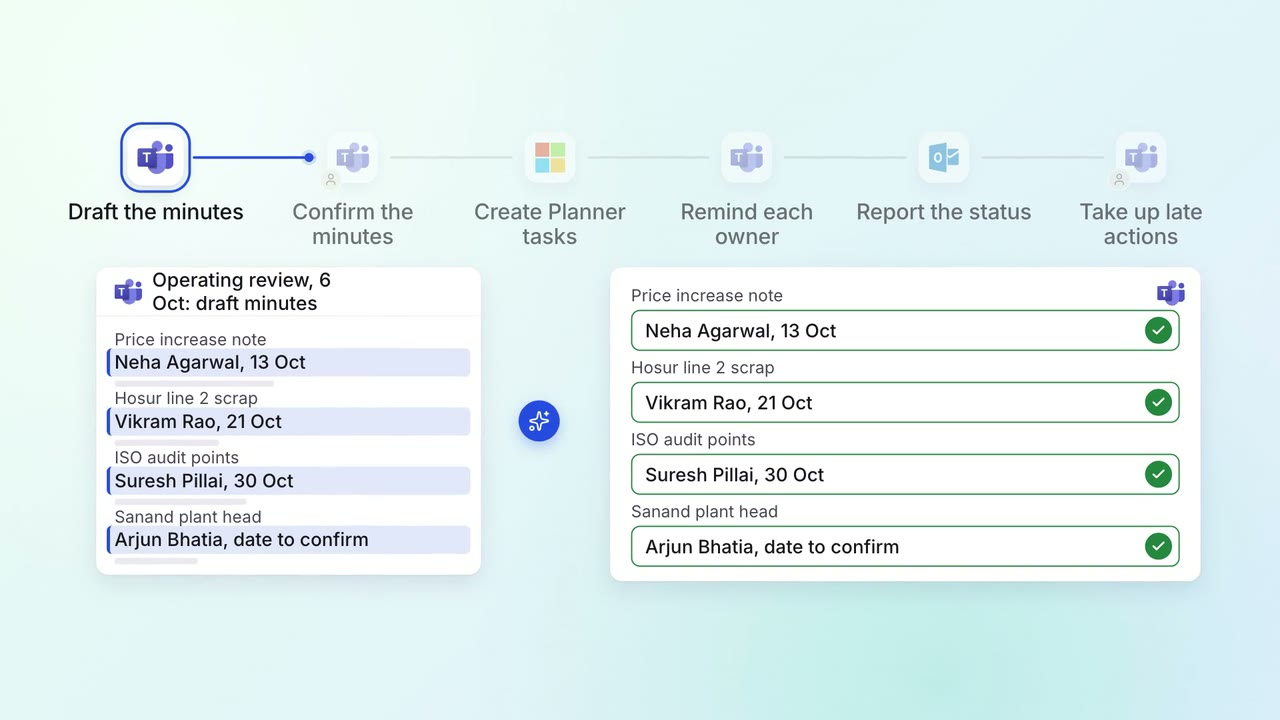
Leadership Meeting follow-ups
Every action from a leadership meeting gets an owner, a date and a follow-up
- Microsoft Teams
 Microsoft Planner
- Outlook