Incoming material is inspected on a tablet, and only passed lots reach the line
Inspectors check each lot on a tablet against the current drawing. Failed lots are held in Odoo for the quality head to decide, and every result updates the supplier scorecard in Power BI.
- Used day to day by
- Quality inspectors
- Quality head
- Purchase team
How it runs with AI
When a lot is received in Odoo, the inspector's tablet opens the inspection with the current drawing and the checks to make. Each reading is checked against the drawing as it is entered. A lot with any reading outside the limits is held in Odoo for the quality head, and every result reaches the supplier scorecard in Power BI the same day.
How it is done today
When material arrives, the inspector finds the drawing in SharePoint, measures a sample and writes the readings on a paper check sheet. Stores sometimes issue the lot to the line before the sheet is signed. The supplier scorecard is put together by hand once a quarter, so a supplier whose quality is falling shows up months later.
Step by step
Where the work happens, what the AI does, and where it hands over to a person.
-
Step 1, AI
Opens the inspection on the tablet when a lot is received in Odoo, with the current drawing from SharePoint
Needs to know: Checks per item, Sample size per lot, Current drawing revision
In
 Odoo , Inspection app ,
  SharePoint
 -
Step 2, AI
Checks each reading against the drawing as the inspector enters it
Needs to know: Tolerances on the drawing, Gauge for each check
In Inspection app
-
Step 3, AI
Holds the lot in Odoo so stores cannot issue it, and sends it to the quality head with the readings and photos
Needs to know: Quality hold location, Who decides held lots
In
Odoo , Inspection app Exception to step 3
Releases the lot to stores when every reading is within the limits
-
Step 4, Person
Decides on the held lot, to return it, sort it or accept it with a deviation note
In Inspection app
-
Step 5, AI
Records the return in Odoo, files the report in SharePoint and updates the supplier scorecard in Power BI
Needs to know: How suppliers are scored, Report folder per supplier
In
Odoo , SharePoint ,  Power BI
What stays with a person
- Decides on the held lot, to return it, sort it or accept it with a deviation note
Apps in this example
- Inspection app
- Odoo
- SharePoint
- Power BI
The same flow works with the apps you use.
This fits you if
- You receive more than 200 lots of material a month
- Inspection readings go on paper sheets or are typed in later
- Drawings live in SharePoint, often in more than one revision
- Stores sometimes issue material before its inspection is signed
- Purchase asks quality for supplier scores and waits weeks for them
What to watch for
- The quality head decides every failed lot, whether to return it, sort it or accept it with a deviation note. The app holds the lot and lays out the readings and photos
- The tablet uses the drawing revision marked current in SharePoint, so engineering marks a new revision current on the day it takes effect
- Readings are only as good as the gauges. The quality team keeps each gauge calibrated, and the app records which gauge took each reading
- The scorecard informs supplier reviews. Any change in a supplier's share of business stays with the purchase head
Often done together
Operations Quality and audits
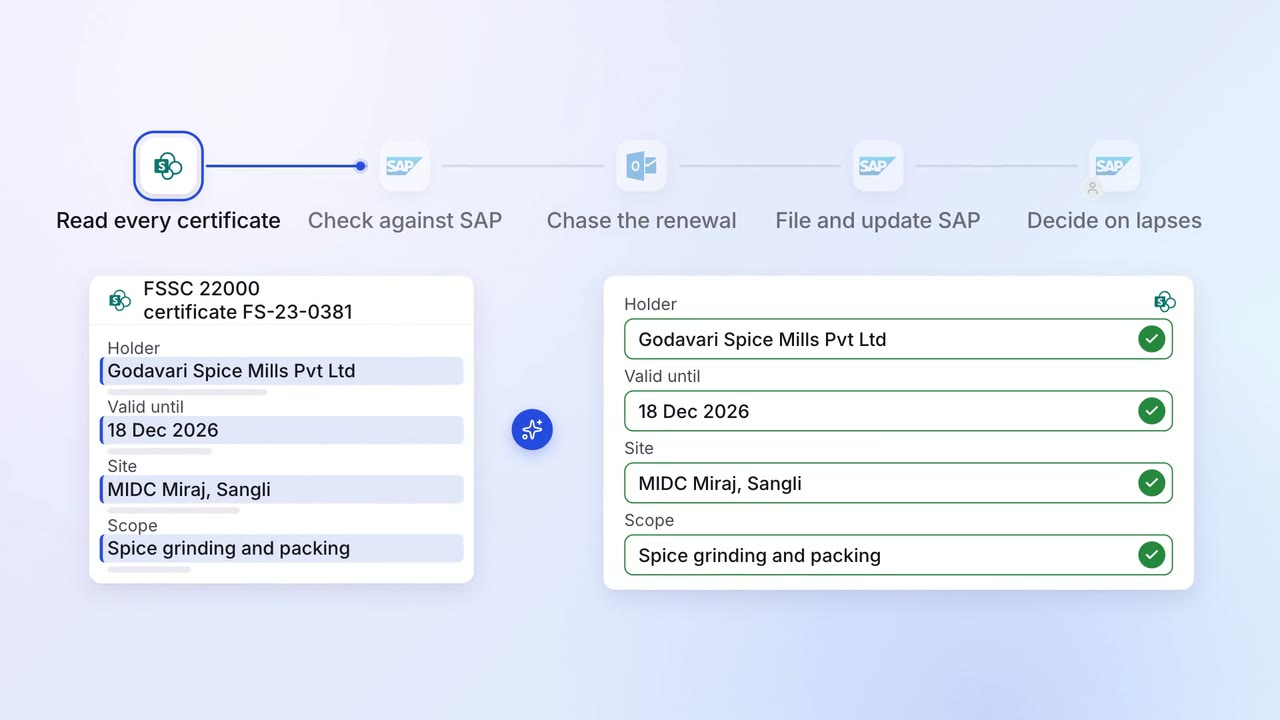
Supplier certificates and test reports are chased for renewal before they expire
- SharePoint
 SAP S/4HANA
 Outlook
 Microsoft Teams
Operations Quality and audits
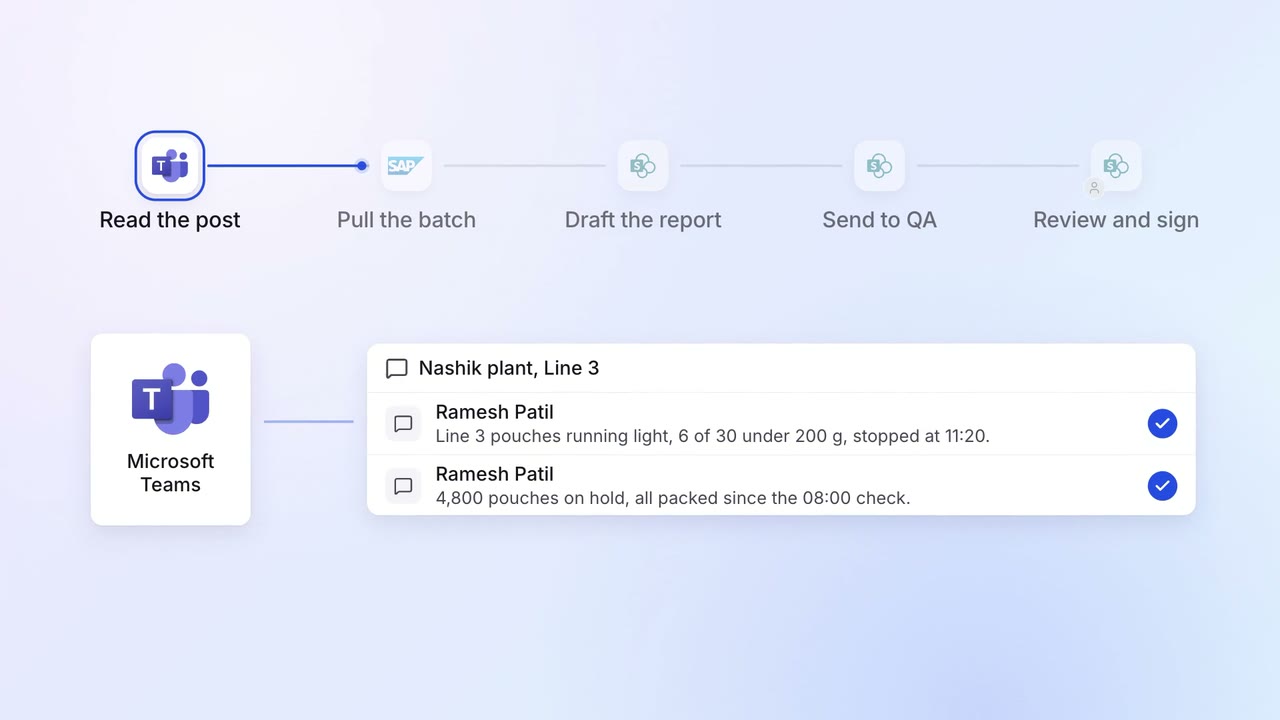
Quality deviations are written up and sent for sign-off on the same shift
- Microsoft Teams
- SAP S/4HANA
- SharePoint
Operations Vendor management
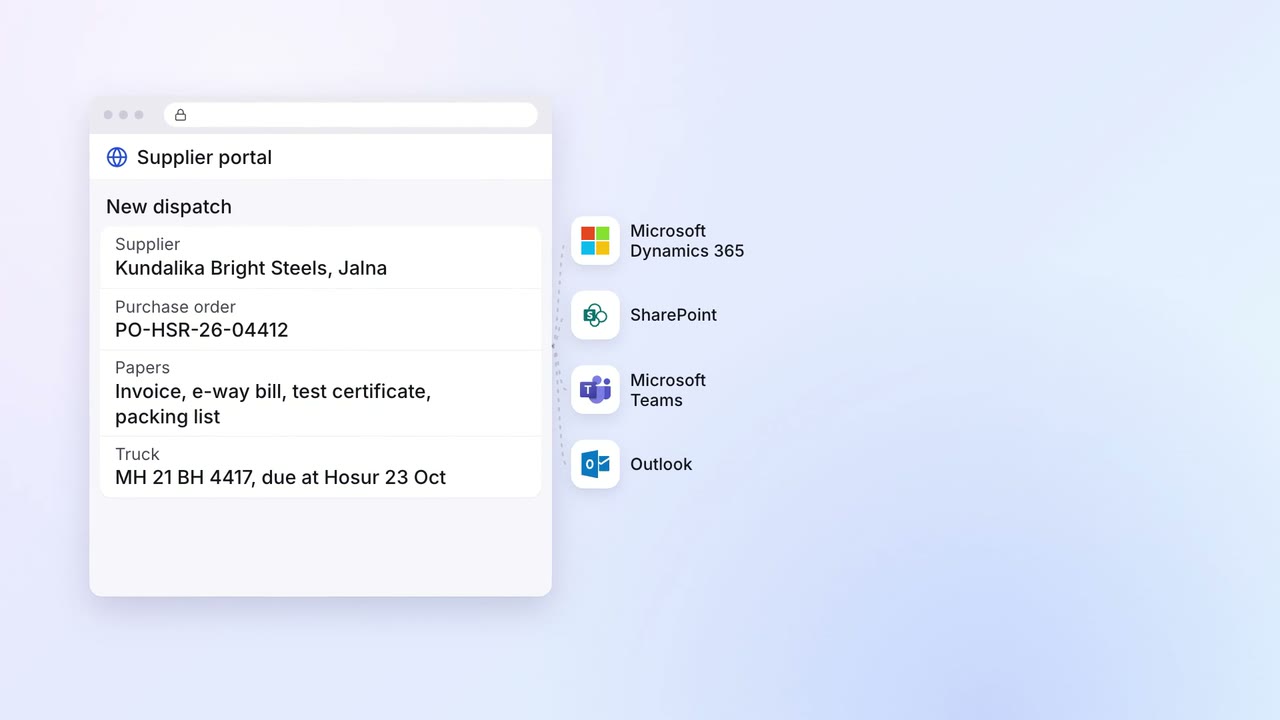
Supplier invoices, test certificates and dispatch papers arrive in one portal, checked against the PO
- Supplier portal
 Microsoft Dynamics 365
- SharePoint
- Outlook
- Microsoft Teams