Every tanker delivery is invoiced, e-invoiced and emailed the same day
The AI reads each signed meter ticket, checks it against the delivery challan and creates the invoice in SAP with its IRN. The customer gets it by email within the hour.
- Used day to day by
- Billing team
- Finance head
How it runs with AI
The AI reads each signed meter ticket as soon as it reaches the billing mailbox, checks it against the delivery challan in SAP and creates the invoice at the contract rate, with its IRN from the e-invoice portal. The customer's accounts team gets the e-invoice and the signed ticket by email within the hour. Tickets with a missing stamp or an odd reading go to the billing team with the reason.
How it is done today
Your tankers leave the filling plants on a delivery challan, because the exact quantity of liquid oxygen, nitrogen or argon is known only once the customer's tank is filled. Drivers bring the signed meter tickets back to the plant, and the billing team keys them into SAP in batches. Invoices reach customers days after delivery, and the credit period starts only then.
Step by step
Where the work happens, what the AI does, and where it hands over to a person.
-
Step 1, AI
Picks up each signed meter ticket that reaches the billing mailbox
Needs to know: Tankers by plant
In
 Outlook
 -
Step 2, AI
Reads the challan number, meter readings, quantity and signature from the ticket
Needs to know: Meter ticket layout, Who signs for each customer
In
Outlook -
Step 3, AI
Checks each ticket against its delivery challan in SAP
Needs to know: Quantity tolerance
In
 SAP S/4HANA
 Exception to step 3
Sends tickets with a missing stamp or signature to the billing team
-
Step 4, AI
Creates the invoice in SAP at the contract rate and gets its IRN and QR code
Needs to know: Contract rates by customer
In
SAP S/4HANA , E-invoice portal -
Step 5, AI
Emails the e-invoice and the signed ticket to the customer's accounts team
Needs to know: Customer billing contacts, Payment terms
In
Outlook -
Step 6, Person
Settles each flagged ticket with the plant and the customer before it is invoiced
In
SAP S/4HANA
What stays with a person
- Settles each flagged ticket with the plant and the customer before it is invoiced
Why the invoice comes after delivery
With liquid gas, the exact quantity is known only once the customer’s tank is filled. So the tanker leaves on a delivery challan, and the tax invoice, with its IRN from the e-invoice portal, follows the delivery.
Apps in this example
- SAP S/4HANA
- E-invoice portal
- Outlook
The same flow works with the apps you use.
This fits you if
- Your tankers leave on a delivery challan, because the quantity is known only at the customer's tank
- Invoices reach your customers several days after the delivery
- Your invoices are made in SAP and need an IRN from the e-invoice portal
- Drivers or plants send the signed meter tickets as photos or scans
What to watch for
- The AI invoices only the quantity on a signed, stamped ticket. A missing stamp, an unclear reading or a quantity above the challan goes to the billing team
- Contract rates and price changes are entered in SAP by your commercial team. The AI uses the rate in force on the delivery date
- The e-invoice portal can refuse an IRN once an invoice is too old. Invoices the portal rejects reach the billing team the same day
- Credit notes for disputed quantities are decided by your billing team and finance head
Often done together
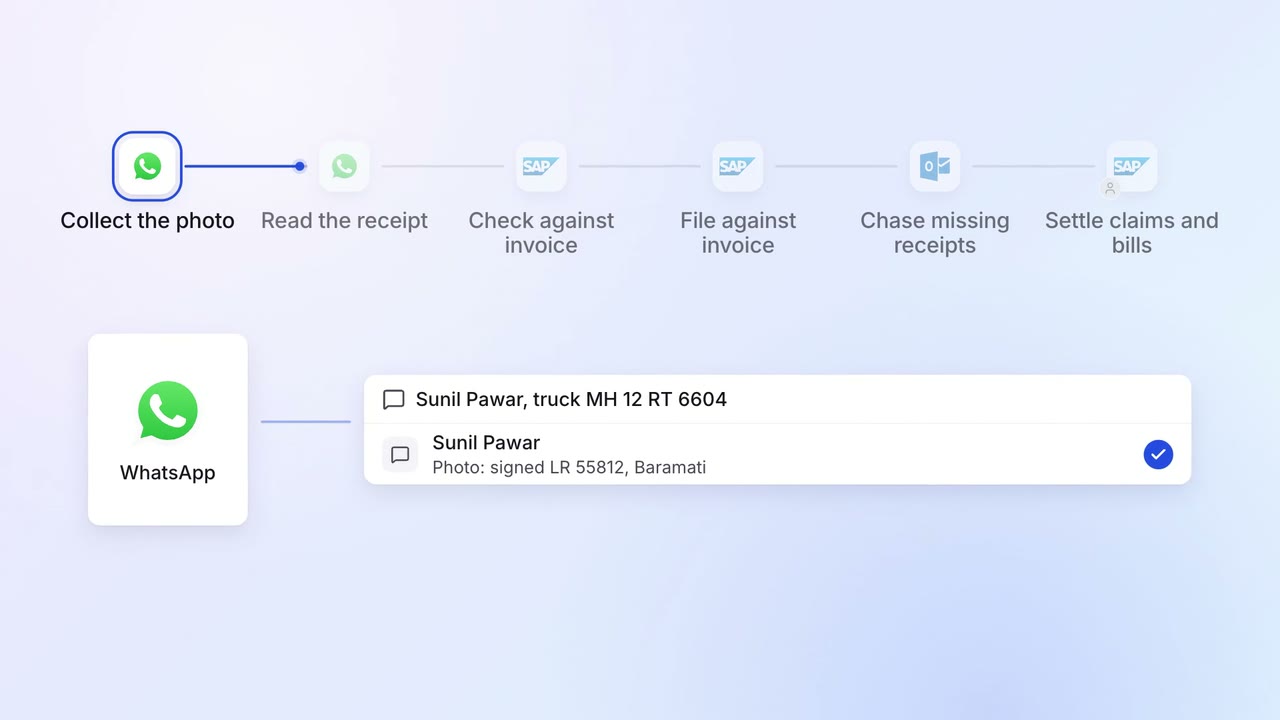
Operations Dispatch paperwork
Proof of delivery is collected, read and filed against each invoice
 WhatsApp Business
- SAP S/4HANA
- Outlook
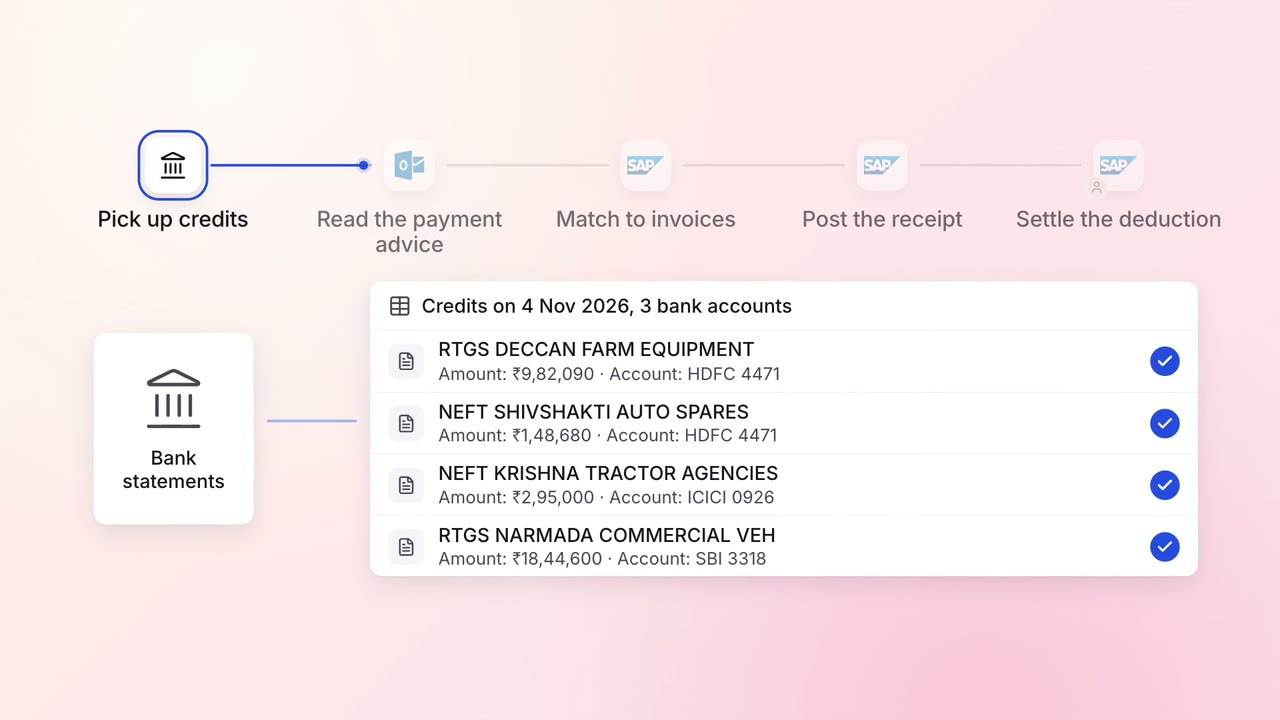
Finance Invoicing and collections
Customer payments are matched to the right invoices the day they land
- Bank statements
- Outlook
- SAP S/4HANA
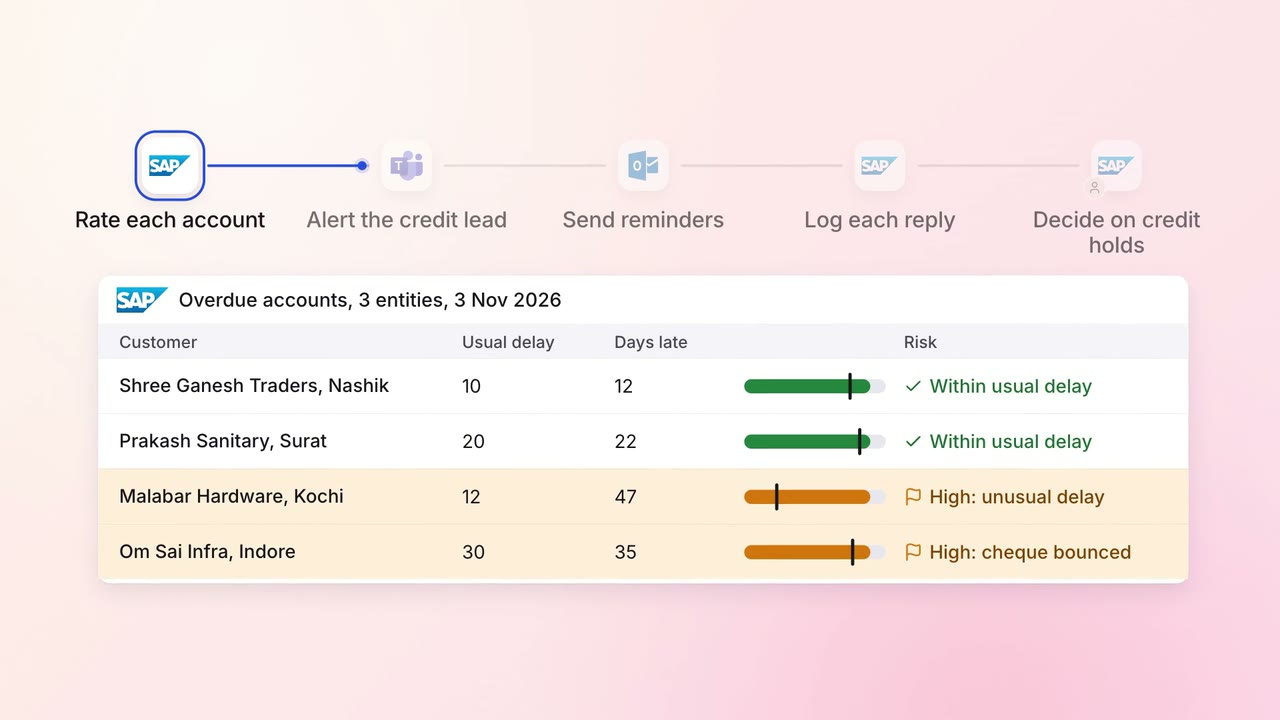
Finance Invoicing and collections
Overdue invoices get the right reminder, and risky accounts reach a person first
- SAP S/4HANA
- Outlook
 Microsoft Teams