Proof of delivery is collected, read and filed against each invoice
Drivers send a photo of the signed lorry receipt on WhatsApp. The AI reads it, confirms the delivery in SAP, files the photo against the invoice and sends any shortage or damage to the logistics desk.
- Used day to day by
- Logistics team
- Accounts team
- Salespeople
How it runs with AI
The driver sends a photo of the signed lorry receipt on WhatsApp before leaving the dealer. The AI reads the dealer's stamp, the date and any remarks, confirms the delivery in SAP and files the photo against the invoice. Shortages and damage reach the logistics desk the same day, and transporters get a daily list of the receipts still due.
How it is done today
Signed copies of the lorry receipt come back from transporters in bundles, often weeks after delivery. Someone sorts them by invoice, ticks them off in Excel and files the paper. When a dealer says goods arrived broken, or a transporter asks to be paid, the team searches the files for the right copy.
Step by step
Where the work happens, what the AI does, and where it hands over to a person.
-
Step 1, AI
Picks up the photo of the signed lorry receipt the driver sends on WhatsApp
Needs to know: Driver for each trip
In
 WhatsApp Business
 -
Step 2, AI
Reads the receipt number, the dealer's stamp, the date and any handwritten remarks
Needs to know: Transporter receipt layouts
In
WhatsApp Business Exception to step 2
Asks the driver for a clearer photo when the stamp or remarks are hard to read
-
Step 3, AI
Matches the receipt to the invoice in SAP and compares what arrived with what was sent
Needs to know: Lorry receipt per invoice
In
 SAP S/4HANA
 Exception to step 3
Sends shortages and damage to the logistics desk the same day, with the photo
-
Step 4, AI
Confirms the delivery in SAP and files the photo against the invoice
Needs to know: Where proofs are filed
In
SAP S/4HANA -
Step 5, AI
Sends each transporter a daily list of deliveries still waiting for a signed receipt
Needs to know: Transporter contacts, Freight payment terms
In
SAP S/4HANA ,  Outlook
 -
Step 6, Person
Decides on each damage claim, and accounts pay the freight bills that have a signed receipt
In
SAP S/4HANA
What stays with a person
- Decides on each damage claim, and accounts pay the freight bills that have a signed receipt
Who uses the signed receipt
- Accounts pays each transporter’s freight bill once the trip has its signed receipt.
- Sales answers a dealer who reports broken or missing goods with the photo, the date and the dealer’s own remark.
- Auditors testing sales near the year end ask for proof that those goods were delivered. The photo is already filed against the invoice.
Apps in this example
- WhatsApp Business
- SAP S/4HANA
- Outlook
The same flow works with the apps you use.
This fits you if
- You deliver more than 1,000 consignments a month through hired transporters
- Signed lorry receipts reach your office days or weeks after delivery
- Freight bills wait until the paper receipts arrive
- Finding the signed copy for a dealer dispute takes hours today
What to watch for
- Transporters brief their drivers to send the photo before leaving the dealer. Write this into the transporter contract, next to the freight terms
- Handwriting on receipts varies widely. The logistics desk checks every remark the AI reads before a claim is raised
- Credit notes to dealers and claims against the transporter or insurer stay with your team. The AI gathers the photo, the remark and the value
- Where a contract or your auditors ask for the original paper, the transporter still sends it, and the photo makes it quick to find
Often done together
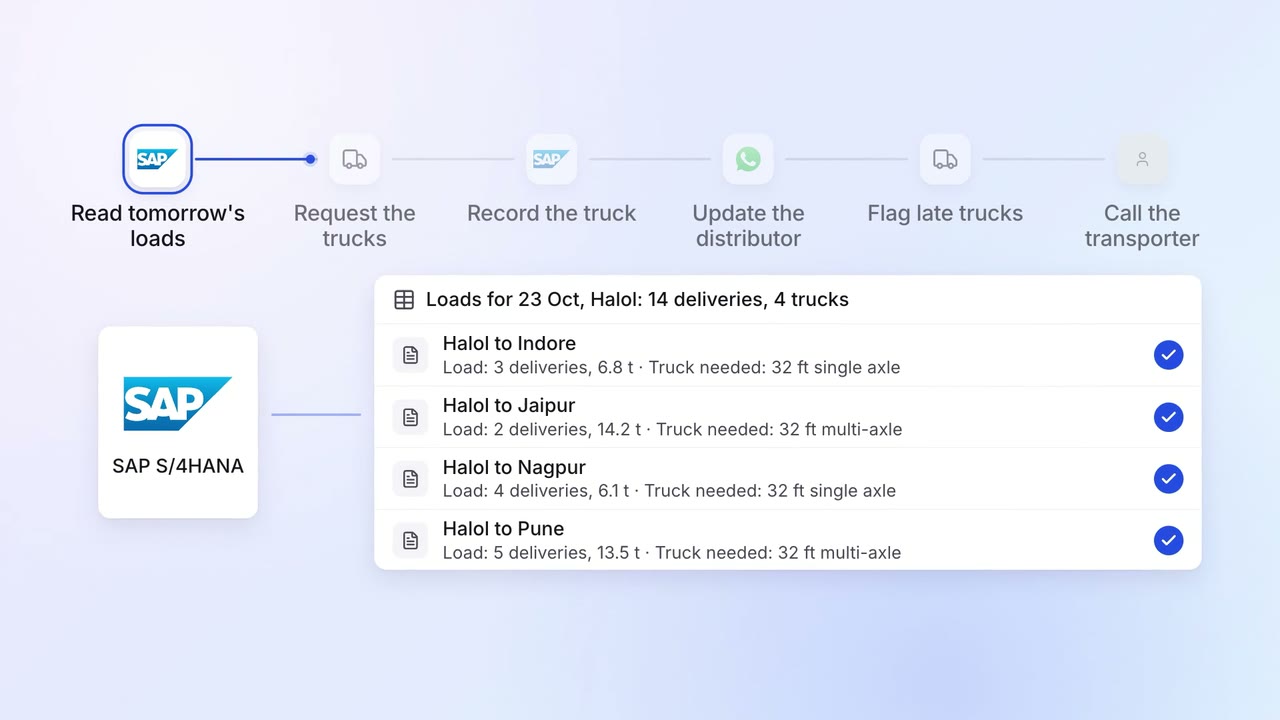
Operations Dispatch paperwork
Trucks are booked and customers get tracking updates on WhatsApp
- SAP S/4HANA
- Transporter portal
- WhatsApp Business
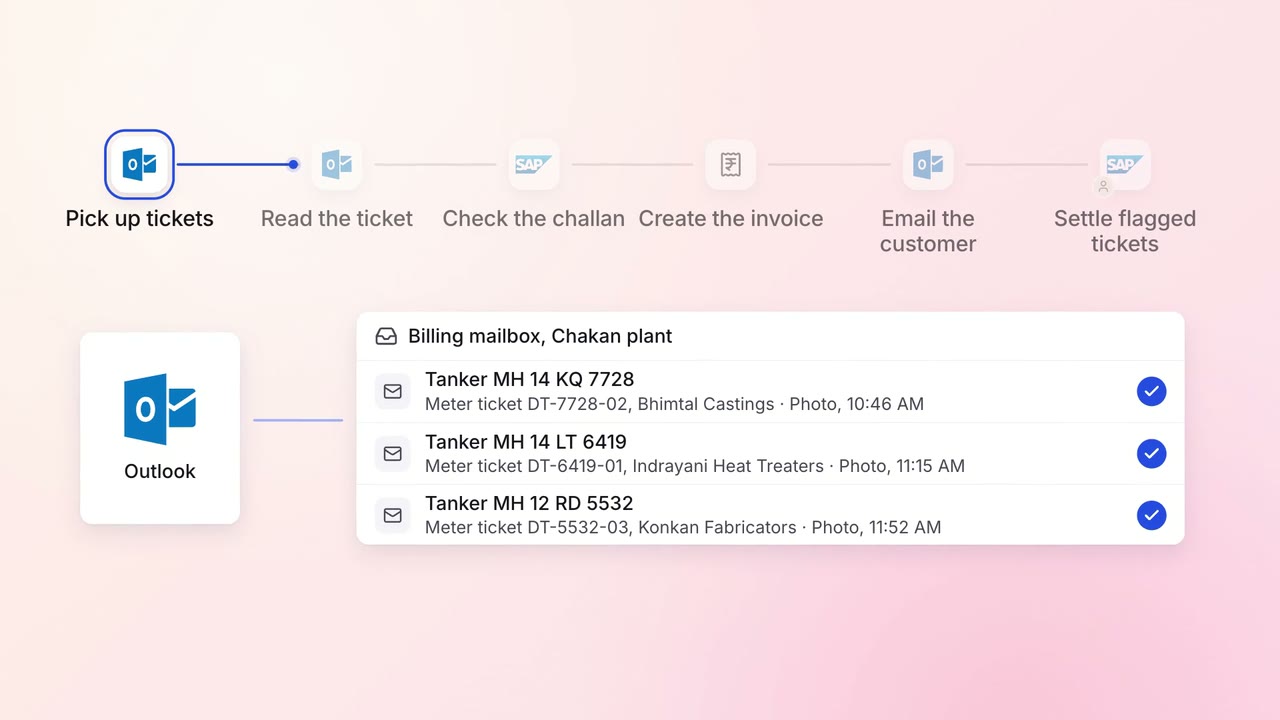
Finance Invoicing and collections
Every tanker delivery is invoiced, e-invoiced and emailed the same day
- SAP S/4HANA
- E-invoice portal
- Outlook
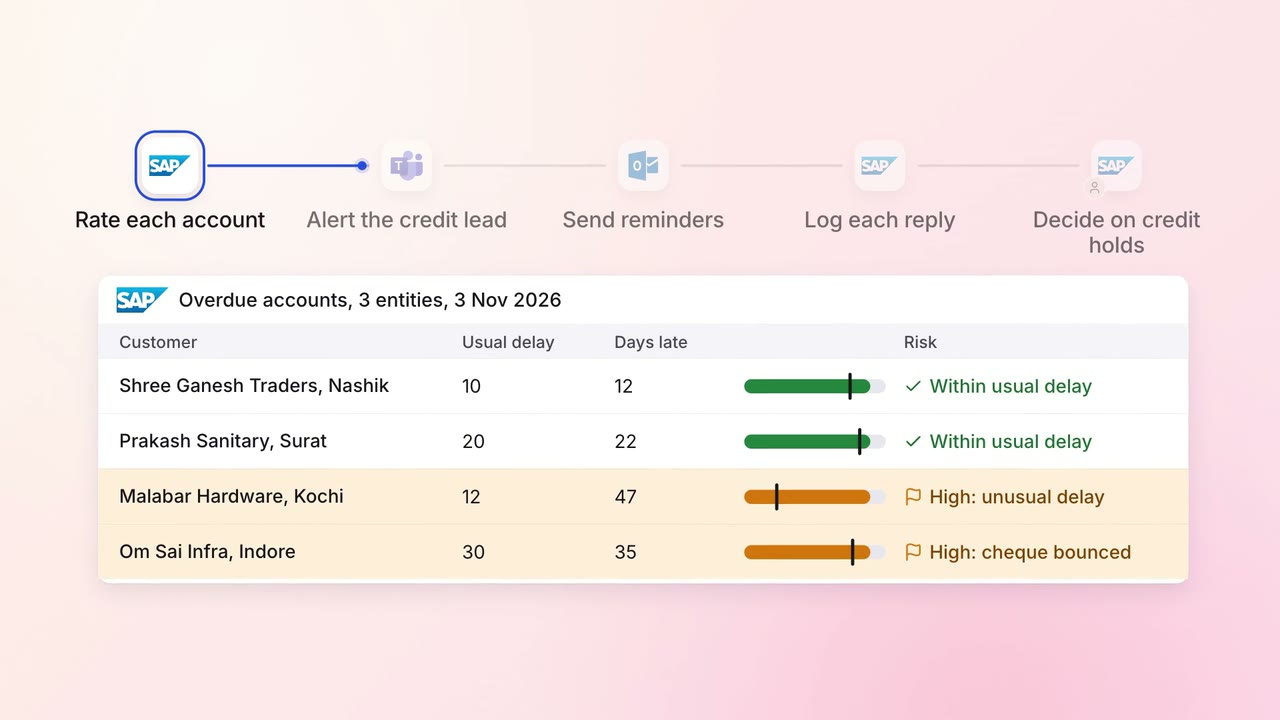
Finance Invoicing and collections
Overdue invoices get the right reminder, and risky accounts reach a person first
- SAP S/4HANA
- Outlook
 Microsoft Teams