Factory workers ask for leave with a WhatsApp voice note, in their own language
A worker sends a voice note on WhatsApp in their own language. The company assistant understands it, checks the leave balance and the shift roster in Keka, files the request, and the supervisor approves it from WhatsApp.
- Used day to day by
- Shop-floor workers
- Shift supervisors
- HR team
What the assistant uses here
Answers from your systems, within each person's access.
- Channels Reaches people where they already talk
- Photos and voice Reads photos and handwriting, and understands voice notes in Indian languages
- Your approval Acts in your systems only after a person approves
How it runs with AI
Workers send a voice note to the company's WhatsApp Business number in their own language. The company assistant understands the request, checks the balance and who else is off on that shift in Keka, and files the leave. The supervisor approves it from WhatsApp, and the worker hears back in their own language.
How it is done today
Workers without a laptop ask for leave on a paper slip or by catching the supervisor between shifts. HR types the slips into the HR system days later, balances are checked late, and workers call HR to ask whether their leave went through.
How the assistant works here
Where people ask, what it draws on, and what comes back.
Where people ask
-
 WhatsApp Business, steps 1, 4 and 5
Who asks
- Shop-floor workers
- Shift supervisors
- HR team
What it draws on
Apps
-
 Keka, steps 2, 3 and 4
Context
- Leave types, step 1
- Local language terms, step 1
- Shift cover rules, step 2
What comes back, and who decides
- A request prepared for approval, step 4
- A confirmation in the same chat, step 5
Who decides
- The shift supervisor approves the leave from WhatsApp, step 4
How a request runs
-
Step 1, the assistant: Understands a leave request sent as a voice note on WhatsApp, in the worker's own language
-
Step 2, the assistant: Checks the leave balance and the shift roster in Keka
-
Step 3, the assistant: Files the leave request in Keka for the shift supervisor
- Person
Step 4, a person: The shift supervisor approves the leave from WhatsApp
-
Step 5, the assistant: Tells the worker on WhatsApp, in their own language
The same flow works with the apps you use.
Who controls it
-
Access
It runs with each person's own access, so it shows only what they could open themselves
-
Approvals
Supervisors approve every request. The assistant files and checks, it does not decide
-
Record
Every question, source, action and approval is recorded
This fits you if
- Many of your workers have no laptop or company email
- Leave is asked for on paper or in person
- Leave balances and shift rosters are kept in an HR system such as Keka
What to watch for
- WhatsApp needs a WhatsApp Business number connected through the official business platform
- The assistant confirms the dates back to the worker before filing, so a misheard day is caught early
Often done together
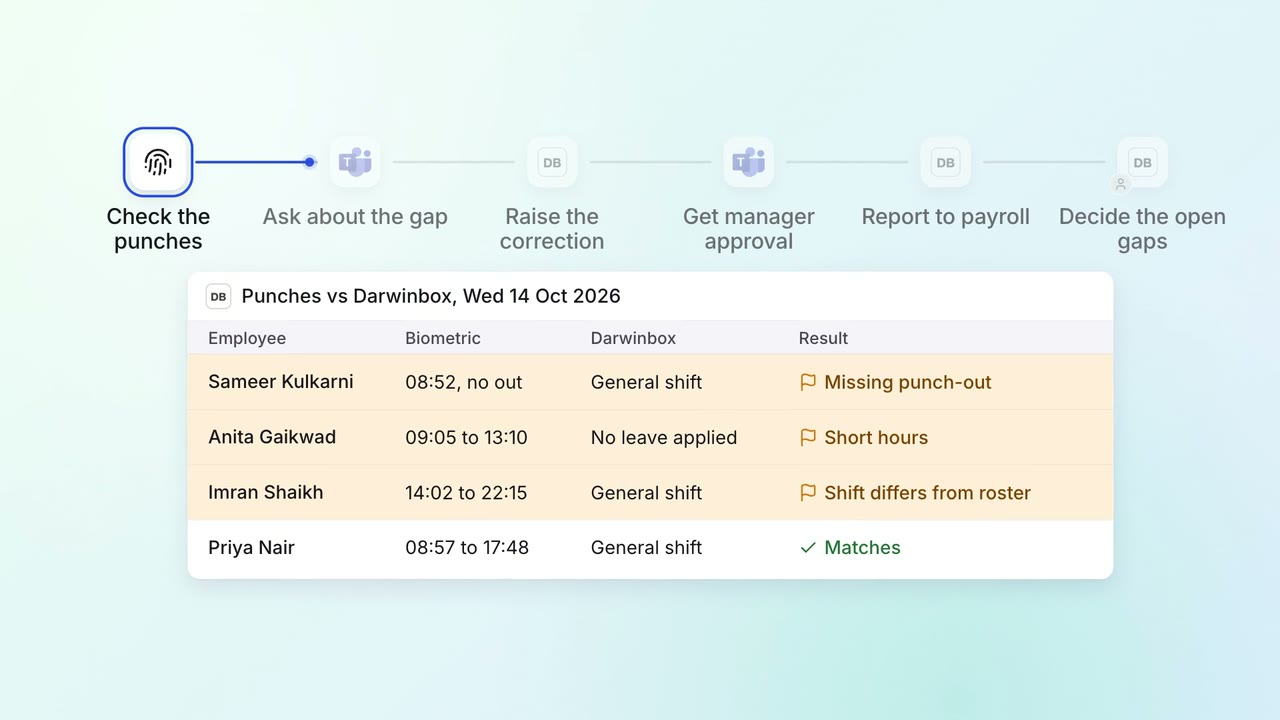
HR Leave, attendance and payroll questions
Attendance gaps are chased and cleared before payroll runs
- Biometric system
 Darwinbox
 Microsoft Teams
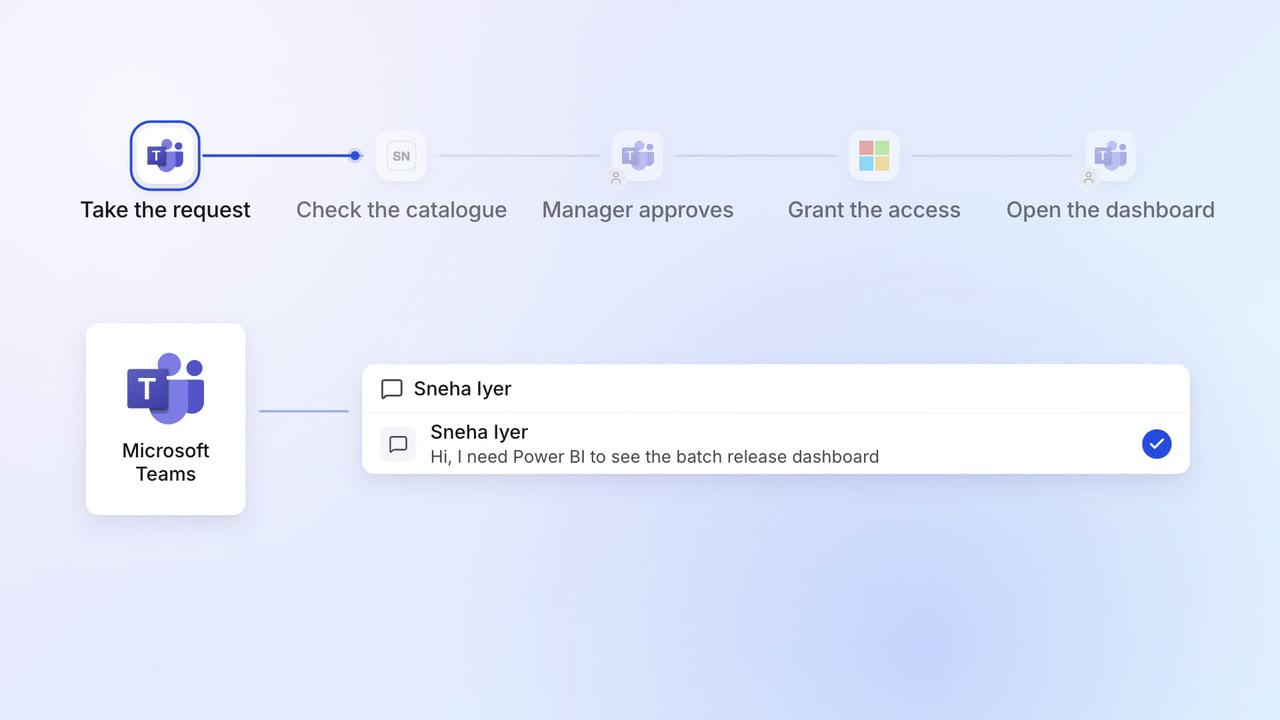
IT Helpdesk
Password resets and software access are handled on Teams in minutes
- Microsoft Teams
 ServiceNow
 Entra ID
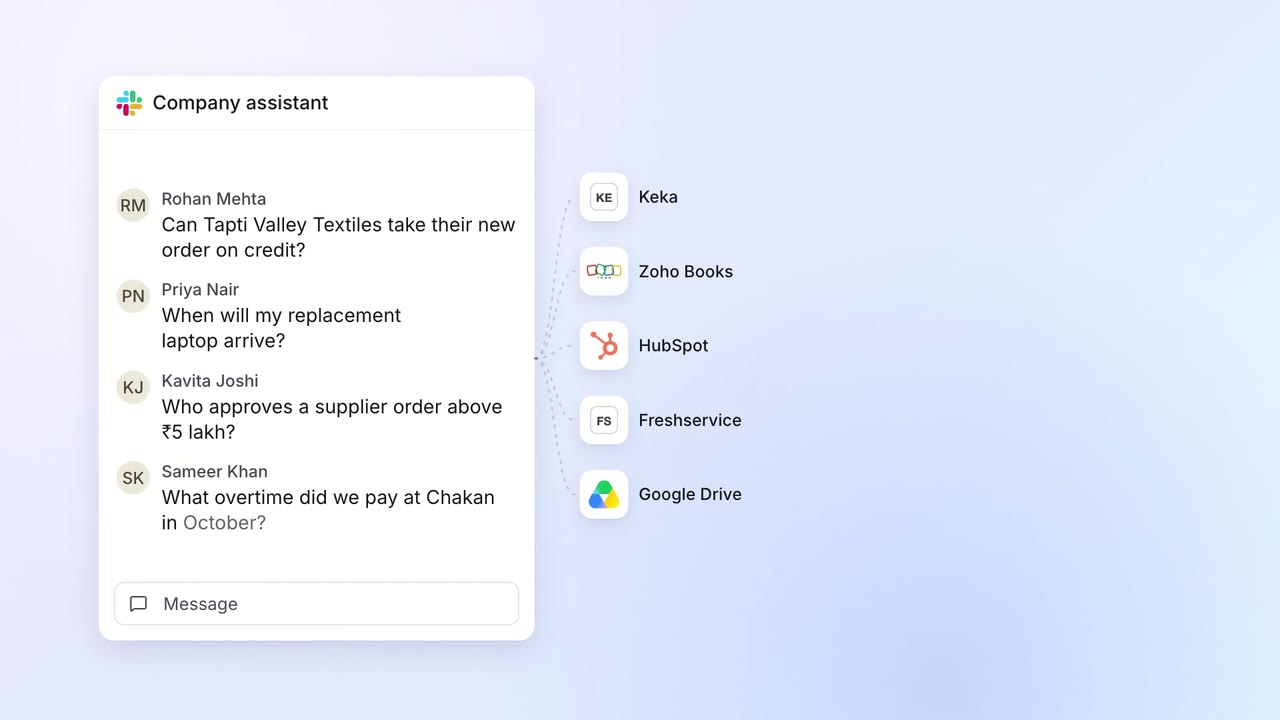 Company assistant
IT Helpdesk
Staff get answers from every company system on Slack, within their own access
 Slack
Slack- Keka
 Zoho Books
 HubSpot
 Freshservice
 Google Drive