Ask which campaign worked and get one answer from your ads, website and CRM
Marketing asks in Slack what worked. An automated assistant reads LinkedIn Ads, Google Analytics and HubSpot and answers in about a minute, from money spent to deals in the pipeline.
- Used day to day by
- Marketing head
- Marketing team
- Business owner
- Sales head
What the assistant uses here
Answers from your systems, within each person's access.
- Channels Reaches people where they already talk
- Your approval Acts in your systems only after a person approves
How it runs with AI
The marketing team asks an automated assistant in Slack in plain words. It reads the spend from LinkedIn Ads, the visits and enquiries from Google Analytics and the deals from HubSpot, joins them by campaign and answers in about a minute, with a link to each source. Your ad agency, working in the same Slack, sees ad and site figures, and deal details stay with your own team.
How the assistant works here
Where people ask, what it draws on, and what comes back.
Where people ask
-
 Slack, steps 1 and 5
Who asks
- Marketing head
- Marketing team
- Business owner
- Sales head
What it draws on
Apps
-
 LinkedIn Ads, steps 2 and 6
 -
 Google Analytics, step 3
 -
 HubSpot, step 4
Context
- Campaign names across apps, step 1
- Ad accounts in scope, step 2
- Campaign tracking tags, step 3
- What counts as pipeline, step 4
- Who sees deal details, step 5
What comes back, and who decides
- An answer with its sources, step 5
Who decides
- The marketing head decides how to split next month's budget, step 6
How a request runs
-
Step 1, the assistant: Reads a question about campaign results asked in plain words in Slack
-
Step 2, the assistant: Reads the money spent on each campaign from LinkedIn Ads
-
Step 3, the assistant: Reads the site visits and enquiries each campaign brought from Google Analytics
-
Step 4, the assistant: Follows each enquiry into HubSpot to the deal it became and its value
-
Step 5, the assistant: Replies in Slack with one answer and a link to each source
Exception Lists the enquiries it cannot trace to a campaign and passes them to marketing operations
- Person
Step 6, a person: The marketing head decides how to split next month's budget
The same flow works with the apps you use.
Who controls it
-
Access
It runs with each person's own access, so it shows only what they could open themselves
-
Approvals
Budget decisions stay with the marketing head. The assistant gives the figures and their sources
-
Record
Every question, source, action and approval is recorded
This fits you if
- Your founder or sales head asks marketing which campaigns worked, and the answer takes a day
- You run campaigns on LinkedIn and track your website in Google Analytics
- Your enquiries and deals are kept in HubSpot
- Your team and your ad agency already work in Slack
What to watch for
- Each campaign needs the same name in LinkedIn Ads, Google Analytics and HubSpot, carried by the tracking tags on its links. Marketing operations owns the names, and the assistant lists any enquiry it cannot trace
- Pipeline is open deals at their expected value. When your deals take months to close, ask about a quarter or more
- Retargeting reaches only people who have already visited your site, so each extra rupee there brings less as its budget grows
- People outside the company, such as your ad agency, see ad and site figures. Customer names and deal values stay with your own team
Often done together
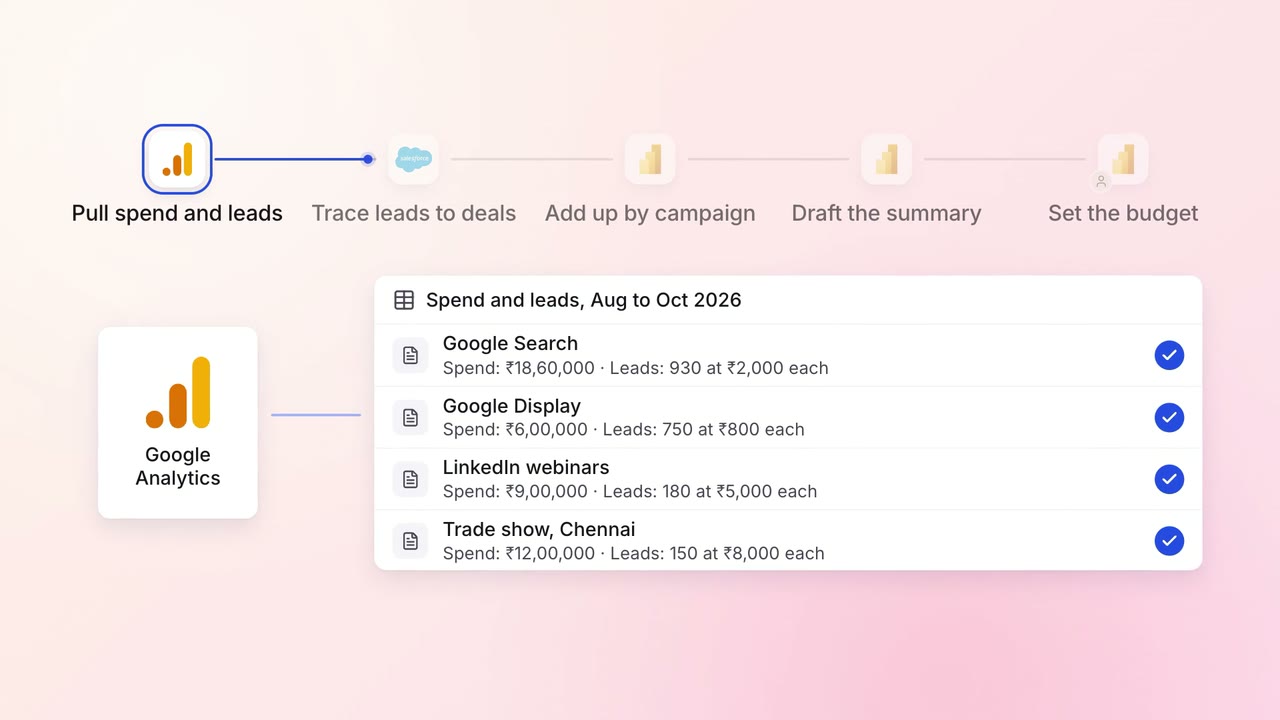
Marketing Reporting
Every campaign is tied to the pipeline and revenue it brings, in one monthly report
- Google Analytics
 Google Ads
- LinkedIn Ads
 Salesforce
 Power BI
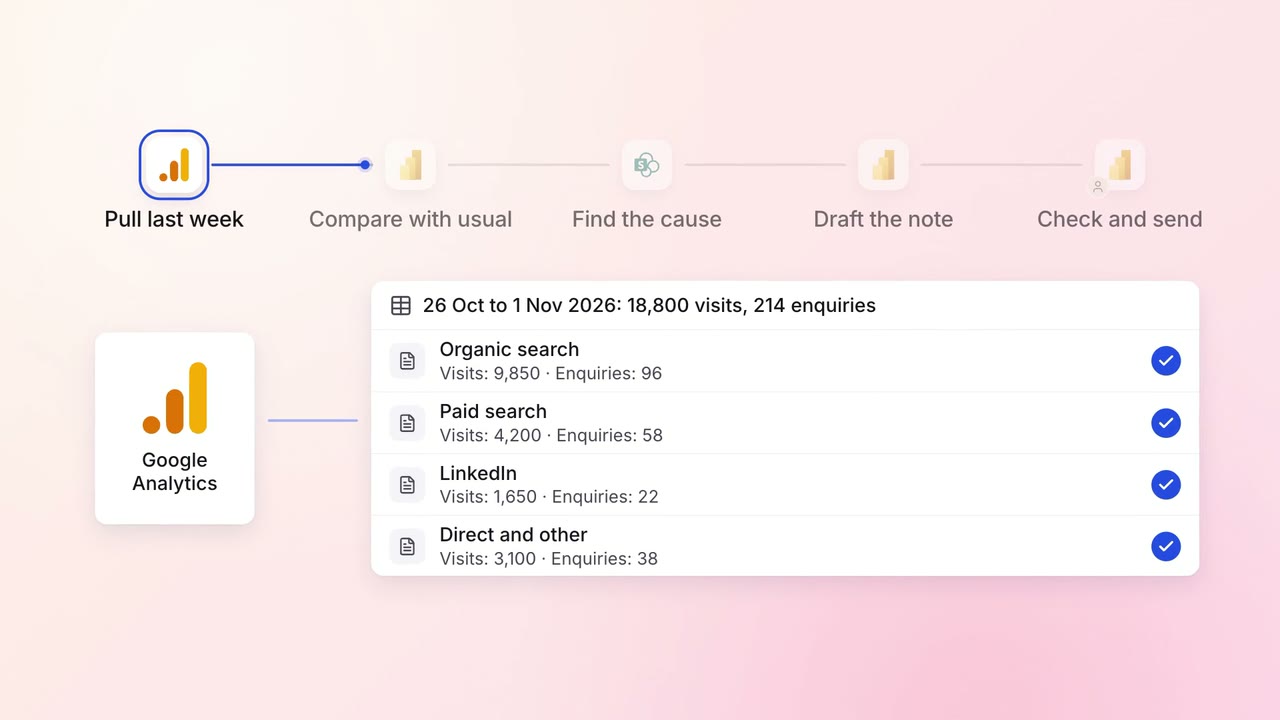
Marketing Reporting
The weekly marketing report arrives with what changed and why
- Google Analytics
- Power BI
 SharePoint
 Microsoft Teams
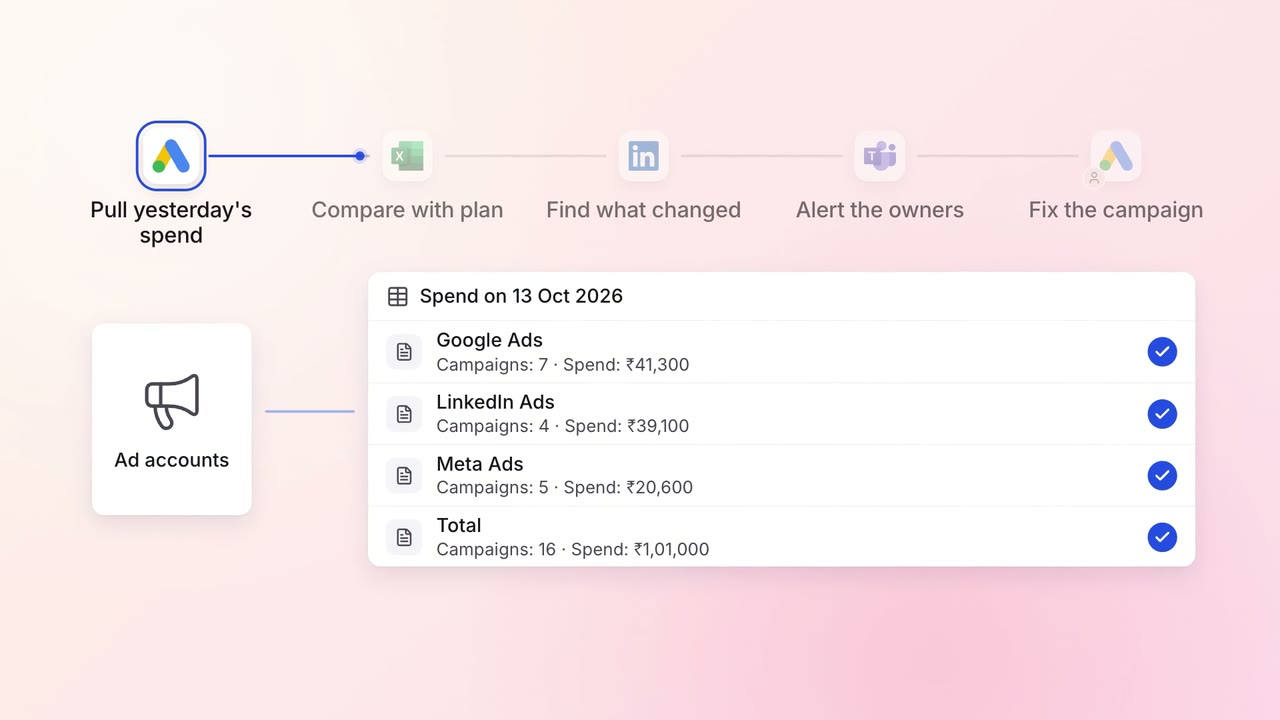
Marketing Campaigns and ads
Ad spend on Google, LinkedIn and Meta is checked against the plan every morning
- Google Ads
- LinkedIn Ads
 Meta Ads
 Excel
Excel- Microsoft Teams