Every meeting's decisions are on record, and anyone can ask what was agreed
Each Google Meet call is summarised and its decisions filed in Asana. Anyone can ask in Slack what was agreed, and gets an answer from the meetings shared with them.
- Used day to day by
- Employees
- Project managers
What the assistant uses here
Answers from your systems, within each person's access.
- Channels Reaches people where they already talk
- Your approval Acts in your systems only after a person approves
How it runs with AI
The AI reads each Meet transcript in Google Drive and drafts the decisions and actions. Once the organiser confirms them, they go into Asana, each linked to its moment in the transcript. Anyone can ask the assistant in Slack what was agreed and gets the answer with its sources, drawn only from the meetings shared with them.
How the assistant works here
Where people ask, what it draws on, and what comes back.
Where people ask
-
 Slack, steps 2, 4 and 6
Who asks
- Employees
- Project managers
What it draws on
Apps
-
 Google Meet, step 1
 -
 Google Drive, steps 1 and 5
 -
 Asana, step 3
Context
- Projects and their owners, step 1
- Project for each topic, step 3
- Product and project names, step 4
- Meeting sharing rules, step 5
- Private meetings, step 5
- Who owns each topic, step 6
What comes back, and who decides
- An answer with its sources, step 6
Who decides
- The organiser confirms the summary and chooses who can see it, step 2
How a request runs
-
Step 1, the assistant: Reads the transcript of each Meet call in Google Drive and drafts its decisions and actions
- Person
Step 2, a person: The organiser confirms the summary and chooses who can see it
-
Step 3, the assistant: Files each decision and action in Asana, linked to its moment in the transcript
-
Step 4, the assistant: Picks up a question someone asks the assistant in Slack
-
Step 5, the assistant: Finds every meeting on the topic and uses only those shared with the person asking
Exception Says so when no meeting shared with the person settled the question, and names who to ask
-
Step 6, the assistant: Replies with what was agreed and when, with links to each source
The same flow works with the apps you use.
Who controls it
-
Access
It runs with each person's own access, so it shows only what they could open themselves
-
Approvals
The assistant reports what was agreed. Changing a decision stays with the people who made it, at their next meeting
-
Record
Every question, source, action and approval is recorded
Who sees what
- The assistant answers only from meetings the person was invited to, or that the organiser shared with their team.
- It knows who is asking from their Slack sign-in, matched to their Google account.
- The organiser marks sensitive meetings, such as board, pay or hiring discussions, as private. Only the people invited can ask about them.
- Every answer names the meetings it used, with a link to the moment in the transcript, so anyone can check it.
This fits you if
- Your teams meet on Google Meet and keep their files in Google Drive
- The same decision gets discussed again because people cannot find what was agreed
- Projects run in Asana, and only some actions from meetings reach it
- People who join a project late spend days catching up on past decisions
What to watch for
- The organiser confirms each summary before it is filed, because the record of who agreed to what carries weight
- Everyone in the call is told it is being transcribed, and the organiser can keep transcription off for any meeting
- Check the transcripts of your own calls before relying on the log, especially calls that mix Hindi and English
Often done together
Leadership Meeting follow-ups
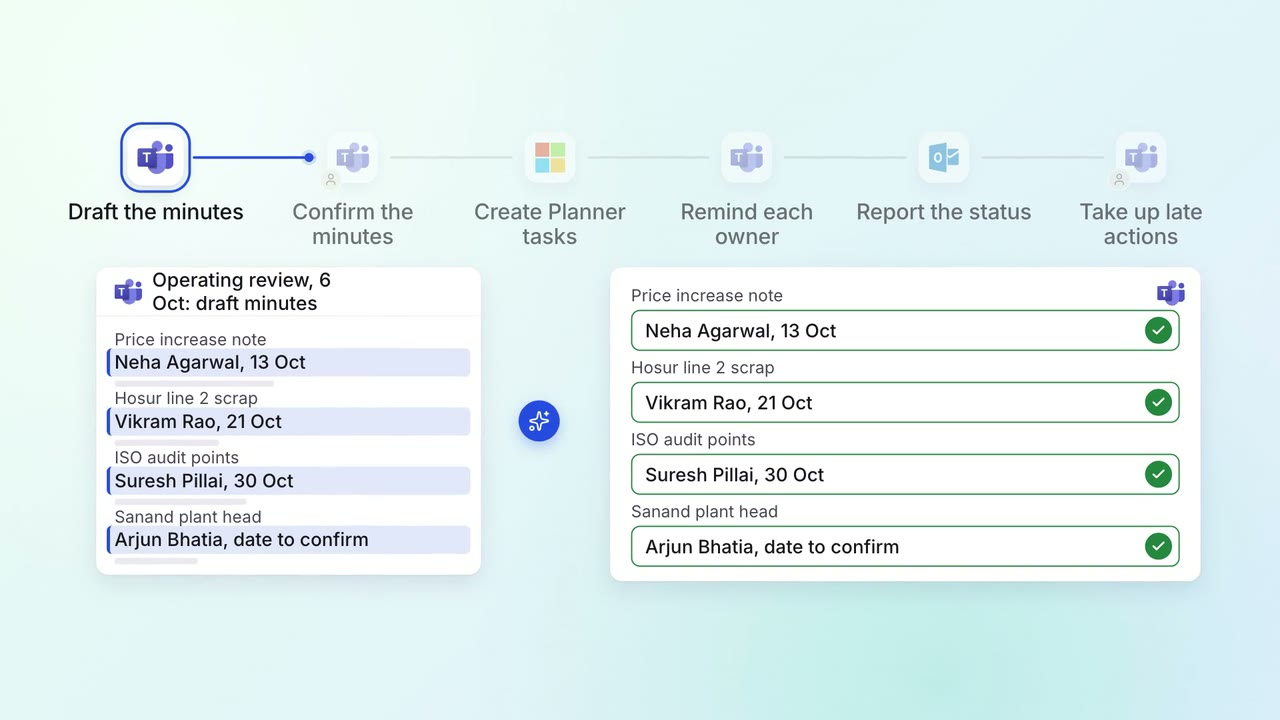
Every action from a leadership meeting gets an owner, a date and a follow-up
 Microsoft Teams
 Microsoft Planner
 Outlook
 Company assistant
IT Helpdesk
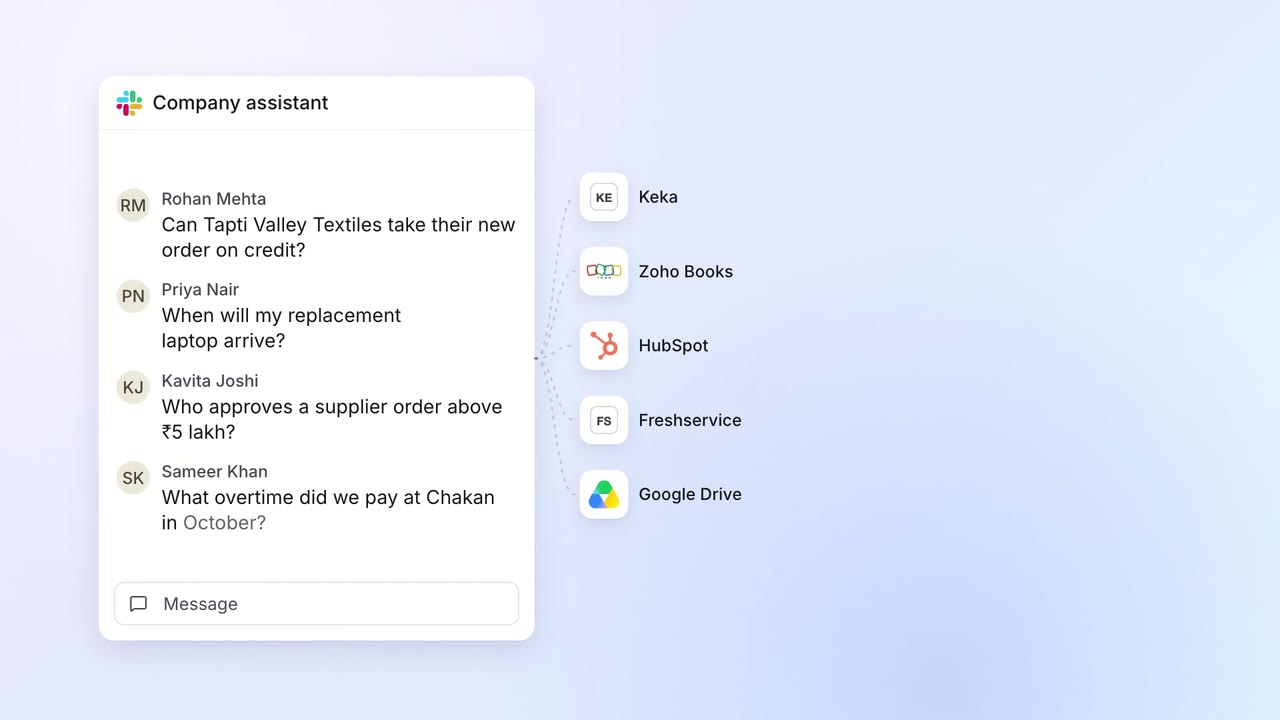
Staff get answers from every company system on Slack, within their own access
- Slack
 Keka
Keka Zoho Books
 HubSpot
 Freshservice
- Google Drive
Leadership Management reports
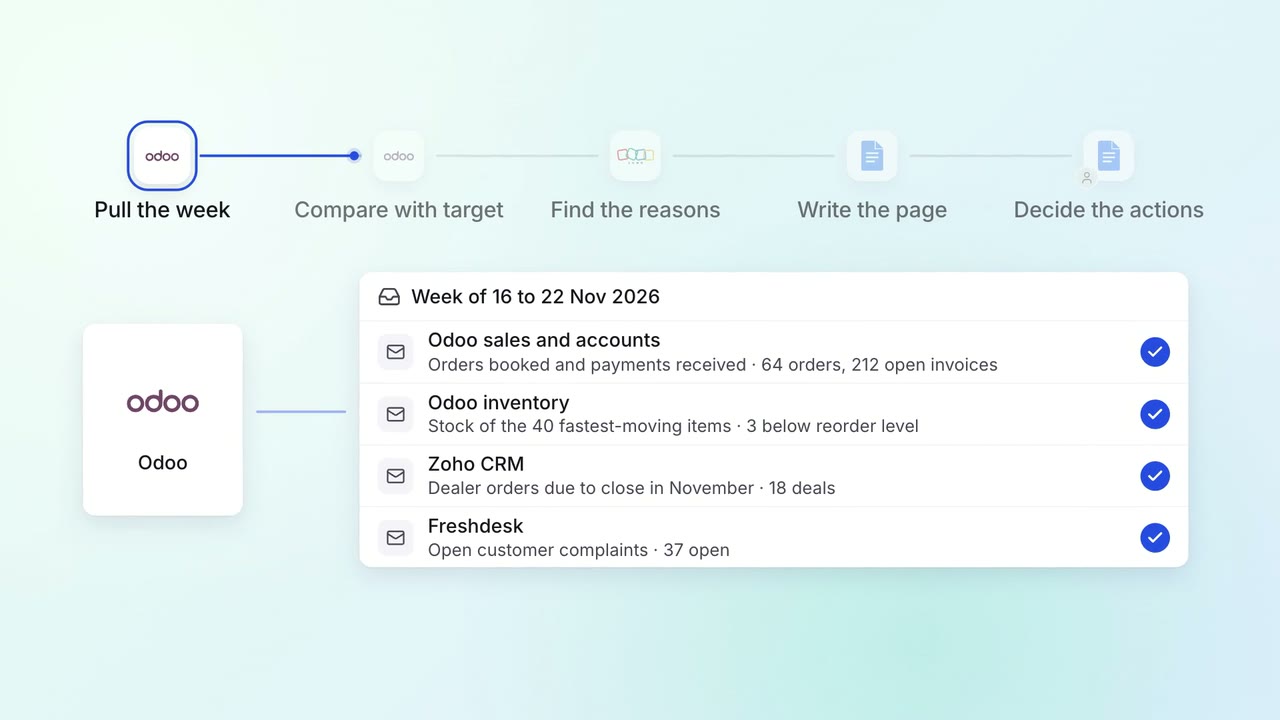
The Monday review starts from one page of sales, collections, stock and open issues
 Odoo
Odoo- Zoho CRM
 Freshdesk
 Google Docs