Month-end accruals are ready on day 1, drafted from open POs and goods receipts
On the last working day, the AI checks every open service PO against service entries and invoices in SAP, confirms the unclear ones with the requester and parks a reversing accrual journal for your controller.
- Used day to day by
- Accountants
- Financial controllers
How it runs with AI
On the last working day, the AI checks every open service PO against the service entries and invoices in SAP and lists the work that is done but unbooked. It emails requesters about the unclear lines, estimates bills that arrive later, such as power, and parks one journal per plant that reverses on the 1st. The plant controller reviews the basis for each line and posts it.
How it is done today
On working day 1, each plant accountant emails department heads to ask what work was done in the month and still waits for a bill. Replies come in over several days, and the accountant builds the accrual schedule in Excel from them and from last month's file. Some costs are missed, and others are booked twice because a service entry or invoice was already in SAP.
Step by step
Where the work happens, what the AI does, and where it hands over to a person.
-
Step 1, AI
Checks every open service PO against service entries and invoices in SAP
Needs to know: Last month's accruals
In
 SAP S/4HANA
 Exception to step 1
Sends parked invoices to payables to post before the close
-
Step 2, AI
Asks the requester by email whether the work was done
Needs to know: Requester on each PO
In
 Outlook
 Exception to step 2
Passes the line to the controller to decide when the requester has yet to reply by noon on working day 1
-
Step 3, AI
Builds the accrual schedule, with late bills such as power estimated from the last 3 months
Needs to know: Past utility bills, Accrual policy
In
SAP S/4HANA -
Step 4, AI
Parks one accrual journal in SAP, set to reverse on the 1st
Needs to know: Accrual accounts, Cost centre mapping
In
SAP S/4HANA -
Step 5, Person
Reviews the basis for each line and posts the journal
In
SAP S/4HANA
What stays with a person
- Reviews the basis for each line and posts the journal
What it checks before accruing a line
- A service entry or goods receipt is already posted. SAP has booked the cost against the PO, so the line is left out.
- An invoice is parked. Payables posts the invoice before the close, in place of an accrual.
- Last month’s accruals. The AI checks that each one reversed on the 1st, so the same cost is carried once.
- Costs with no PO. Power, water and similar bills are estimated from the last 3 months, and the controller can replace the figure with a meter reading.
Apps in this example
- SAP S/4HANA
- Outlook
The same flow works with the apps you use.
This fits you if
- You close the books in SAP for 2 or more plants or entities
- Accrual schedules are built in Excel from emails to department heads
- Services such as security, freight and maintenance run on open POs
- Your auditors have found costs missed or booked twice at a period end
What to watch for
- The plant controller posts the journal. The AI parks it with the basis for each line, and the controller can change any figure
- Estimates for bills such as power follow the last 3 months. A shutdown or a seasonal swing needs the controller's judgement
- The AI relies on requesters posting service entries in SAP. Where a team seldom does, the AI asks them each month and the controller sees who replied
- Provisions that need a judgement, such as for a legal claim or a warranty, stay with your finance team
Often done together
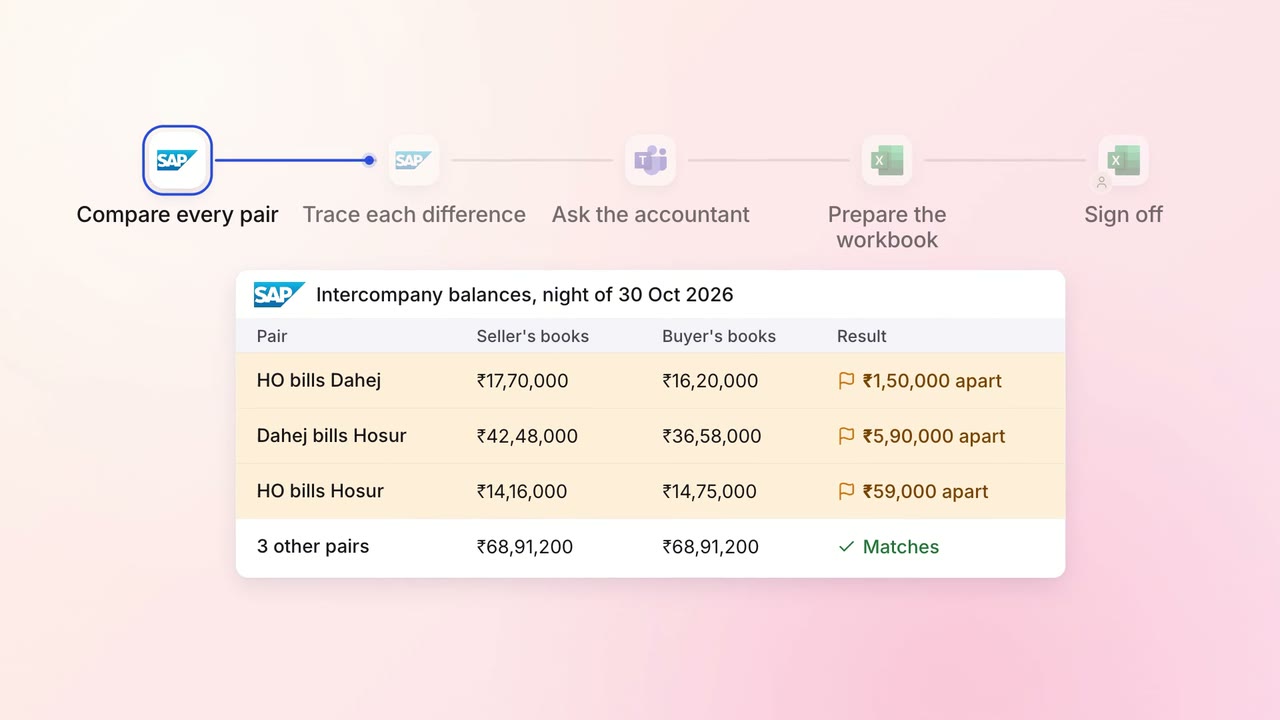
Finance Month-end close
Intercompany balances across your entities agree before the close starts
- SAP S/4HANA
 Microsoft Teams
 Excel
Excel
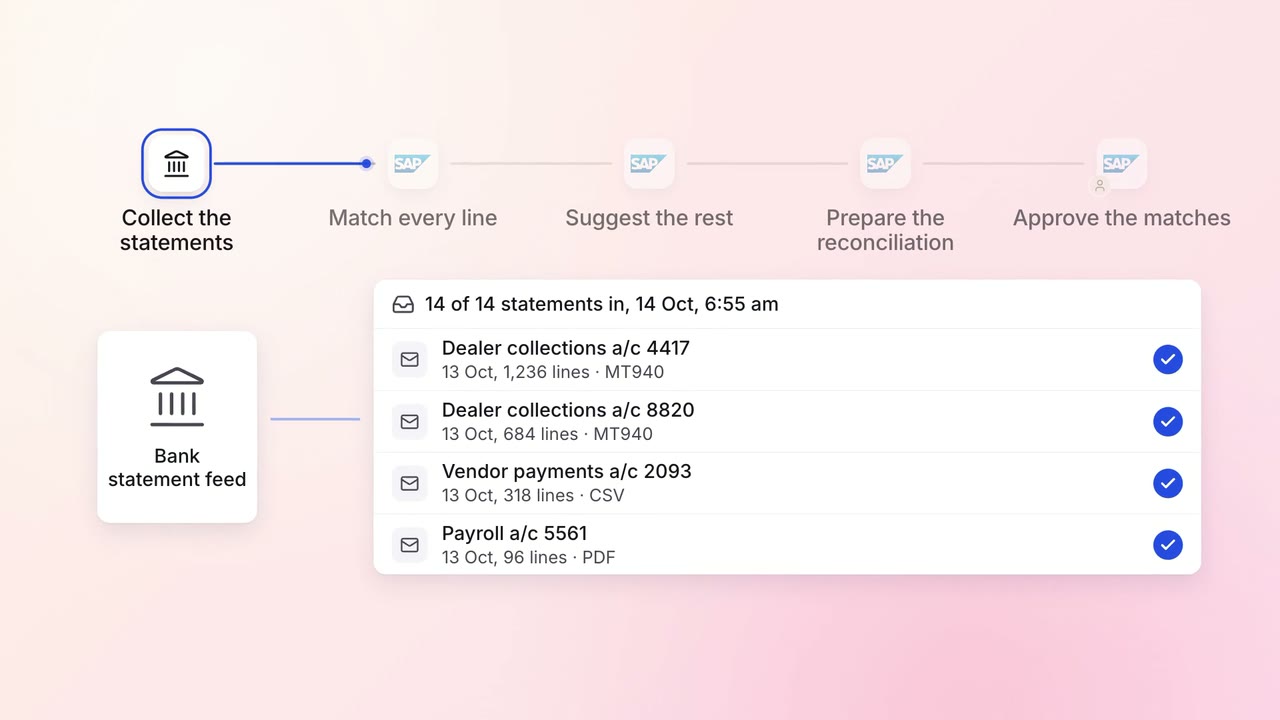
Finance Month-end close
Every bank account is reconciled each morning, with only the exceptions left for the team
- Bank statements
- SAP S/4HANA
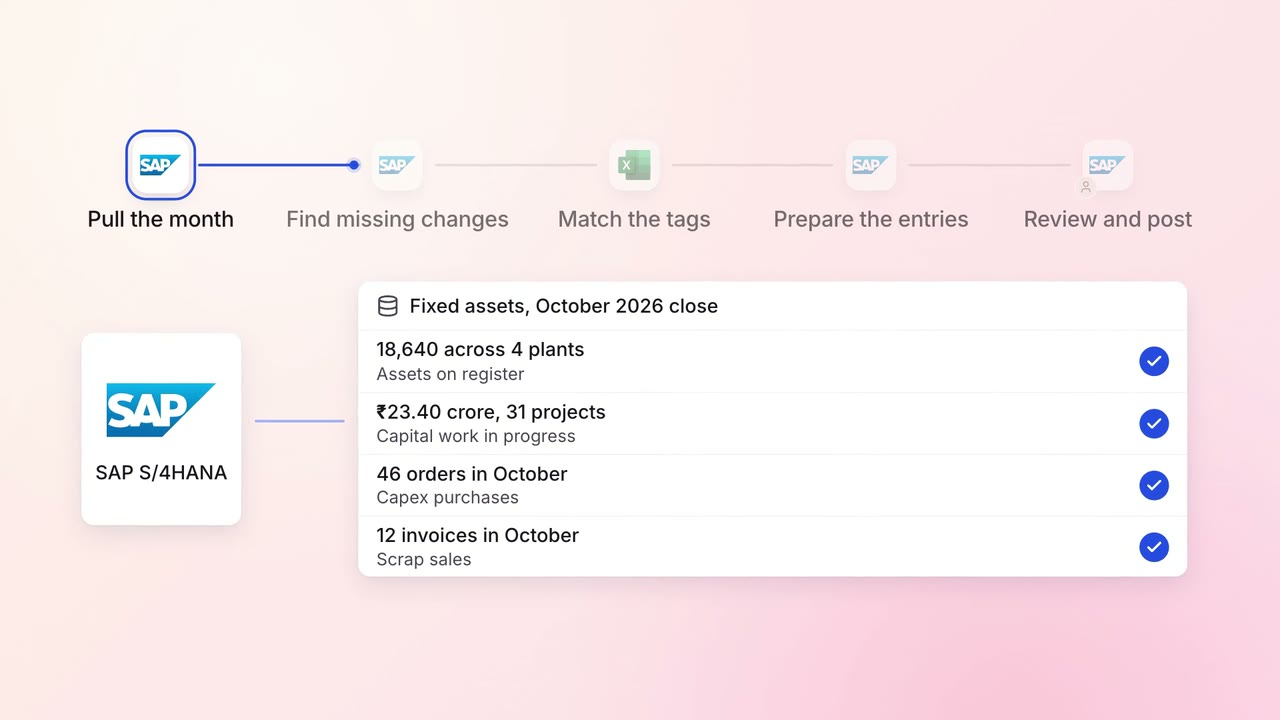
Finance Month-end close
The fixed asset register matches the shop floor, with every change posted at month end
- SAP S/4HANA
- Excel