Every policy is checked when a rule changes, with each clause to update marked
When a new rule arrives, the AI checks every policy in SharePoint against it, marks each clause to update and drafts the new wording for legal to approve.
- Used day to day by
- Legal team
- Compliance head
- Department heads
How it runs with AI
When your compliance team logs a new rule, the AI lists what it requires and checks every policy in SharePoint against it, clause by clause. Each owner gets an email with their gaps and suggested wording as tracked changes, and your legal head approves every change. The same check runs on each policy when its yearly review comes due.
Step by step
Where the work happens, what the AI does, and where it hands over to a person.
-
Step 1, AI
Reads the new rule and lists each requirement and the date it applies from
Needs to know: What your business does, Regulator clarifications
In
 SharePoint
 -
Step 2, AI
Searches every policy in SharePoint and finds the ones the rule touches
Needs to know: Topics each policy covers, Who owns each policy
In
SharePoint -
Step 3, AI
Checks each clause against the rule and marks what needs to change
Needs to know: Past legal guidance
In
SharePoint ,  Outlook
 Exception to step 3
Sends the clause to the legal team when it is unclear whether the rule applies
-
Step 4, AI
Emails each owner their gaps, with suggested wording saved as tracked changes
Needs to know: Who owns each policy, House drafting style
In
Outlook , SharePoint Exception to step 4
Reminds the owner if nothing changes, then tells the compliance head
-
Step 5, Person
Approves the new wording, and the owner publishes the new version
In
SharePoint
What stays with a person
- Approves the new wording, and the owner publishes the new version
Apps in this example
- SharePoint
- Outlook
The same flow works with the apps you use.
This fits you if
- You keep 30 or more policies in SharePoint, each with a named owner
- Several regulators set rules for your business, and those rules change every year
- Policies get updated at their yearly review, often months after a rule changes
- An auditor or a customer's questionnaire has found a policy that quotes an old rule
What to watch for
- Whether a policy meets a rule, and the final wording, is a legal judgement. Your legal head approves every change before a new version is published
- Each gap links to the rule's text in the official gazette, so the reviewer reads the source. When a regulator issues FAQs or clarifications, the compliance team adds them and the affected policies are checked again
- Policies kept outside SharePoint, such as copies in email or on a plant's shared drive, are moved into the library first, so the check covers all of them
- Each published version carries a version number and a date, so auditors can see which wording applied when
Often done together
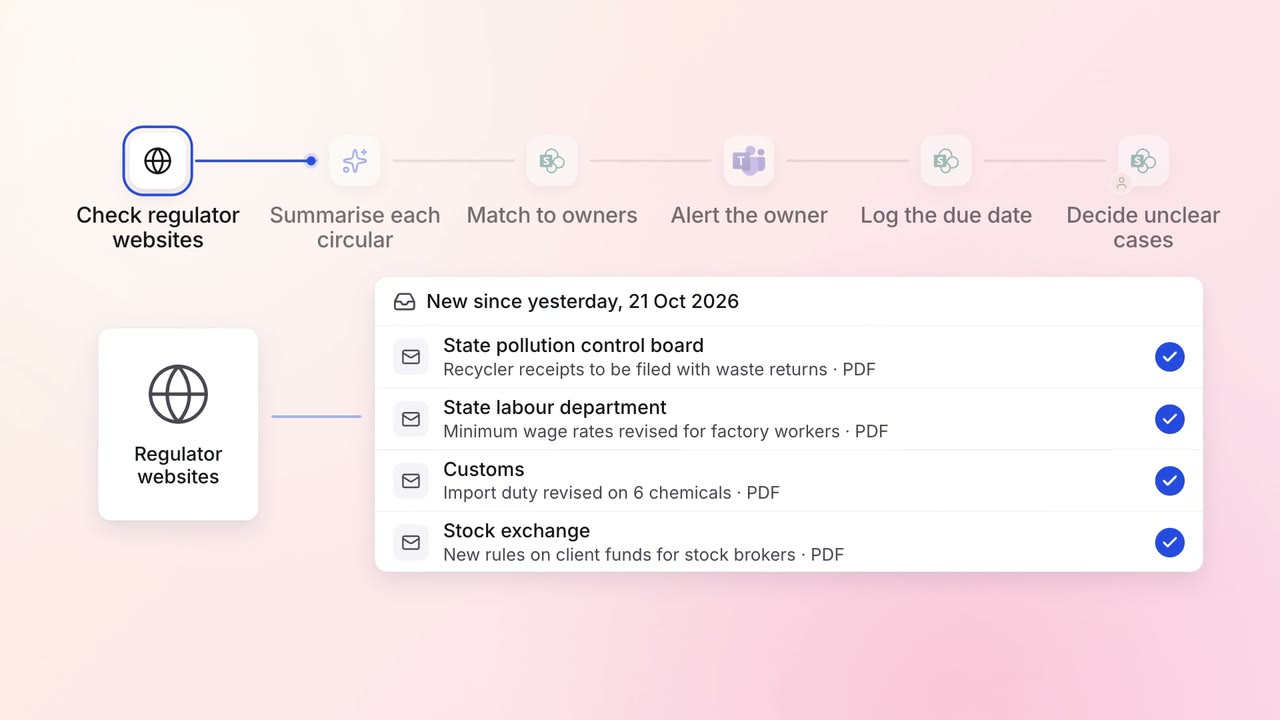
Legal and compliance Regulatory tracking
Every new circular is summarised and sent to the team that must act on it
- Regulator websites
- SharePoint
 Microsoft Teams
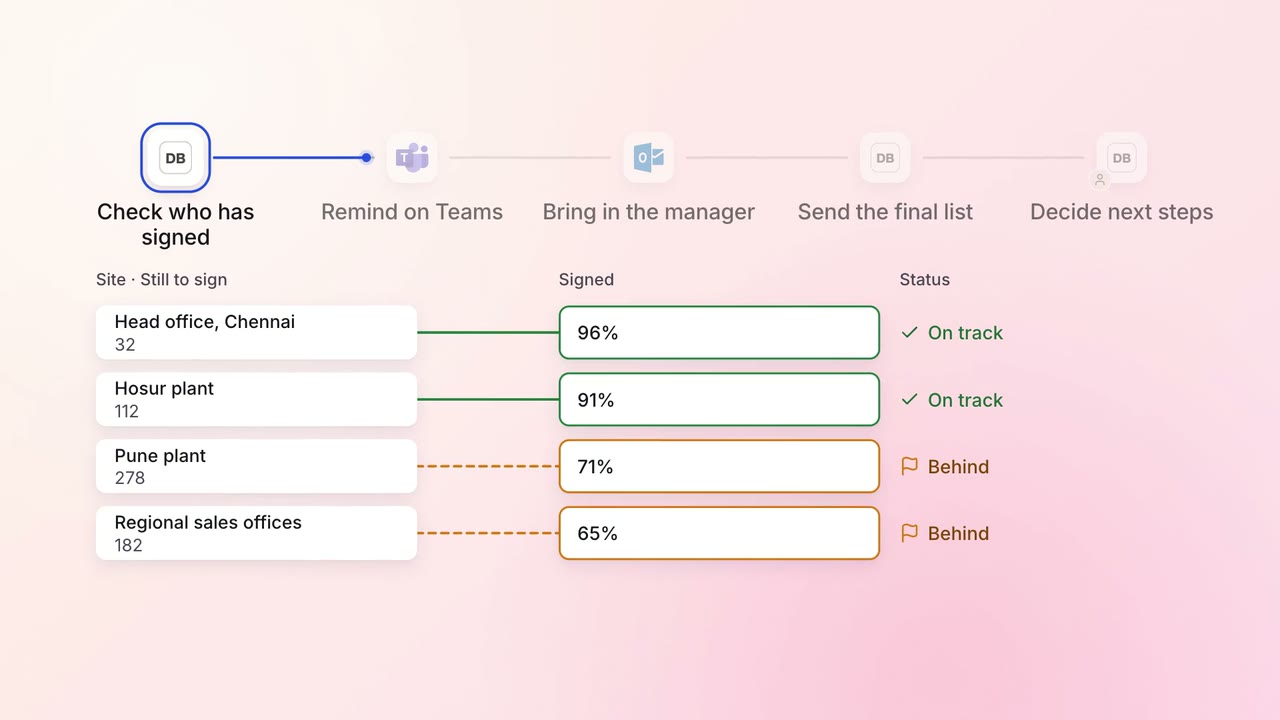
Legal and compliance Policy upkeep
Annual policy acknowledgements are chased until everyone has signed
 Darwinbox
- Microsoft Teams
- Outlook
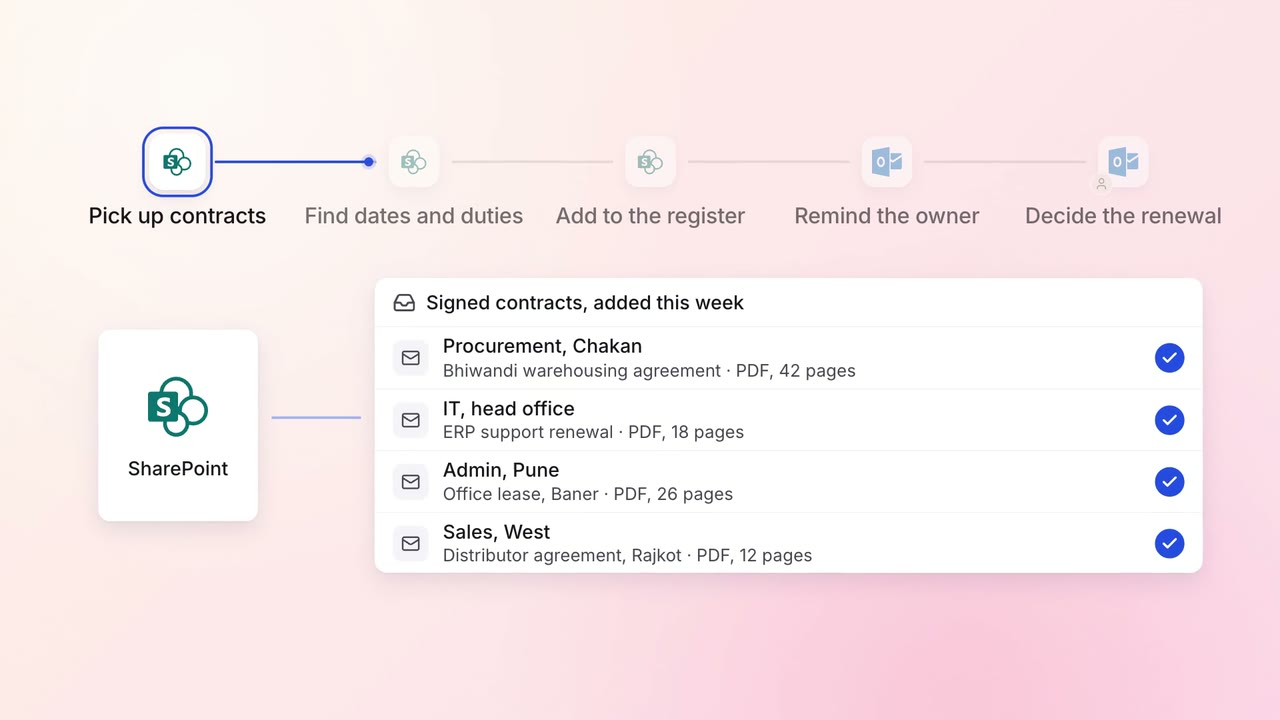
Legal and compliance Contract review
Every contract's renewal dates and obligations are tracked, with reminders in time to act
- SharePoint
- Outlook