Requisitions are checked for budget, rate contract and duplicates before a PO
Every requisition is checked against the cost centre's budget, your rate contracts and other open requests in SAP. Clean ones arrive with a draft PO for your buyer to release.
- Used day to day by
- Purchase team
- Employees
- Department heads
How it runs with AI
The AI checks each requisition as soon as it is released: the budget left on the cost centre, the rate contract for the item, and open requests and POs for the same item at the same plant. It sends each problem to the person who can settle it and drafts the PO against the contract for the rest. Buyers release clean POs and spend their time on the exceptions.
How it is done today
Requisitions from every plant land in the central purchase team's queue in SAP. Buyers are meant to check the cost centre's budget, look up the rate contract and search for an earlier request for the same item, but with a long queue these checks get skipped. Overspends, off-contract prices and double orders come to light weeks later.
Step by step
Where the work happens, what the AI does, and where it hands over to a person.
-
Step 1, AI
Picks up each requisition as soon as it is released in SAP
Needs to know: Which requisitions to check
In
 SAP S/4HANA
 -
Step 2, AI
Checks each one against the budget, the rate contracts and other open requests
Needs to know: Cost-centre budgets, Rate contracts, Open requests and POs
In
SAP S/4HANA -
Step 3, AI
Sends duplicates and budget overruns to the person who can settle them
Needs to know: Cost-centre owners, Requesters at each plant
In
 Microsoft Teams , SAP S/4HANA
 Exception to step 3
Keeps both requisitions, with a note, when the requester confirms both are needed
-
Step 4, AI
Drafts the PO for the rest against the rate contract, at the contract price
Needs to know: Rate contracts, Last prices paid
In
SAP S/4HANA Exception to step 4
Leaves the requisition with the buyer, with the recent prices paid, when no contract covers the item
-
Step 5, Person
The buyer releases each PO, and cost-centre owners decide on any overrun
In
SAP S/4HANA , Microsoft Teams
What stays with a person
- The buyer releases each PO, and cost-centre owners decide on any overrun
Apps in this example
- SAP S/4HANA
- Microsoft Teams
The same flow works with the apps you use.
This fits you if
- Requisitions from several plants reach one purchase team
- You have rate contracts in SAP for spares, consumables or services
- Budgets get checked by email or in an Excel sheet from finance
- Two POs have gone out for the same need at least once
What to watch for
- The checks use what SAP holds. Finance keeps budgets in SAP current, and the purchase team keeps contract prices and end dates up to date
- Two requests for the same item can both be real, such as a breakdown and a planned shutdown. The requester confirms before any requisition is cancelled
- Spending over budget and releasing a PO stay with people. The cost-centre owner approves the overrun and the buyer releases the PO
- Run it alongside your buyers for a month and compare its flags with theirs before relying on it
Often done together
Operations Vendor management
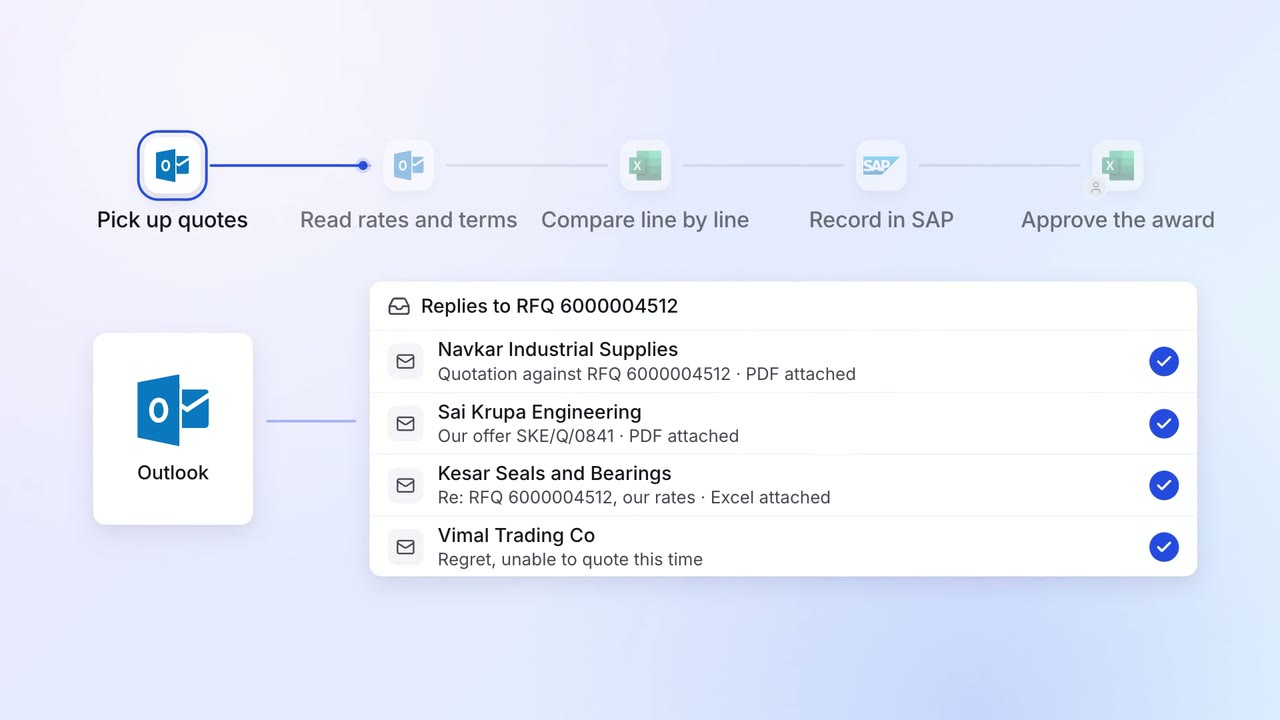
Supplier quotes are compared line by line, with the best value marked
 Outlook
 Excel
Excel- SAP S/4HANA
Finance MIS and cash flow
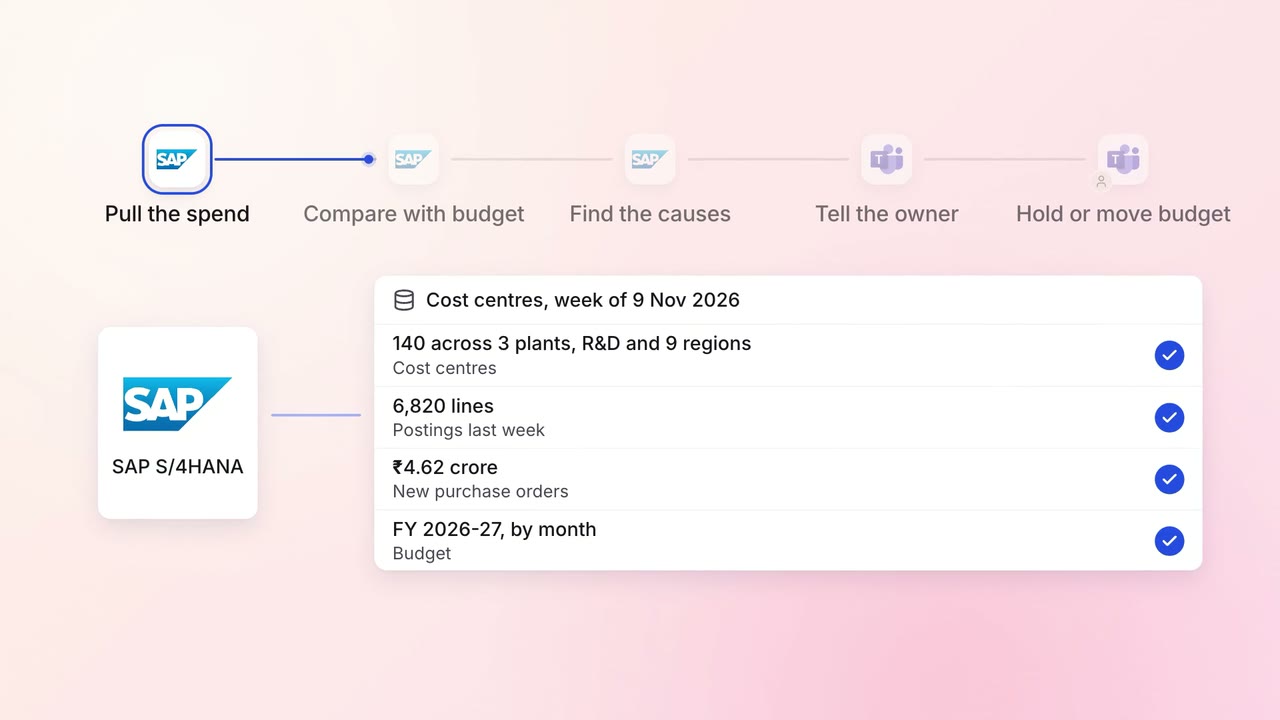
Cost-centre owners hear about overspends the week they happen
- SAP S/4HANA
- Microsoft Teams
Operations Inventory and purchasing
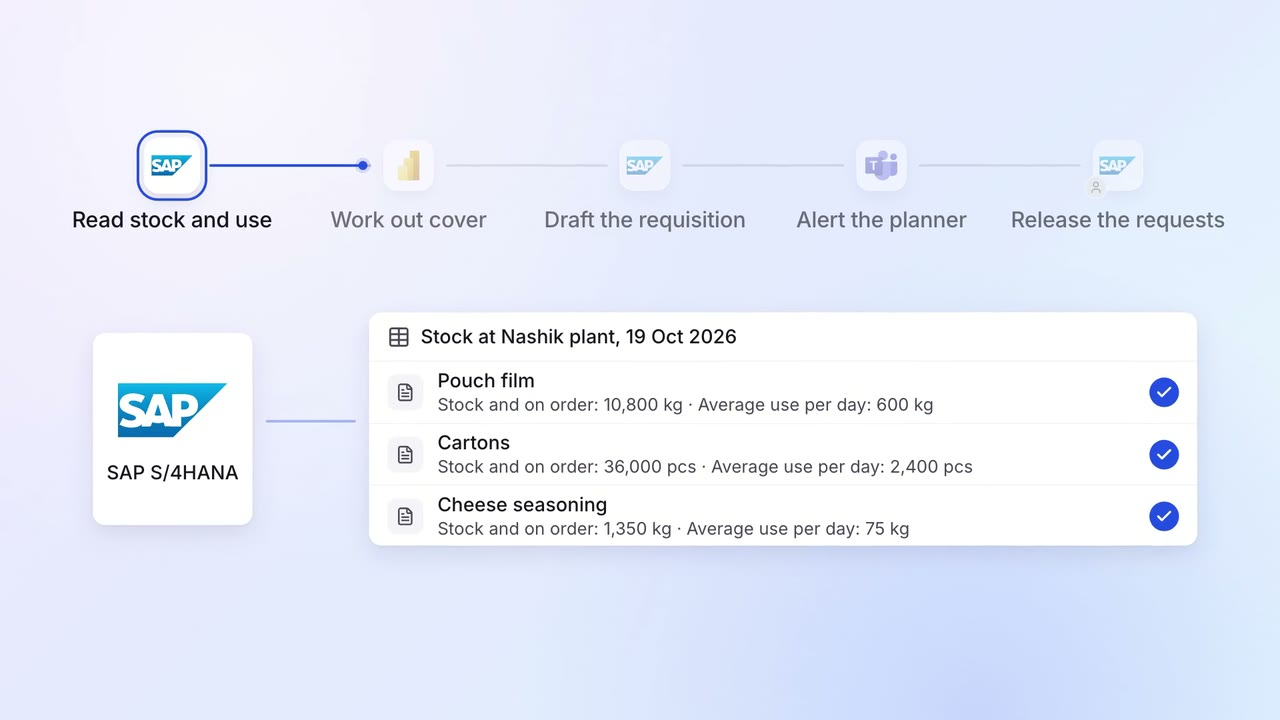
Purchase requests go in before stock runs out, based on what you actually use
- SAP S/4HANA
 Power BI
- Microsoft Teams