Supplier quotes are compared line by line, with the best value marked
The AI reads every quote for an RFQ, lines up each item in Excel with freight included, marks the best value and records the quotes in SAP. Your purchase head approves the award.
- Used day to day by
- Purchase team
- Purchase head
How it runs with AI
The AI reads each quote as it arrives, in whatever format the supplier uses, and lines up every item in Excel with packing and freight added. It marks the best value on each line and for the whole order, notes delivery and payment terms, and records the quotes in SAP with the saving against the last price paid. Your buyer reviews a finished comparison and the purchase head approves the award.
How it is done today
Buyers at each plant send a request for quotation (RFQ) from SAP, and the replies come back by email as PDFs, spreadsheets or a few lines of text. A buyer retypes every rate into an Excel comparison, works in packing, freight and payment terms by hand, and looks up the last price paid in SAP. On a busy day the lowest quoted rate wins, and a freight charge or a missing item comes to light after the PO has gone out.
Step by step
Where the work happens, what the AI does, and where it hands over to a person.
-
Step 1, AI
Picks up every reply to the RFQ, with its attachment
Needs to know: Open RFQs, Suppliers asked to quote
In
 Outlook
 -
Step 2, AI
Reads each item, rate, freight charge, delivery time and payment term
Needs to know: RFQ items and quantities
In
Outlook -
Step 3, AI
Lines up every item in Excel with freight added and marks the best value
Needs to know: Approved specifications and brands, How terms are priced
In
 Excel , Outlook
 Exception to step 3
Emails a supplier that left out an item or changed the specification, and asks it to confirm
-
Step 4, AI
Records the quotes in SAP with the best supplier and the saving on the last price
Needs to know: Last prices paid
In
 SAP S/4HANA
 -
Step 5, Person
Reviews the comparison and approves the award, single or split
In
Excel , SAP S/4HANA
What stays with a person
- Reviews the comparison and approves the award, single or split
Apps in this example
- Outlook
- Excel
- SAP S/4HANA
The same flow works with the apps you use.
This fits you if
- Your buyers compare quotes in Excel before every purchase above a set value
- Suppliers send quotes by email, each in their own format
- Your RFQs and purchase orders are raised in SAP S/4HANA
- A purchase head or committee signs off each award
What to watch for
- A quote that changes the specification, such as a different grade of steel or a brand you have yet to approve, is flagged for the buyer, who decides whether it is comparable
- Payment terms show beside each total. If you want longer credit priced in, your finance team sets the rate once and every comparison applies it the same way
- Choosing the supplier, negotiating and approving the award stay with your buyer and purchase head. The AI prepares the comparison and records the quotes
- Each RFQ needs clear items, quantities and a need-by date in SAP, because every quote is checked against them
Often done together
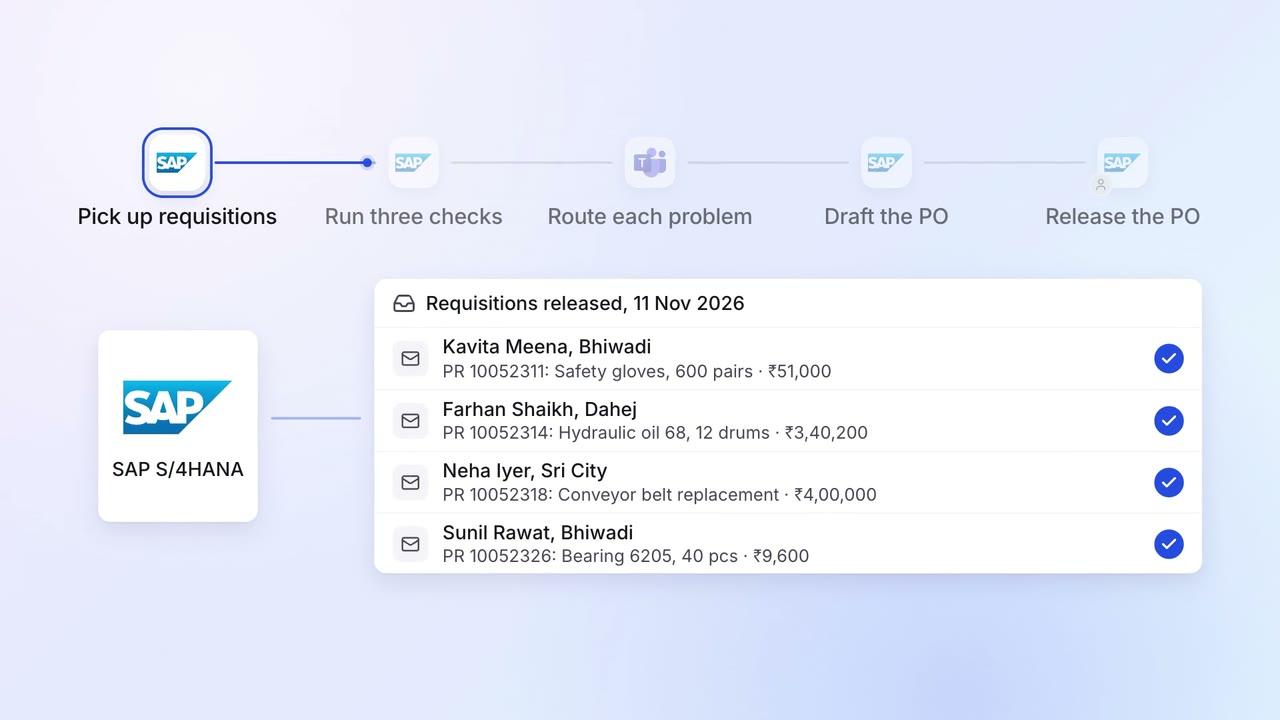
Operations Inventory and purchasing
Requisitions are checked for budget, rate contract and duplicates before a PO
- SAP S/4HANA
 Microsoft Teams
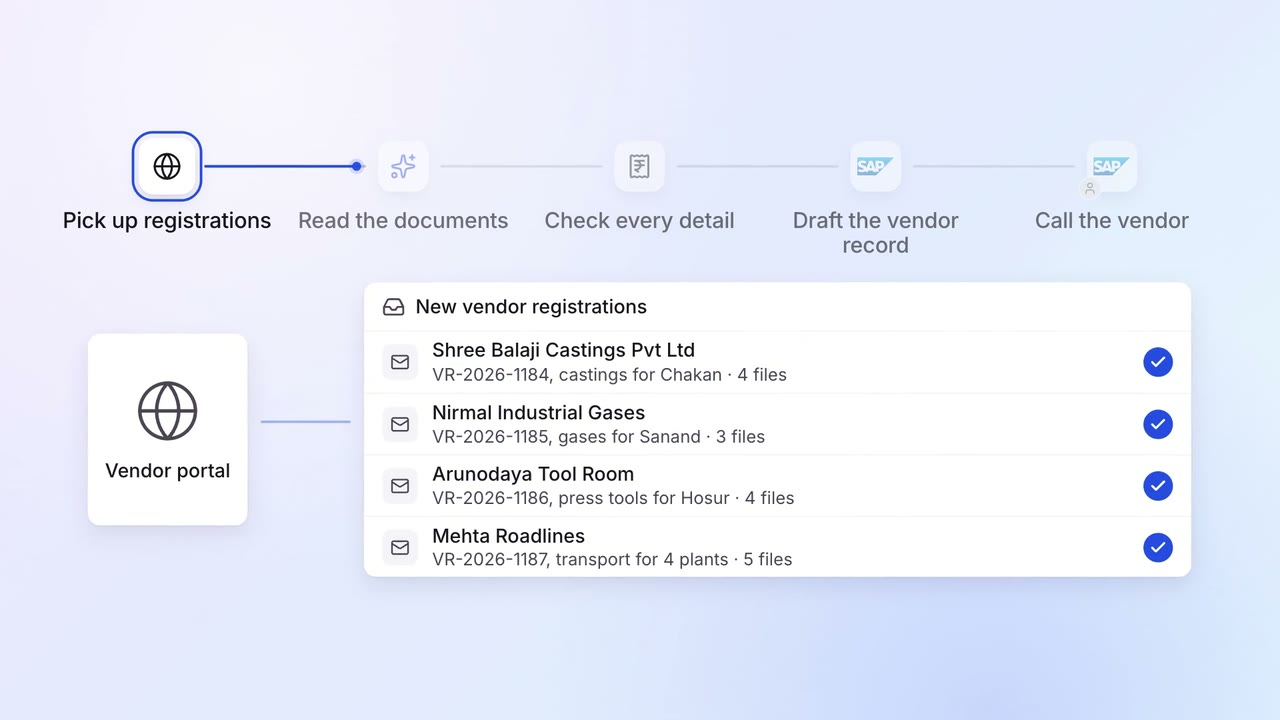
Operations Vendor management
New vendors are set up in SAP with their GST, PAN and bank details checked
- Vendor portal
- GST portal
- SAP S/4HANA
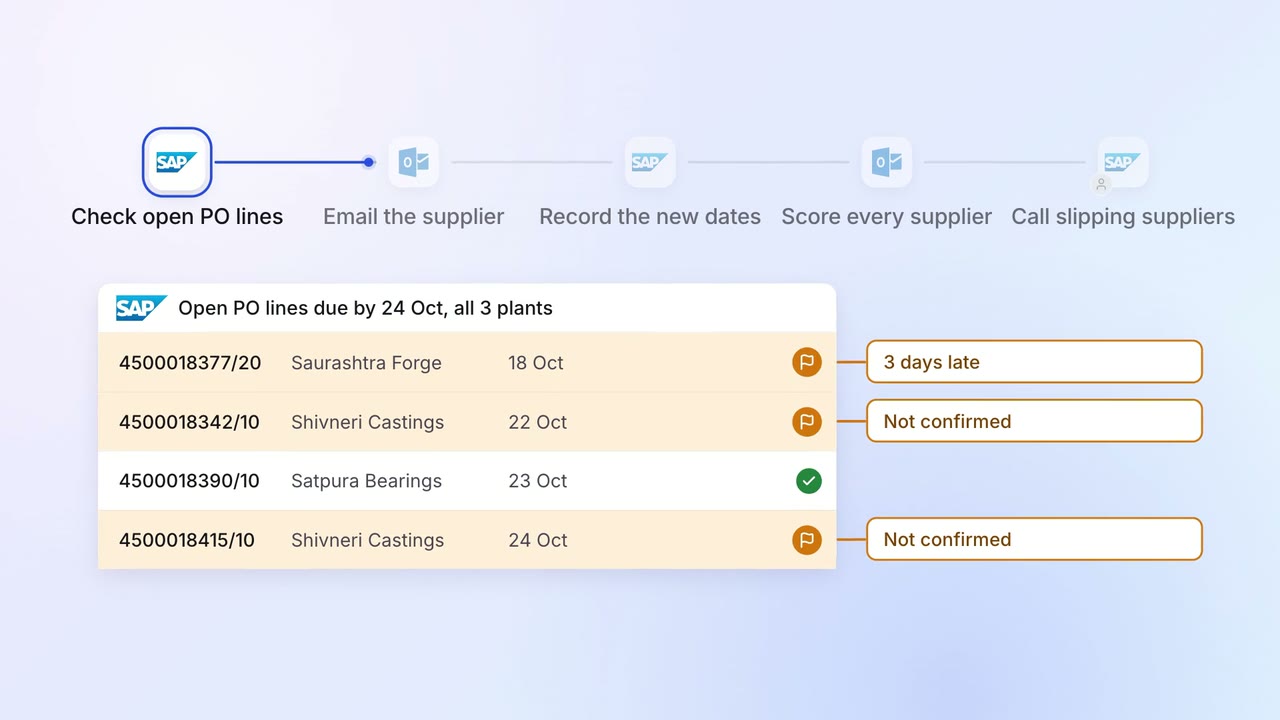
Operations Vendor management
Late supplier deliveries are chased every day, and buyers see who is slipping
- SAP S/4HANA
- Outlook