Stock in Odoo matches the shelves, and slow movers are caught every week
Each week the AI checks the stores team's counts against Odoo, traces every gap to its cause and flags items holding more stock than recent sales need. The owner decides what to pause or push.
- Used day to day by
- Stores team
- Purchase team
- Business owner
How it runs with AI
Each week the AI compares the latest counts with the stock Odoo expects and looks for the cause of each gap, such as a delivery picked but never validated or a dealer return never booked. It works out how many weeks of stock every item holds at recent sales and flags the slow movers, along with any reorder rule that would buy more. The stores and purchase space in Google Chat then gets the list: the stores team books the missed entries and the owner decides on the slow movers.
Step by step
Where the work happens, what the AI does, and where it hands over to a person.
-
Step 1, AI
Reads the week's cycle counts from the stores team's Google Sheet
Needs to know: Bins due for counting
In
 Google Sheets
 -
Step 2, AI
Compares each count with the stock Odoo expects, and traces each gap to a delivery or return not yet booked
Needs to know: Count tolerance, Open deliveries and returns
In
Google Sheets ,  Odoo
Odoo Exception to step 2
Asks the stores lead to recount any gap it cannot trace to a missed entry
-
Step 3, AI
Works out how many weeks of stock each item holds at recent sales, and flags the slow movers
Needs to know: Slow mover limit, Service spares to hold, Reorder rules
In
Odoo -
Step 4, AI
Posts the count gaps and slow movers to the stores and purchase space in Google Chat
Needs to know: Who books each entry
In
 Google Chat
 -
Step 5, Person
Decides which reorder rules to pause and which slow movers to offer to dealers or stop buying
In
Odoo
What stays with a person
- Decides which reorder rules to pause and which slow movers to offer to dealers or stop buying
Apps in this example
- Google Sheets
- Odoo
- Google Chat
The same flow works with the apps you use.
This fits you if
- You run one or two warehouses with a few thousand items
- Your stores team counts some bins every week, on paper or in a sheet
- Stock and sales sit in Odoo, with reorder rules doing much of the buying
- Count gaps surface at the year-end audit, long after their cause
What to watch for
- Stock in Odoo changes only when the stores team books an entry or applies a count. The AI points to the likely cause and the team confirms it
- Your team sets the limits, such as a 1% count tolerance and 26 weeks for a slow mover, and marks items to hold at any level, such as spares for service
- Seasonal items look slow out of season, so the owner can mark them to be judged on last year's sales for the same months
- Decisions on reorder rules, dealer offers and stock adjustments stay with the owner. The AI prepares the list and the numbers behind it
Often done together
Operations Inventory and purchasing
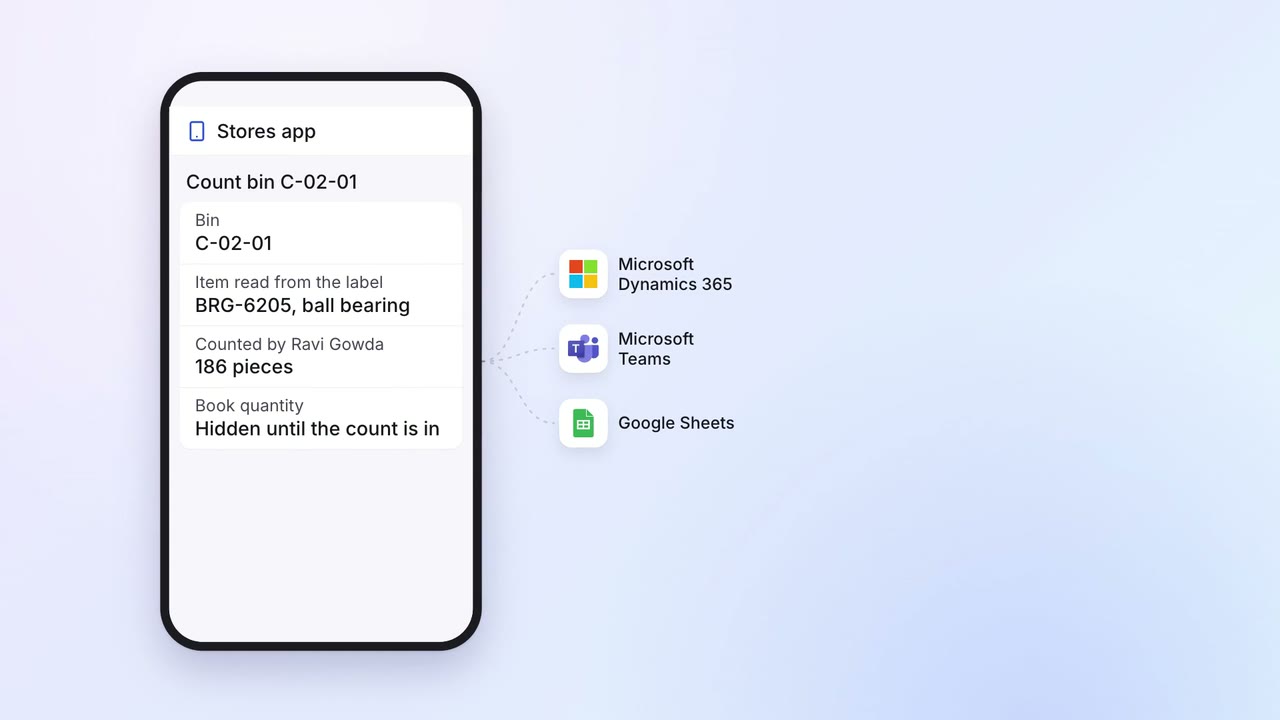
Stock is counted on a phone, and every gap reaches the books and the auditor
- Stores app
 Microsoft Dynamics 365
- Google Sheets
 Microsoft Teams
Operations Inventory and purchasing
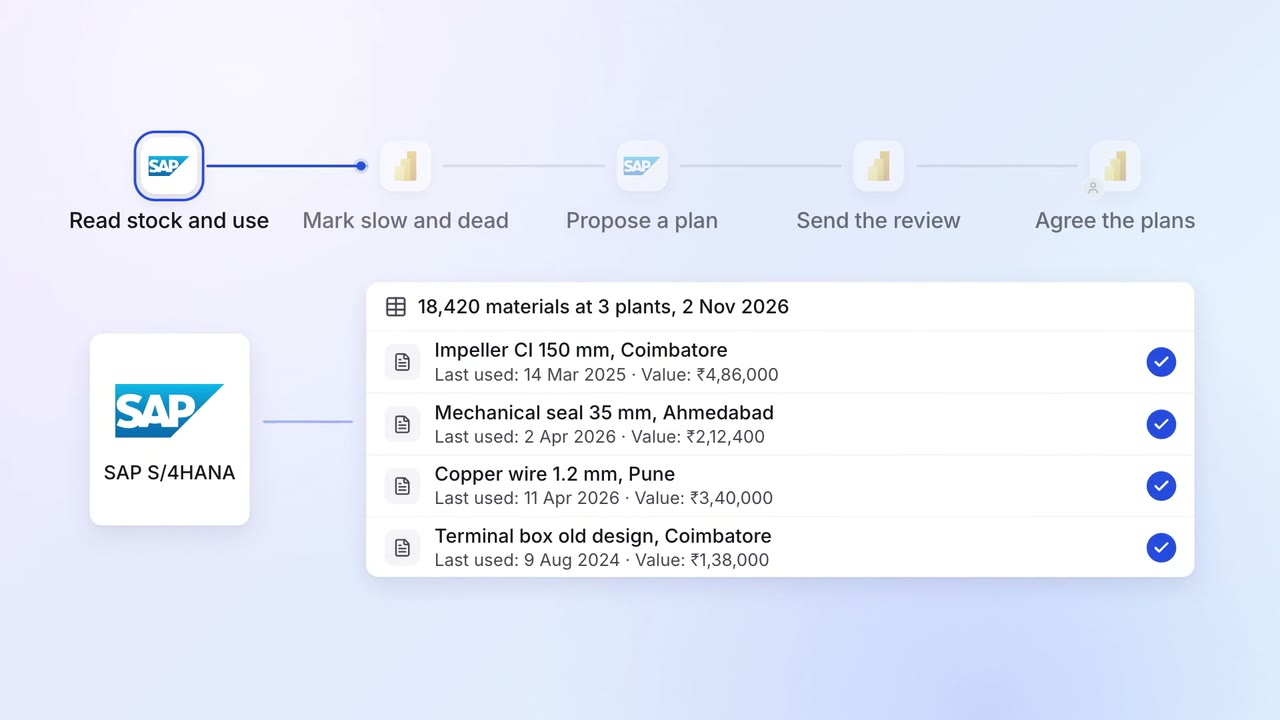
Slow and dead stock is flagged every month, with a plan for each item
 SAP S/4HANA
 Power BI
 Outlook
Operations Inventory and purchasing
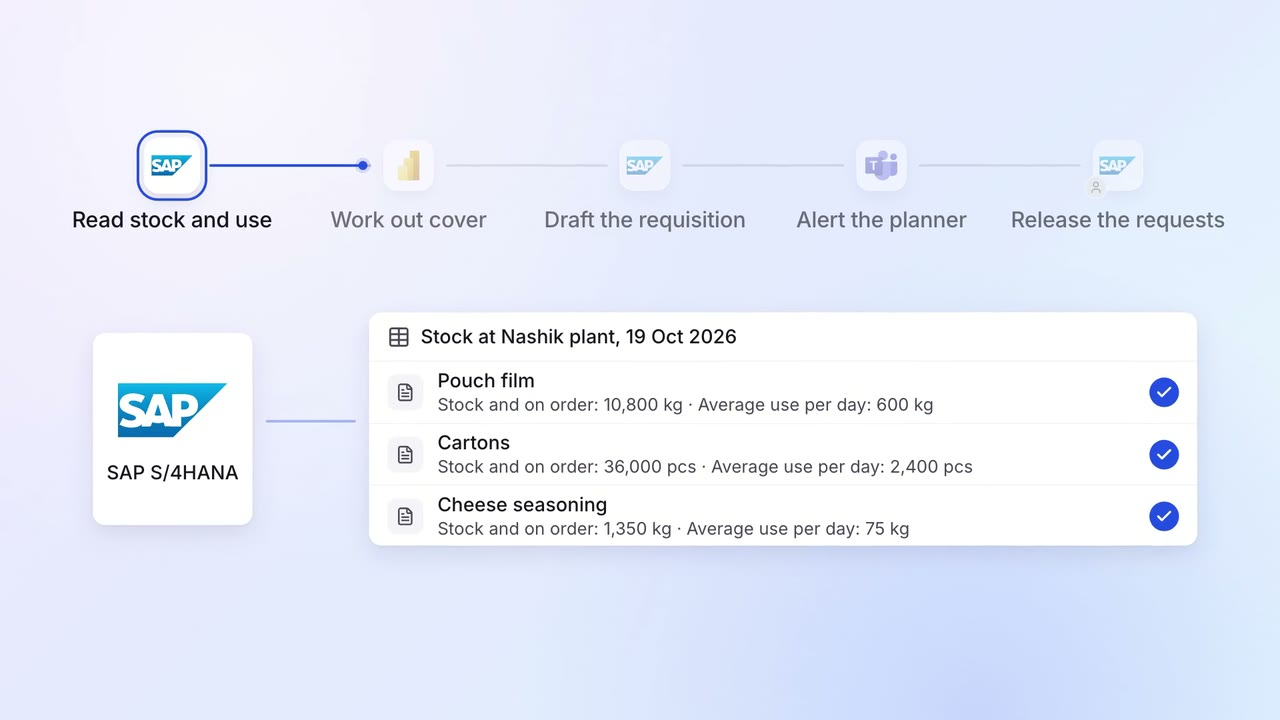
Purchase requests go in before stock runs out, based on what you actually use
- SAP S/4HANA
- Power BI
- Microsoft Teams