Government and PSU tenders are read and checked for eligibility before anyone bids
The AI reads every document of each GeM and CPPP tender, checks each eligibility rule against your records on SharePoint and tells the bid manager what you meet and what is missing.
- Used day to day by
- Bid team
- Sales head
How it runs with AI
The AI reads every document of each tender the team shortlists and lists the eligibility rules, each with the clause it comes from. It checks every rule against the company's records on SharePoint and sends the bid manager a summary on Teams: what you meet, what is missing, the EMD and the dates. The bid manager decides on day 1 whether the bid is worth the work.
How it is done today
Bid teams look at many government and PSU tenders a month on GeM and CPPP. For each one, the team reads the bid document, the buyer's additional terms and any corrigenda, then searches SharePoint for turnover figures, past orders and certificates. A rule buried in the additional terms can surface after the bid is half written.
Step by step
Where the work happens, what the AI does, and where it hands over to a person.
-
Step 1, AI
Picks up the bid document, additional terms and corrigenda for each shortlisted tender
Needs to know: Shortlisted tenders
In GeM portal , CPPP ,
 SharePoint
 Exception to step 1
Checks the tender again when a corrigendum changes a date or a rule
-
Step 2, AI
Lists every eligibility rule with the clause it comes from, including the buyer's additional terms
Needs to know: Eligibility rule checklist
In GeM portal , CPPP
Exception to step 2
Marks a rule that can be read two ways as a question for the buyer
-
Step 3, AI
Checks each rule against turnover, past orders and certificates kept on SharePoint
Needs to know: Audited turnover, Past order list, Certificate expiry dates
In
SharePoint -
Step 4, AI
Sends the bid manager a summary on Teams, with the full sheet in SharePoint
Needs to know: Bid summary format
In
 Microsoft Teams , SharePoint
 -
Step 5, Person
Decides whether to bid, and raises any unclear clause with the buyer
In
Microsoft Teams , GeM portal , CPPP
What stays with a person
- Decides whether to bid, and raises any unclear clause with the buyer
What it reads in each tender
Each tender sets its own eligibility rules: the minimum turnover, the years of experience, past orders as a share of the bid quantity, any exemptions for small enterprises and startups, and the EMD and performance guarantee. The buyer’s additional terms can add rules of their own. The AI reads the bid document, the additional terms and every corrigendum, on GeM, CPPP or a state portal.
Apps in this example
- GeM portal
- CPPP
- SharePoint
- Microsoft Teams
The same flow works with the apps you use.
This fits you if
- You look at more than 20 government or PSU tenders a month, on GeM, CPPP or state portals
- Your turnover figures, past orders and certificates are kept in SharePoint
- Your bid team reads each tender document and its additional terms by hand
- A bid of yours has been rejected for a document or rule someone missed
What to watch for
- Whether to bid, the price and any exemption you claim are decisions for your bid manager and sales head. The summary gives the facts and the clause behind each one
- Scanned additional terms are read and then checked by a person, since one missed line can disqualify a bid
- Questions and objections on the buyer's terms go to the buyer early, through the portal, so there is time for a reply
- Your bid team signs and submits every bid on the portal
- Portals revise their general terms from time to time. Someone in the bid team updates the AI's checklist when they change
Often done together
Marketing Market and competitor research
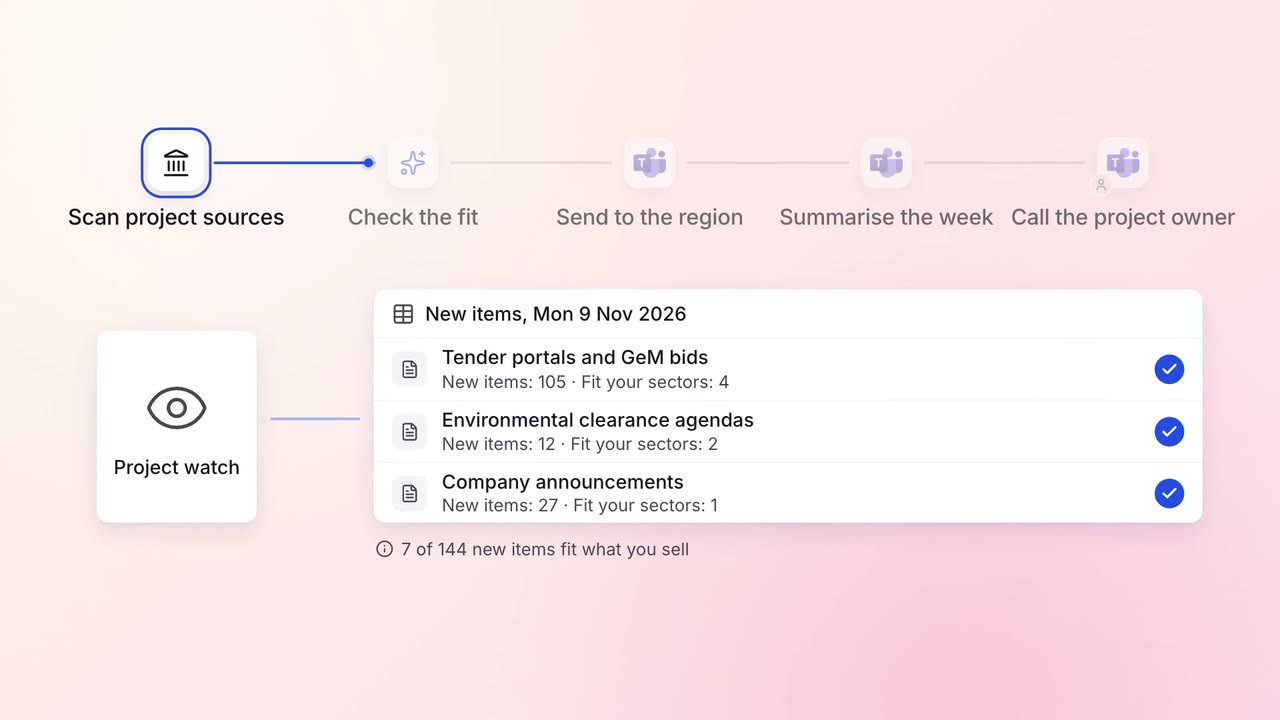
New projects and tenders in your sector reach the right regional sales team every morning
- Tender portals
- Websites
- Microsoft Teams
- CRM
Sales Proposals and quotes
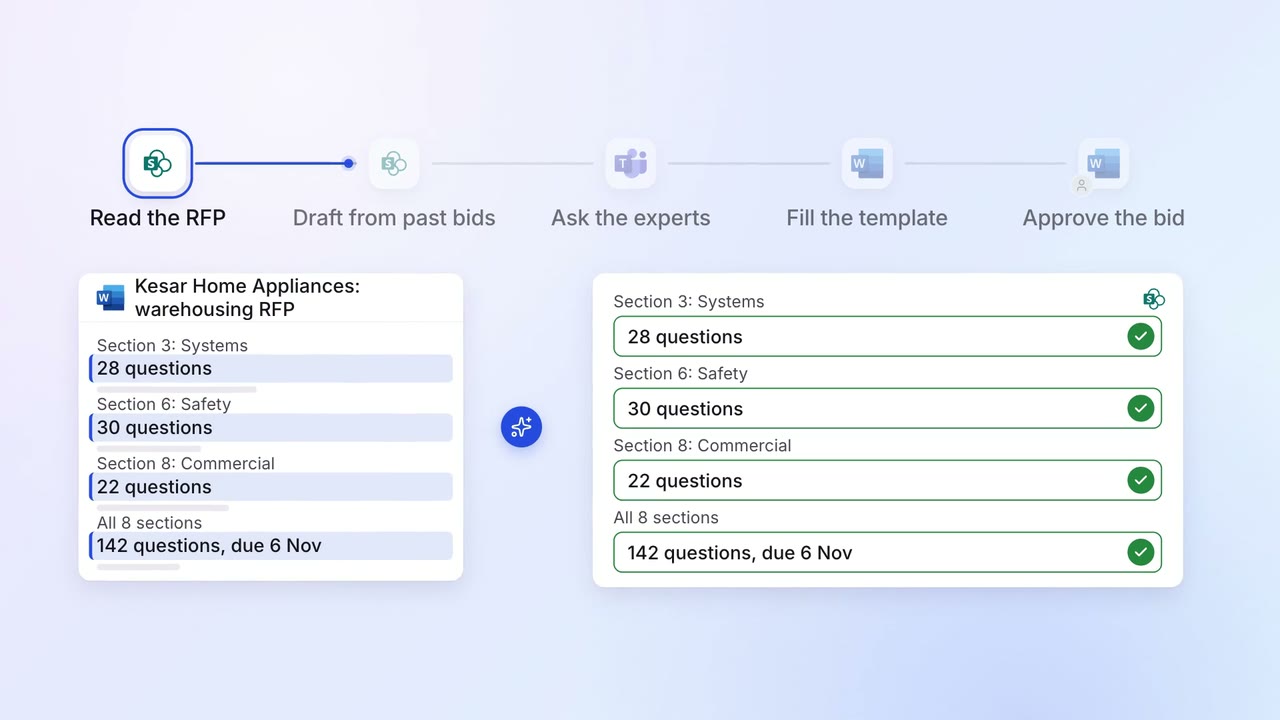
Most RFP questions are answered from your past bids, and experts fill the gaps
- SharePoint
 Microsoft Word
- Microsoft Teams
Legal and compliance Contract review
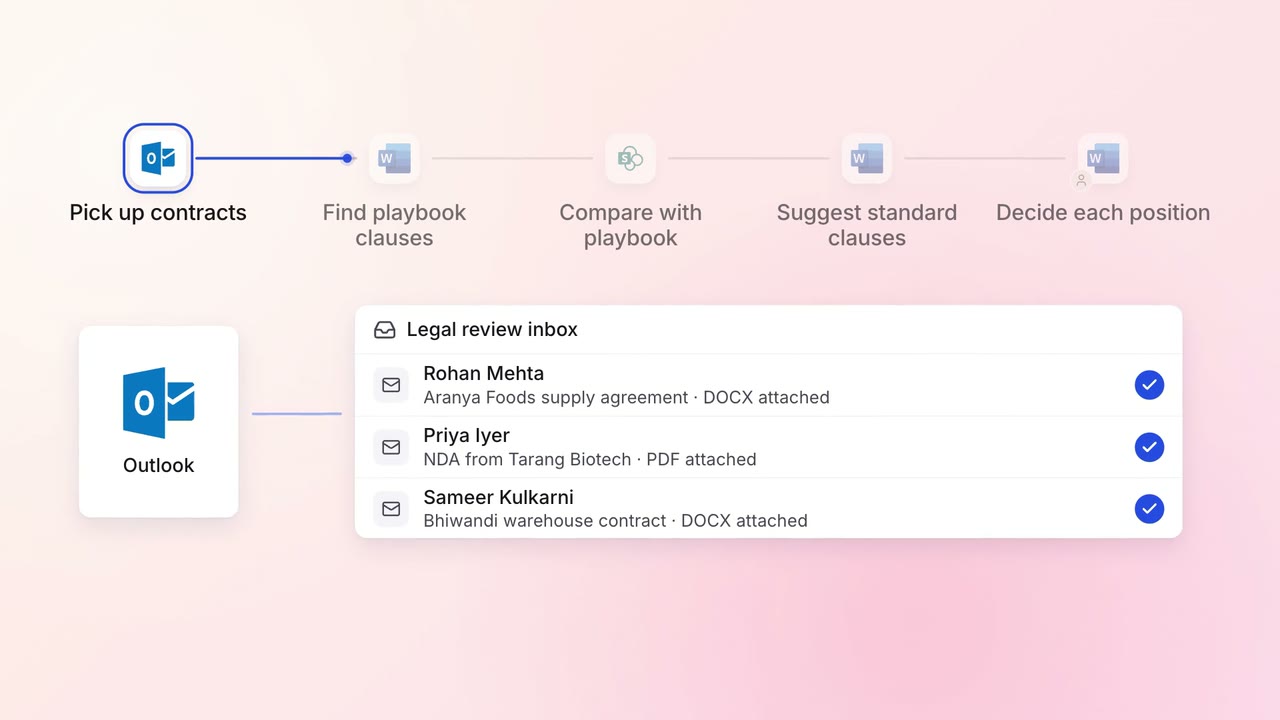
Incoming contracts are checked against your standard positions, with each difference marked
 Outlook
- Microsoft Word
- SharePoint