Visitors and contractors are checked and briefed at the gate, and security knows who is inside
Visitors sign in on a tablet at the gate. It matches their ID to the host's invite, plays the safety briefing and alerts the host, and security can see who is inside at any time.
- Used day to day by
- Gate security
- Visitors
- Employees
- Safety officers
How it runs with AI
Hosts add visitors to a Google Calendar invite, so the gate tablet knows who to expect. Each visitor signs in on the tablet: the app matches their ID to the visit, plays the safety briefing in their language with a few questions, and checks contractors' work permits. It confirms in greytHR that the host is in and alerts them on Google Chat. Security can see everyone inside at any moment, and every briefing is on record for audits.
Step by step
Where the work happens, what the AI does, and where it hands over to a person.
-
Step 1, AI
Lists the day's expected visitors from the hosts' Google Calendar invites
Needs to know: Visitor invite format
In
 Google Calendar , Gate app
 -
Step 2, AI
Reads the visitor's photo ID on the gate tablet and matches it to the visit
Needs to know: Accepted photo IDs
In Gate app ,
Google Calendar Exception to step 2
Holds anyone off today's list at the gate and asks the host on Google Chat to confirm
-
Step 3, AI
Plays the safety briefing in the visitor's language, then checks the answers and any work permit
Needs to know: Site safety briefing, Work permits issued
In Gate app
-
Step 4, AI
Confirms in greytHR that the host is at work today and alerts the host on Google Chat
Needs to know: Deputy for each host
In
 greytHR ,
  Google Chat
 Exception to step 4
Alerts the host's deputy instead when greytHR shows the host on leave
-
Step 5, Person
The guard checks the visitor's face against the ID and hands over the printed pass
In Gate app
-
Step 6, AI
Shows security everyone still signed in at closing and flags any pass that has run out
Needs to know: Pass validity rules
In Gate app
What stays with a person
- The guard checks the visitor's face against the ID and hands over the printed pass
Apps in this example
- Gate app
- Google Calendar
- Google Chat
- greytHR
The same flow works with the apps you use.
This fits you if
- Your site sees more than 30 visitors and contractors on a working day
- Visitors sign a paper register at the gate today
- Contractors need a safety briefing or a work permit before they start
- Customer or safety auditors ask to see your visitor records
- Your staff already use Google Calendar and Google Chat
What to watch for
- Who enters the site stays with people. The app checks and records, and the guard and the host decide on every visitor it holds at the gate
- Keep only what you need. The app records the ID type and its last 4 digits rather than a copy of the card, and deletes visitor photos after the period your company sets
- The safety team owns the briefing video and its questions, and updates both when a rule on site changes
- Keep a paper register at the gate for a power or network cut, and enter those visits into the app afterwards
- Hosts add their visitors to the calendar invite, so the gate expects them. Anyone else waits at the gate until the host confirms
Often done together
HR Leave, attendance and payroll questions
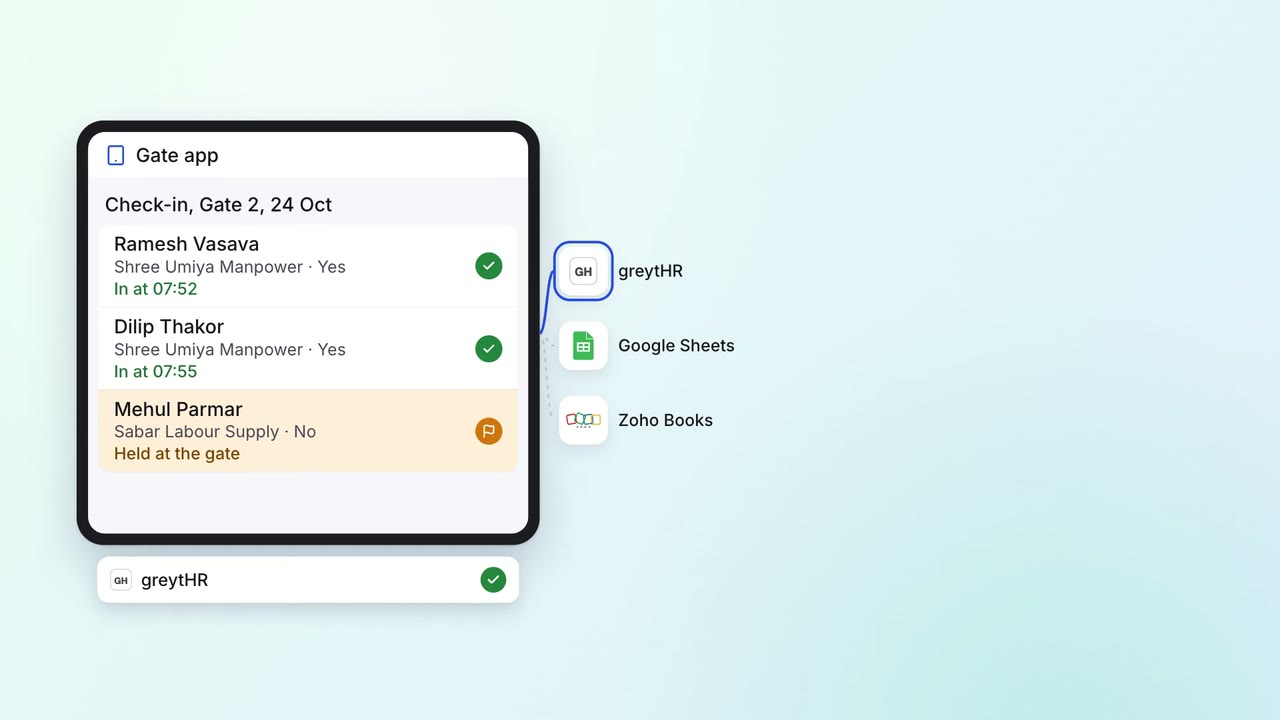
Contract workers' hours are recorded at the gate, and every contractor bill is checked against them
- Gate app
- greytHR
 Google Sheets
 Zoho Books
Operations Quality and audits
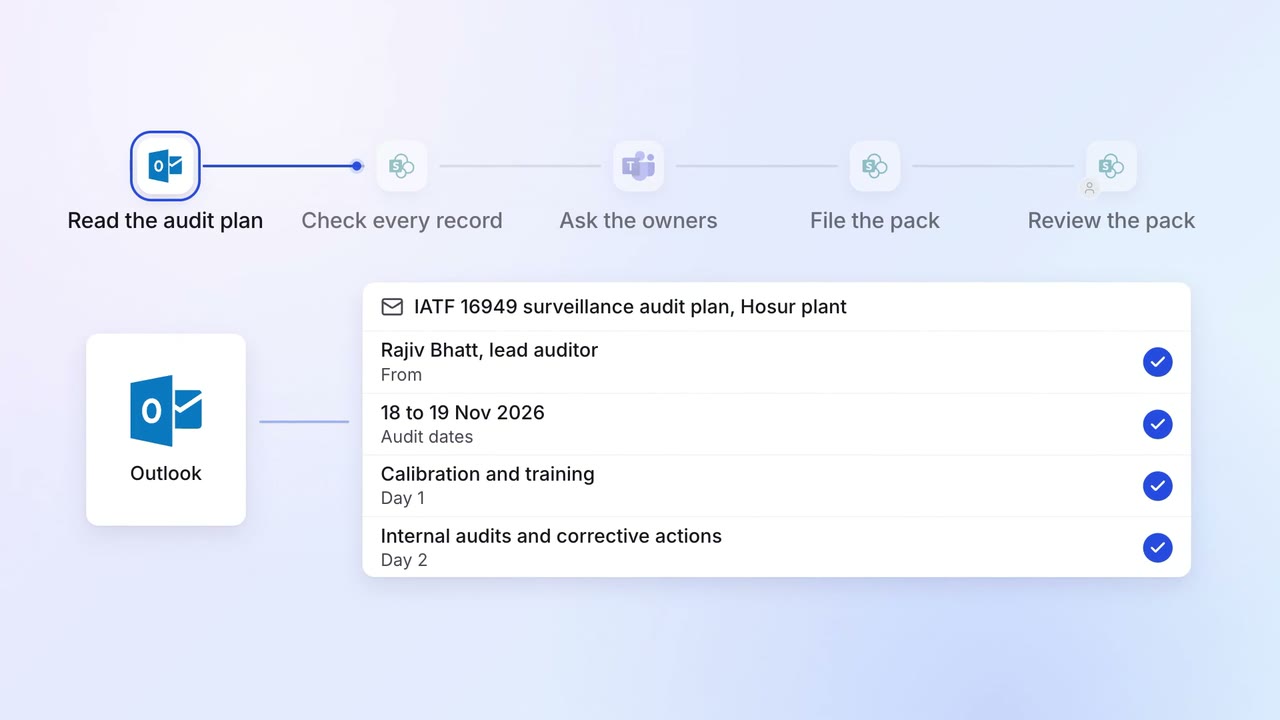
Evidence for every audit point is ready before the auditor asks
 Outlook
 SharePoint
 SAP S/4HANA
 Microsoft Teams