A 13-week cash forecast that updates itself every Monday
Every Monday the AI rebuilds the 13-week cash forecast from SAP and the plant heads' answers on Teams, and emails the CFO the lowest week and what changed.
- Used day to day by
- Treasury team
- Finance head
How it runs with AI
Every Monday at 7 am the AI pulls the figures from SAP S/4HANA, asks the plant heads on Teams about large payments and rebuilds the 13-week forecast from how each dealer has actually paid. By 9 am the CFO has a one-page email with the lowest week and what changed since last Monday.
How it is done today
Every Monday a treasury analyst exports bank balances, dealer invoices and supplier bills from SAP for each entity, emails the plant heads about large payments and rebuilds the Excel forecast. It reaches the CFO on Tuesday afternoon, built on due dates that many dealers miss.
Step by step
Where the work happens, what the AI does, and where it hands over to a person.
-
Step 1, AI
Pulls cash, invoices, bills and orders from SAP every Monday
Needs to know: Entities and bank accounts
In
 SAP S/4HANA
 -
Step 2, AI
Asks the plant heads on Teams about large payments due
Needs to know: Plant heads, Large-payment threshold
In
 Microsoft Teams
 -
Step 3, AI
Builds the 13-week forecast from how dealers actually pay
Needs to know: Dealer payment history, Minimum cash balance
In
 Power BI ,
  Excel
Excel Exception to step 3
Alerts the treasury head on Teams when any week falls below the minimum
-
Step 4, AI
Emails the CFO a one-page summary of what changed and why
Needs to know: Last week's forecast
In
 Outlook
 -
Step 5, Person
Decides how to cover the low week, with the treasury team
In
Power BI
What stays with a person
- Decides how to cover the low week, with the treasury team
Apps in this example
- SAP S/4HANA
- Microsoft Teams
- Excel
- Power BI
- Outlook
The same flow works with the apps you use.
This fits you if
- You hold cash in more than one entity or across many bank accounts
- Someone rebuilds the cash forecast in Excel every week
- Dealers or customers often pay later than their terms
- Large payments, such as machine advances, reach finance late
What to watch for
- The forecast reads what is posted in SAP. The Monday questions on Teams catch large payments that are still on their way into SAP
- Funding decisions, such as drawing on a credit line or moving a supplier payment, stay with the CFO and the treasury team
- Run it next to your current forecast for the first 8 weeks and compare each forecast with the cash that actually came in and went out, so you know how far to trust it
- Each plant head's answer is saved with the forecast, so the treasury team can see where every figure came from
Often done together
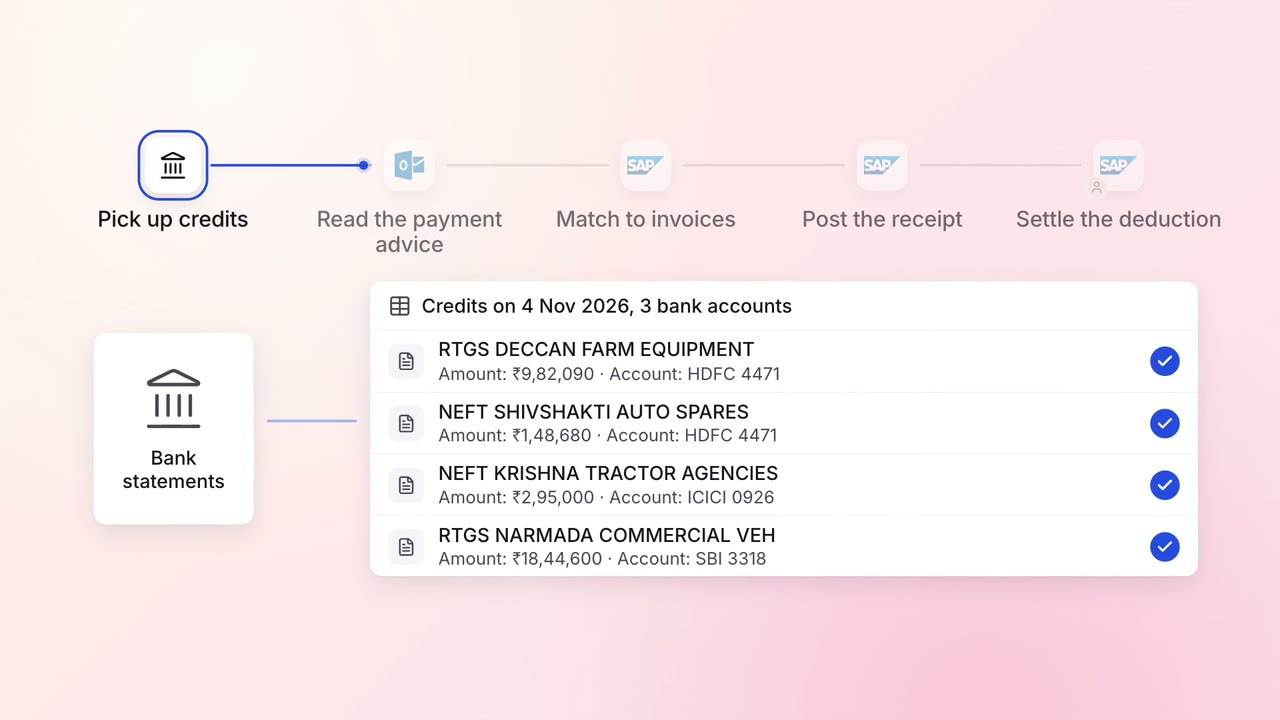
Finance Invoicing and collections
Customer payments are matched to the right invoices the day they land
- Bank statements
- Outlook
- SAP S/4HANA
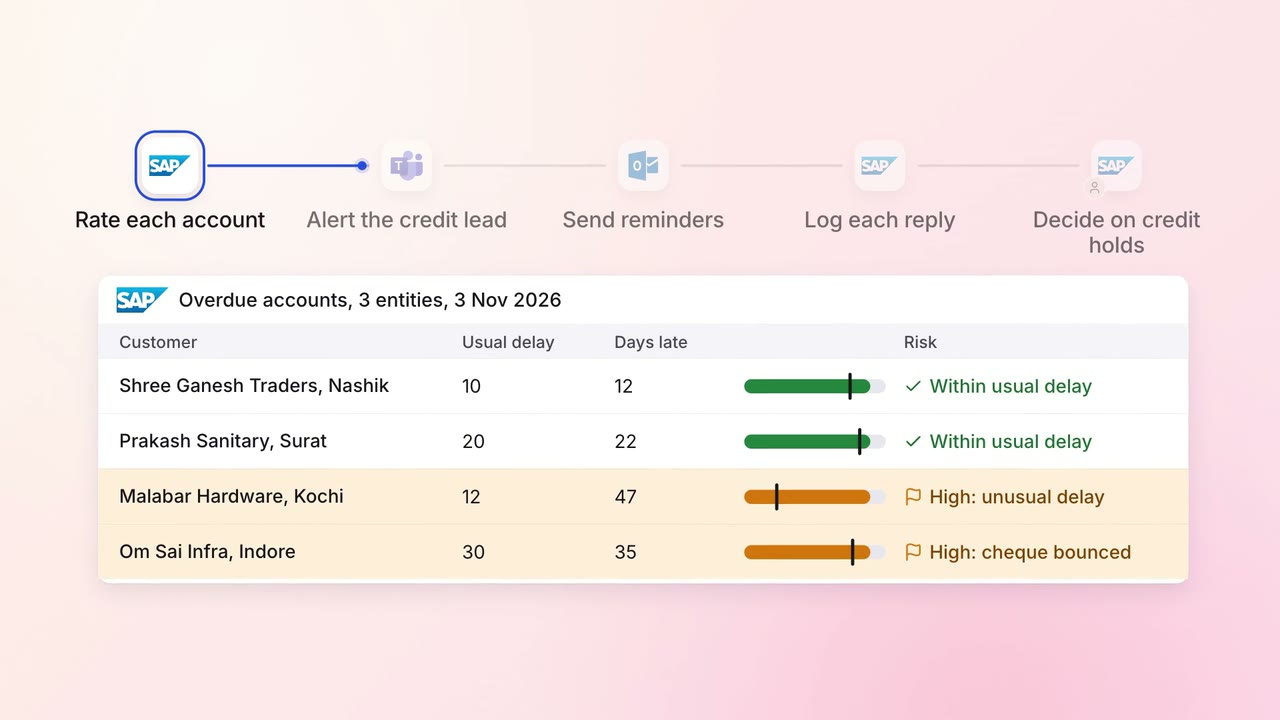
Finance Invoicing and collections
Overdue invoices get the right reminder, and risky accounts reach a person first
- SAP S/4HANA
- Outlook
- Microsoft Teams
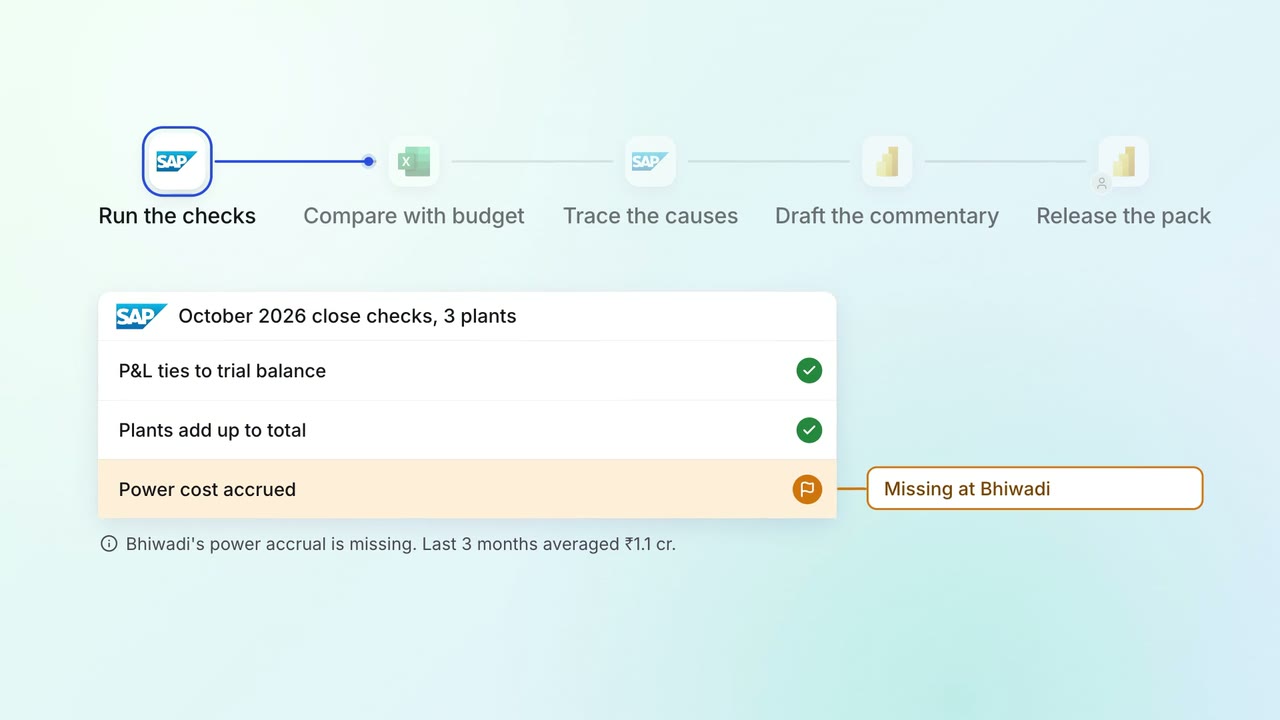
Leadership Management reports
The monthly MIS pack arrives with the numbers checked and the variances explained
- SAP S/4HANA
- Excel
- Power BI