Quarterly access reviews close on time, with every removal confirmed
Each quarter, every manager gets their team's access in SAP and Entra ID with the risky lines marked first. The AI chases until every line is decided and confirms each removal.
- Used day to day by
- IT security team
- Line managers
- Internal auditors
How it runs with AI
After each quarter ends, the AI collects every user's access with their manager, marks the lines that need a closer look and sends each manager their list, marked lines first. It reminds managers on Teams until every line is decided, turns each removal into a ServiceNow task and checks the access is gone. IT signs off a complete evidence pack for the auditors.
How it is done today
Every quarter, IT exports user lists from SAP and Entra ID, merges them in Excel and emails each manager a spreadsheet of their team's access. Many managers mark every row as keep, replies arrive over several weeks, and a leaver's live account looks like every other row.
Step by step
Where the work happens, what the AI does, and where it hands over to a person.
-
Step 1, AI
Collects every user's access from SAP and Entra ID, with their manager
Needs to know: Systems in the review, Reporting lines
In
 SAP S/4HANA ,
  Entra ID ,
  ServiceNow
 -
Step 2, AI
Marks leavers still active, unused accounts and roles that clash
Needs to know: Leavers list, Unused account limit, Roles that clash
In
ServiceNow , Entra ID -
Step 3, AI
Sends each manager their team's list, marked lines first
Needs to know: Plain role descriptions, Review due date
In
 Outlook
 -
Step 4, AI
Reminds managers on Teams until every line is decided
Needs to know: Reminder schedule, Department heads
In
 Microsoft Teams
 Exception to step 4
Copies the department head when a review is still open close to the due date
-
Step 5, AI
Turns each removal into a ServiceNow task and checks the access is gone
Needs to know: System owners
In
ServiceNow , SAP S/4HANA , Entra ID Exception to step 5
Sends the task back to its owner when the access is still there
-
Step 6, Person
Checks the evidence pack and signs off the quarter
In
ServiceNow
What stays with a person
- Checks the evidence pack and signs off the quarter
Apps in this example
- Entra ID
- SAP S/4HANA
- ServiceNow
- Outlook
- Microsoft Teams
The same flow works with the apps you use.
This fits you if
- Your auditors test quarterly access reviews for SAP and your other key systems
- The review runs on spreadsheets emailed to managers today
- Reviews go to more than 30 managers across plants and offices
- Replies arrive weeks after the due date, and IT spends that time chasing
What to watch for
- Each manager decides what their people keep. When a manager keeps a marked line, IT security reviews the reason before sign-off
- Technical role names mean little to a manager. IT writes a plain description for each role once, and every review uses it
- Your finance controls team owns the list of roles that clash, such as creating suppliers and paying them, and keeps it current
- The review follows the manager field in Entra ID. Lines for anyone whose manager is blank or out of date go to IT security, who place them with the right manager
Often done together
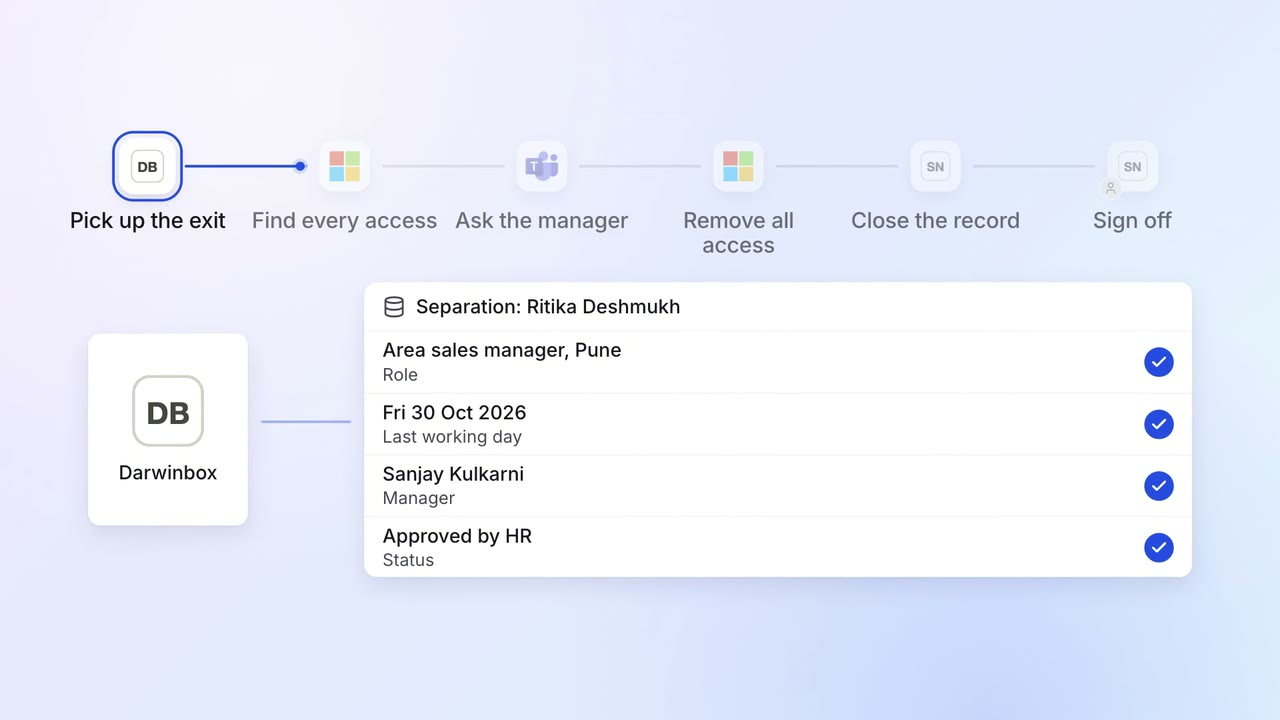
IT Access for joiners and leavers
Every leaver's access ends on the last day, with a record for audit
 Darwinbox
- Entra ID
- Microsoft Teams
- ServiceNow
- SAP S/4HANA
 Salesforce
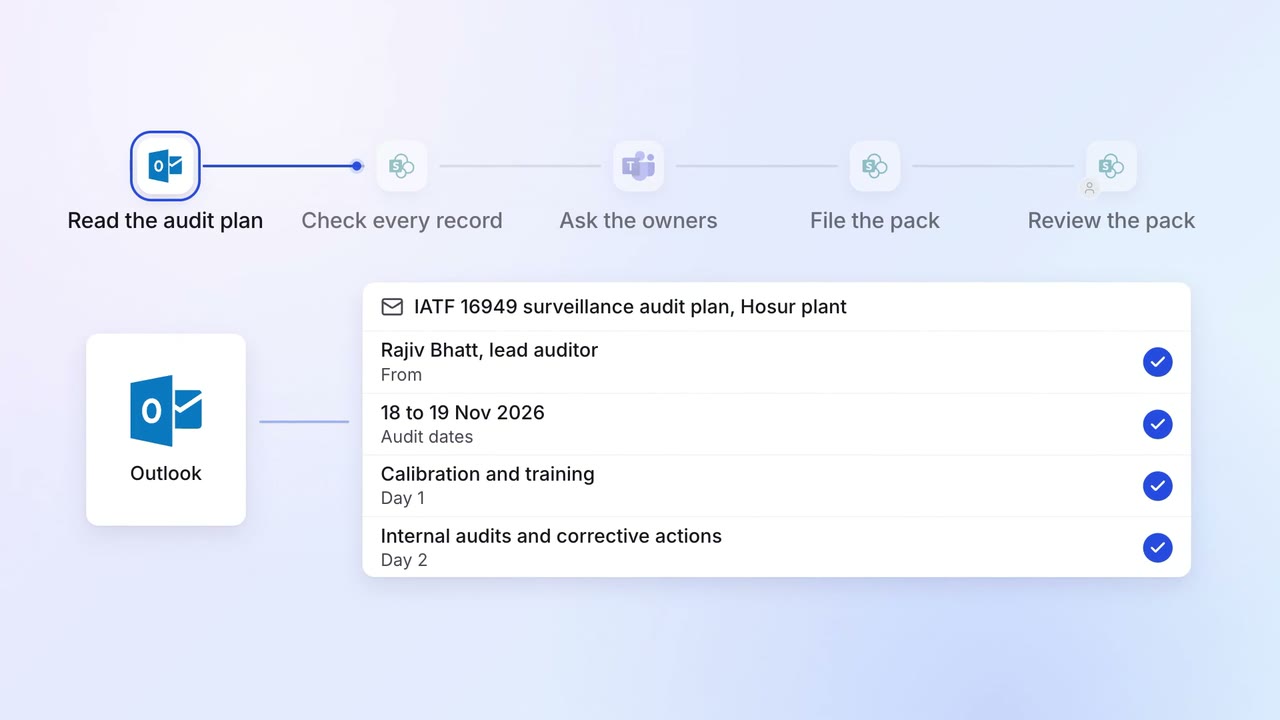
Operations Quality and audits
Evidence for every audit point is ready before the auditor asks
- Outlook
 SharePoint
- SAP S/4HANA
- Microsoft Teams
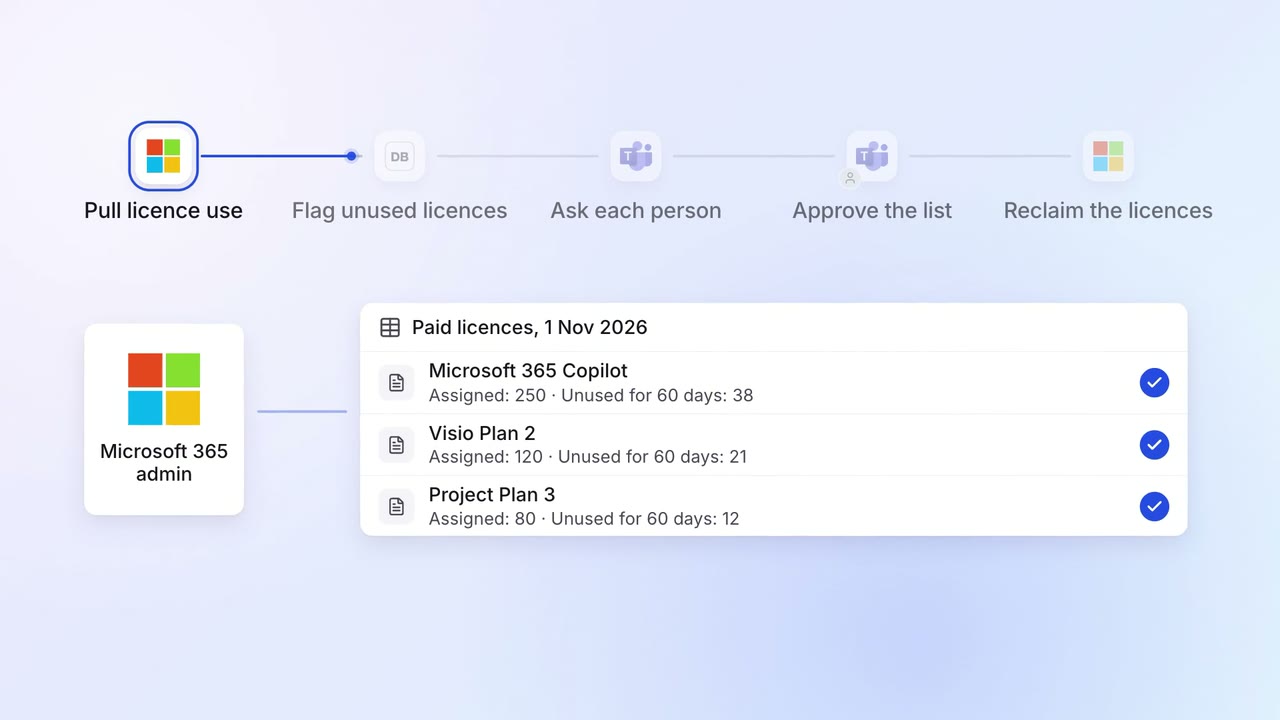
IT Asset tracking
Unused software licences are found and reclaimed every month
- Microsoft 365 admin
- Entra ID
- Darwinbox
- Microsoft Teams