Naukri and LinkedIn applicants are screened, booked for interviews and followed up if they miss one
The AI checks each applicant against the hiring manager's must-haves, books interviews when the manager is free and offers new times to anyone who misses one. The hiring manager decides who goes forward.
- Used day to day by
- HR team
- Hiring managers
How it runs with AI
Applicants from Naukri and LinkedIn land in Zoho Recruit, and the AI checks each one against the must-haves the hiring manager set for the role. Good matches get an email with times the manager is free in Google Calendar, their pick is booked, and a reminder goes out the day before. Anyone who misses the slot gets new times within minutes, and the hiring manager decides who goes forward.
How it is done today
Applications for each open role arrive on Naukri and LinkedIn, often in the hundreds. The HR team downloads the CVs, reads each one, phones the good candidates to fix a time and checks the hiring manager's diary. Candidates often miss the first interview, and HR finds out when the manager calls to ask where they are.
Step by step
Where the work happens, what the AI does, and where it hands over to a person.
-
Step 1, AI
Collects every new applicant from Naukri and LinkedIn into Zoho Recruit
Needs to know: Open roles
In Naukri ,
 LinkedIn ,
  Zoho Recruit
 -
Step 2, AI
Checks each applicant against the hiring manager's must-haves and records the reason
Needs to know: Must-haves for each role, Personal details to ignore
In
Zoho Recruit Exception to step 2
Sends unclear applicants to HR with the one question to ask
-
Step 3, AI
Emails each shortlisted candidate times the hiring manager is free, and books the one they pick
Needs to know: Interview length and format, Who interviews each role
In
 Gmail ,
  Google Calendar , Zoho Recruit
 -
Step 4, AI
Reminds each candidate the day before, and offers new times to anyone who misses the slot
Needs to know: Reminder timing, Rebooking rules
In
Gmail , Google Calendar , Zoho Recruit Exception to step 4
Passes the candidate to HR after a second missed slot or a day without a reply
-
Step 5, Person
The hiring manager interviews each candidate and decides who goes to the next round
In
Zoho Recruit
What stays with a person
- The hiring manager interviews each candidate and decides who goes to the next round
Apps in this example
- Naukri
- LinkedIn
- Zoho Recruit
- Google Calendar
- Gmail
The same flow works with the apps you use.
This fits you if
- You hire for several roles at once, often sales or field roles
- Most of your applicants come through Naukri and LinkedIn
- A small HR team books interviews by phone today
- Candidates often miss first-round interviews
- Your hiring managers keep their diaries in Google Calendar
What to watch for
- The hiring manager writes the must-haves for each role. The AI records the reason for every result in Zoho Recruit, and HR can move any applicant onto the shortlist
- The check uses only the must-haves, such as experience and location. Name, photo, age and gender are left out of it
- Messages to candidates say they come from the HR team's automated assistant, and any reply reaches HR
- Who to hire, the offer and the salary stay with the hiring manager and HR
Often done together
HR Hiring
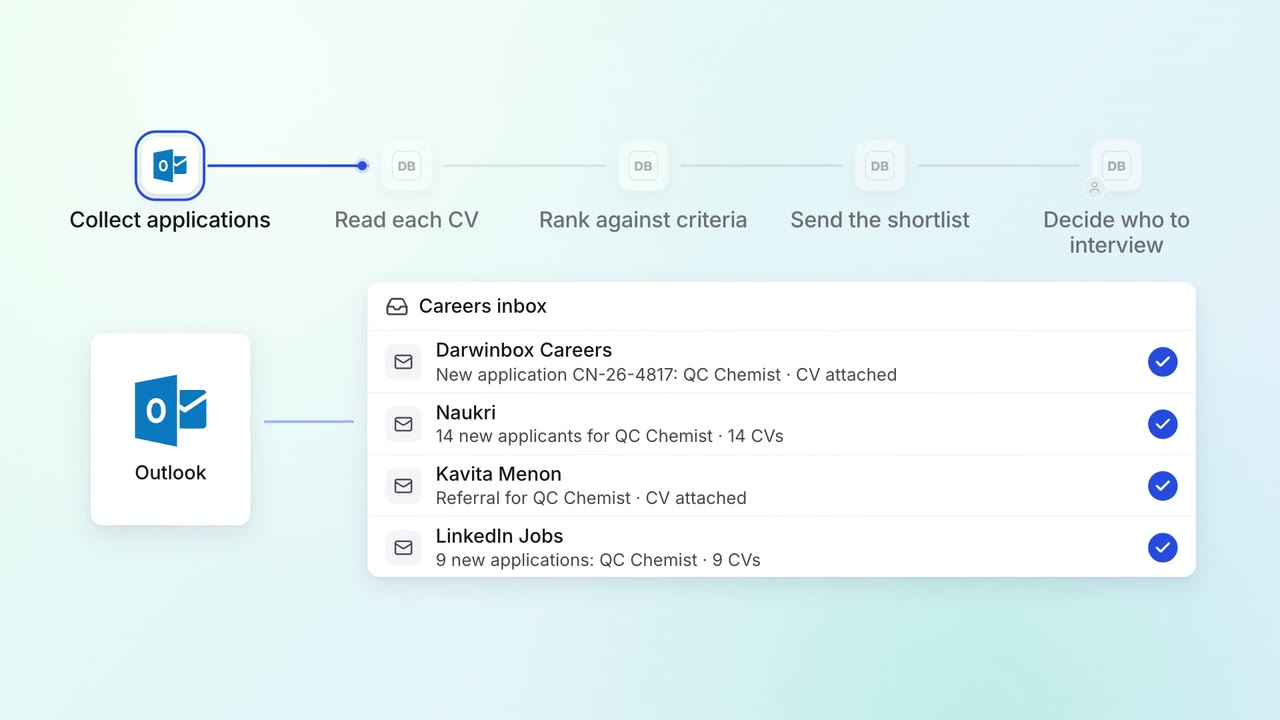
Every application is screened against the role, with a reason for each shortlist
 Outlook
 Darwinbox
HR Hiring
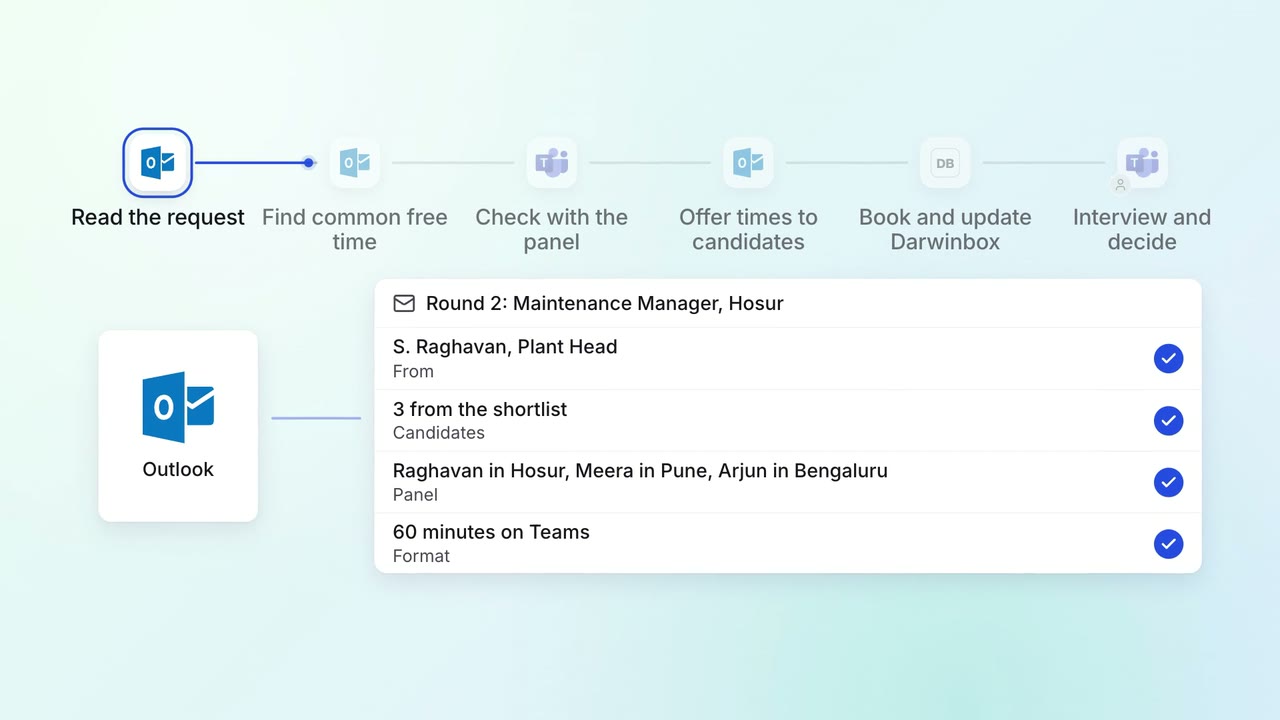
Interviews are booked across busy panels the day the shortlist is approved
- Outlook
 Microsoft Teams
- Darwinbox
HR Hiring
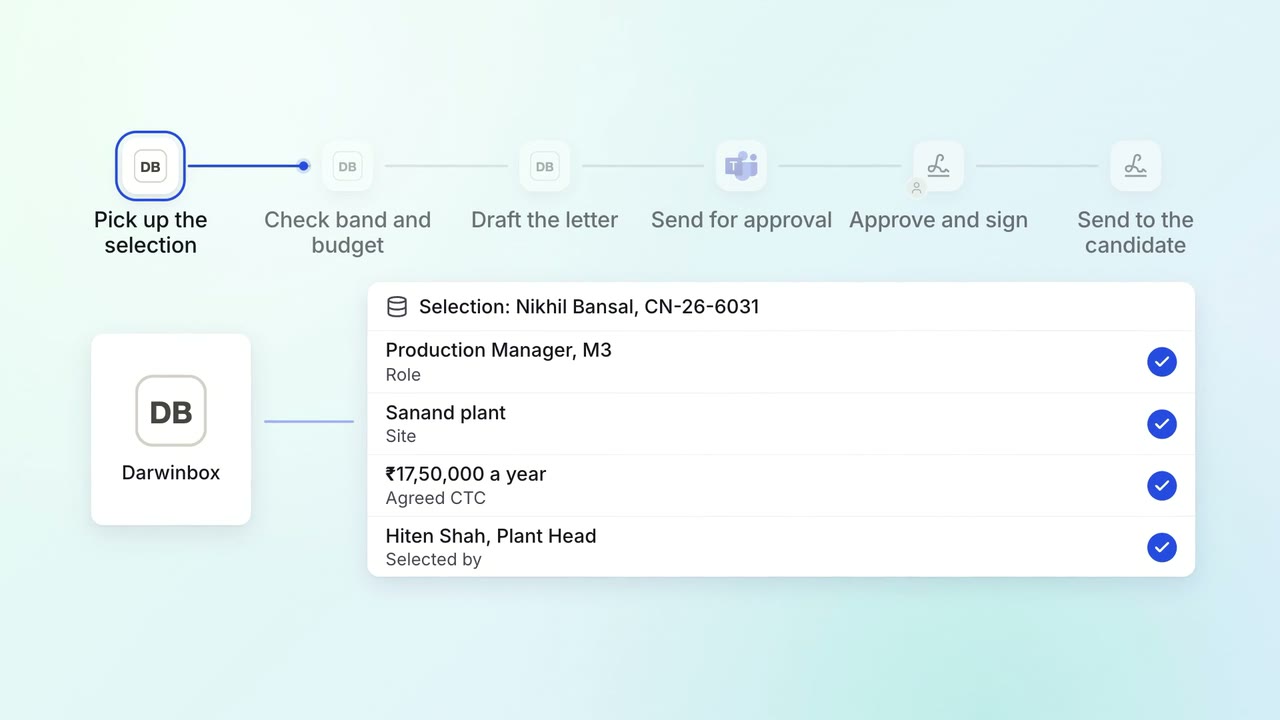
Offer letters are drafted from the approved grade and reach the approvers the same day
- Darwinbox
- Microsoft Teams
- Leegality