Salespeople promise delivery dates the plants can meet
Salespeople ask in Teams and get a delivery date within a minute, worked out from live stock, orders already promised and the production plan in SAP S/4HANA.
- Used day to day by
- Salespeople
- Production planners
- Sales head
How it runs with AI
Salespeople ask the automated assistant in Teams. It checks free stock at every plant and depot after the orders already promised, the production plan and the transit time, and replies within a minute with the earliest date and a split option. When a production run moves, it tells every salesperson whose order is affected, the same day.
Step by step
Where the work happens, what the AI does, and where it hands over to a person.
-
Step 1, AI
Takes the salesperson's question in Teams, with the item, quantity, site and date
Needs to know: Product names and codes, Customer delivery sites
In
 Microsoft Teams
 -
Step 2, AI
Checks free stock at every plant and depot, after orders already promised, and the production plan
Needs to know: Transit times by route, Stock already promised
In
 SAP S/4HANA
 -
Step 3, AI
Replies with the earliest full date and an option to split the delivery
Needs to know: Rules for split deliveries
In
Microsoft Teams -
Step 4, Person
Agrees the dates with the customer, and the order goes into SAP with them
In
SAP S/4HANA Exception to step 4
Moves stock promised to another order only with the sales head's approval
-
Step 5, AI
Watches each production run and tells every salesperson affected when it moves
Needs to know: Orders per production run, Salesperson per order
In
SAP S/4HANA , Microsoft Teams
What stays with a person
- Agrees the dates with the customer, and the order goes into SAP with them
Apps in this example
- SAP S/4HANA
- Microsoft Teams
The same flow works with the apps you use.
This fits you if
- You sell from more than one plant or depot
- Salespeople ask planning or the plant for dates by phone, email or Teams
- Stock, open orders and production plans are recorded in SAP S/4HANA
- Promised dates often move after the order is placed
What to watch for
- The date is as good as the data in SAP. Plants and depots post production and stock movements the day they happen, and someone keeps the transit times current
- Stock already promised to another customer moves only with the sales head's approval. The assistant shows the trade-off and the sales head decides
- The assistant gives dates. Prices, discounts and credit stay with your sales and finance teams
- When a production run moves, the salesperson tells the customer. The assistant gives them the new date and the orders affected
Often done together
Operations Order processing
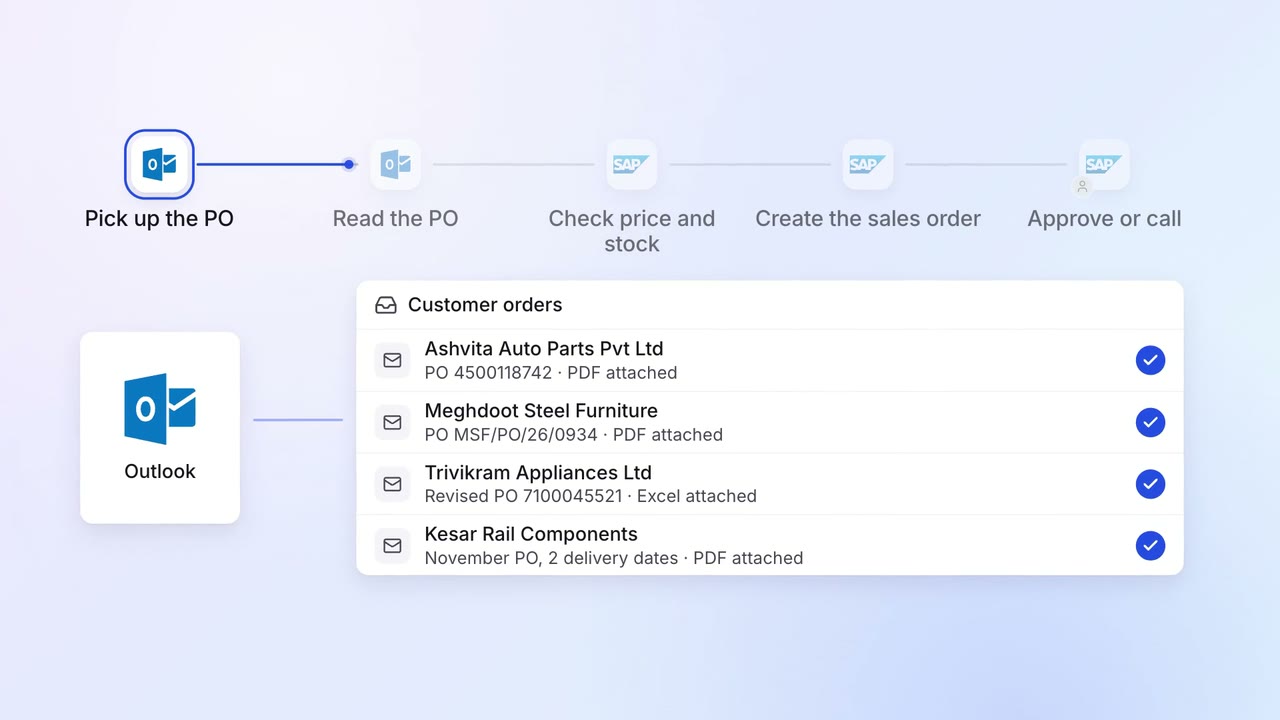
Customer POs become sales orders in SAP, checked against price and stock
 Outlook
- SAP S/4HANA
Operations Order processing
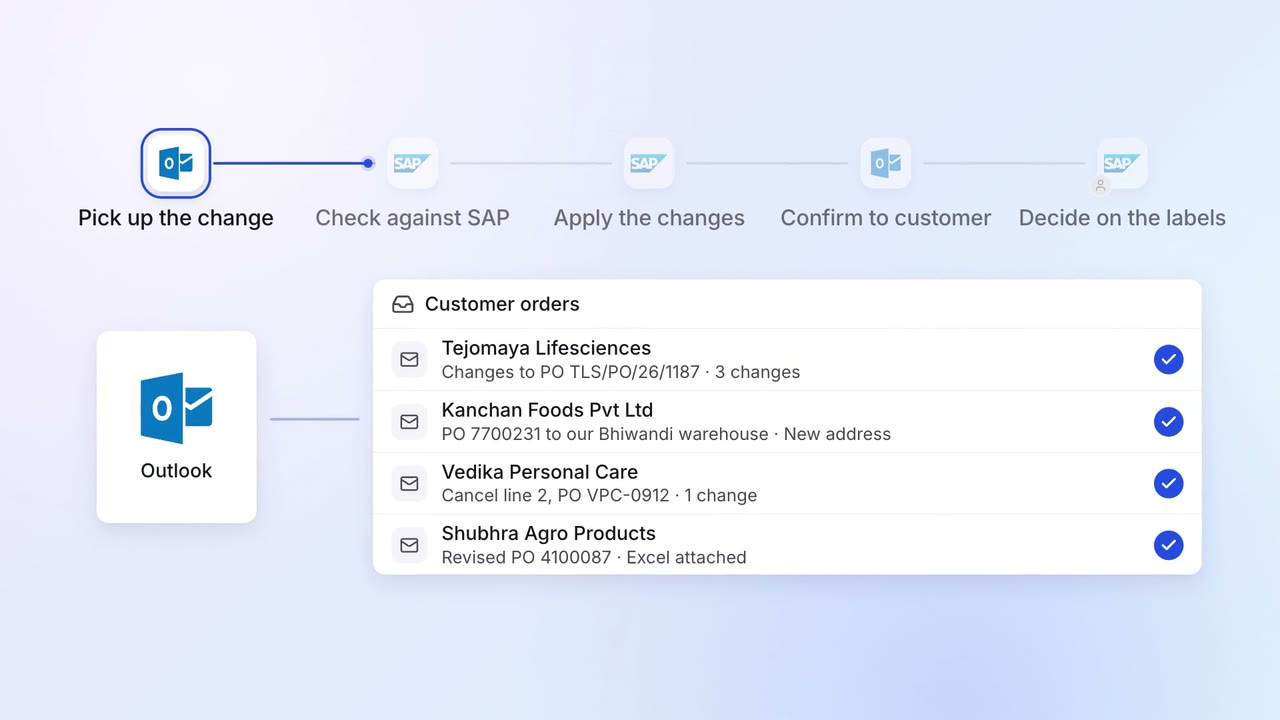
Customer order changes are applied in SAP and confirmed the same day
- Outlook
- SAP S/4HANA
Sales Proposals and quotes
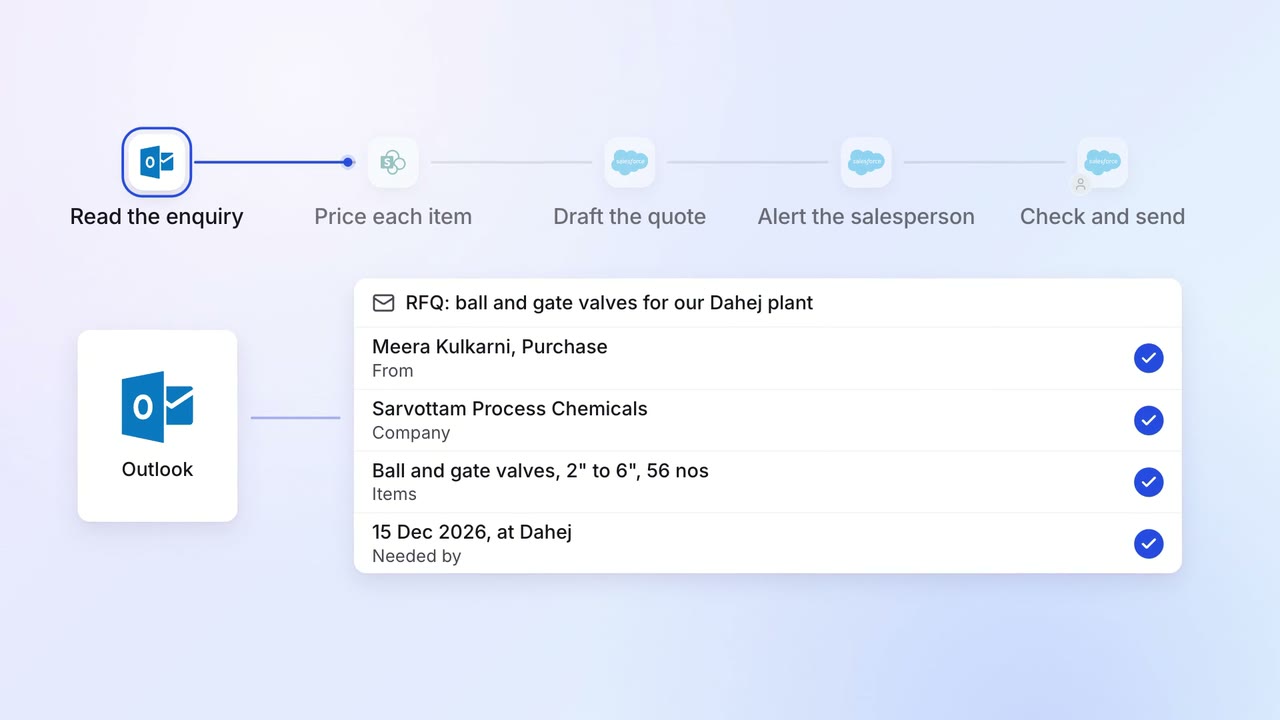
Every enquiry gets a draft quote, priced from your list and past deals
- Outlook
 SharePoint
 Salesforce