New vendors are set up in SAP with their GST, PAN and bank details checked
The AI reads each new vendor's documents, checks them on the GST portal and drafts the SAP vendor record with any mismatch marked. Your team approves.
- Used day to day by
- Accounts team
- Purchase team
- Payables team
How it runs with AI
The AI reads each registration as it arrives. It checks the GSTIN and the vendor's GST returns, the Udyam number and SAP for an existing record with the same PAN, and compares the name on every document. It drafts the vendor record in SAP with each check attached and marks any mismatch, so your team approves clean records quickly and calls the vendors whose details differ.
How it is done today
New vendors upload their GST certificate, PAN card, cancelled cheque and Udyam certificate to the vendor portal, or email them to a buyer. Someone in the vendor master team opens each file, looks up the GSTIN on the GST portal, compares the names by eye and types the record into SAP. When the bank account is in another name, the team often finds out after the money has gone.
Step by step
Where the work happens, what the AI does, and where it hands over to a person.
-
Step 1, AI
Picks up each new registration from the vendor portal
Needs to know: Documents required per vendor
In Vendor portal
-
Step 2, AI
Reads the GST certificate, PAN, cheque and Udyam certificate
Needs to know: Document number formats
In Vendor portal
-
Step 3, AI
Checks each detail on the GST portal and in SAP
Needs to know: Existing vendors by PAN, Name match rules
In GST portal ,
 SAP S/4HANA
 Exception to step 3
Holds the bank details until a person confirms them by phone
-
Step 4, AI
Drafts the vendor record in SAP with every check attached
Needs to know: Vendor master rules, MSME payment terms
In
SAP S/4HANA -
Step 5, Person
Calls the vendor where details differ, then approves
In
SAP S/4HANA
What stays with a person
- Calls the vendor where details differ, then approves
Apps in this example
- Vendor portal
- GST portal
- SAP S/4HANA
The same flow works with the apps you use.
This fits you if
- You add more than 30 new vendors a month across plants or entities
- Vendors send their documents through a portal or by email
- Someone looks up each GSTIN on the GST portal by hand
- A payment has bounced, or gone to the wrong account, because of a vendor record error
What to watch for
- A person confirms every bank detail by calling the vendor on a number your team already holds, since bank details are where payment fraud happens
- Approving the vendor and releasing the first payment stay with your team. The AI prepares the record and the evidence
- The GSTIN and return checks run through a GST Suvidha Provider (GSP), which needs a subscription
- Blurred scans and handwritten cheques go to a person to read
Often done together
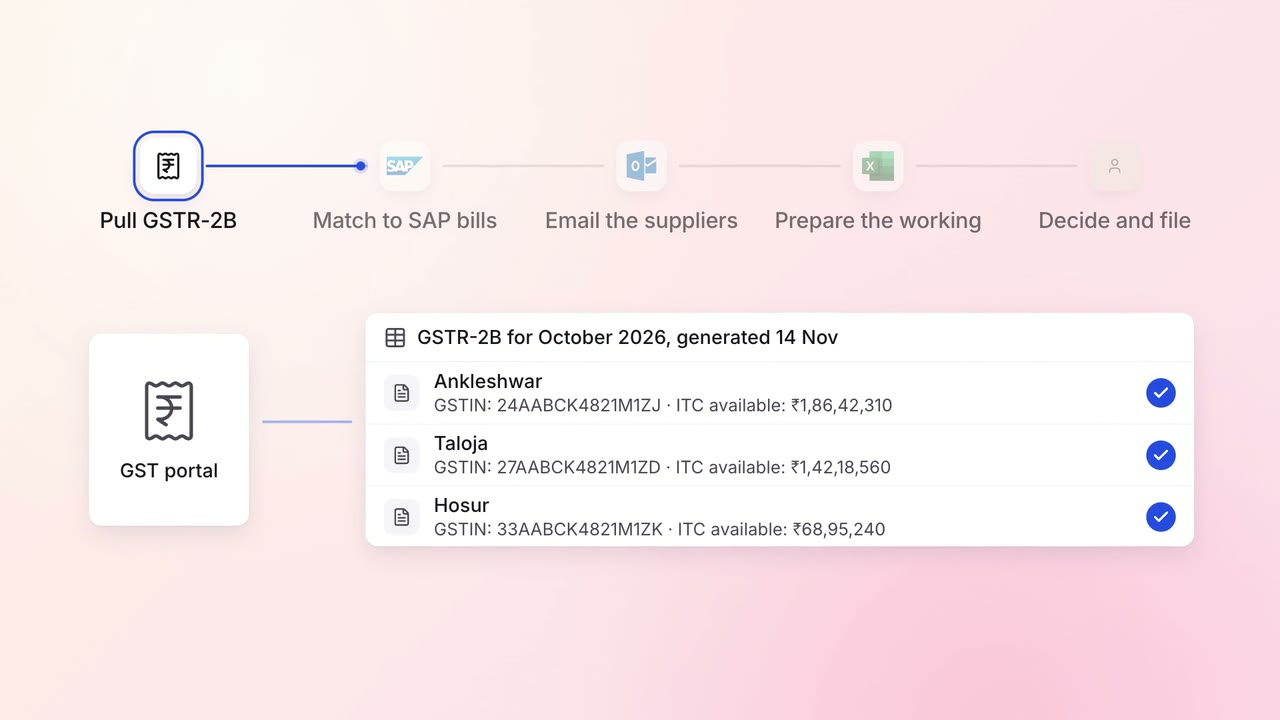
Finance GST and TDS
GST input credit is checked against GSTR-2B before every return
- GST portal
- SAP S/4HANA
 Outlook
 Excel
Excel
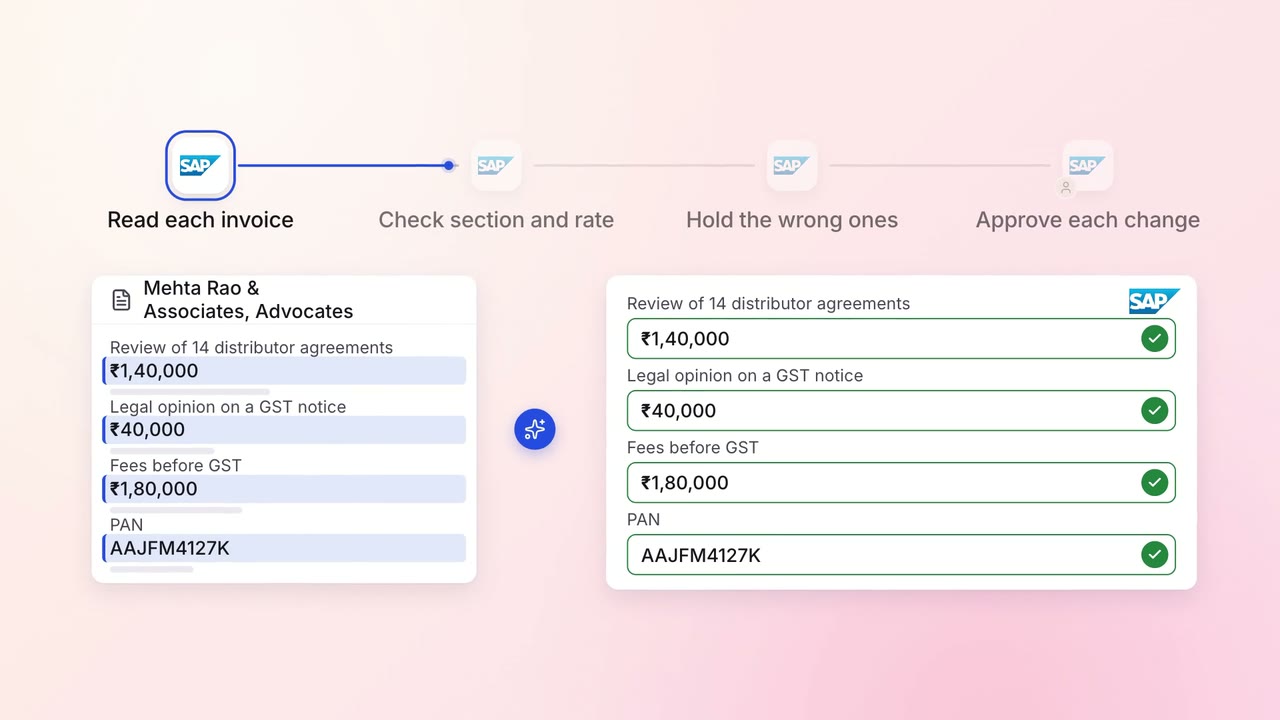
Finance GST and TDS
TDS on every vendor payment is checked for the right section and rate
- SAP S/4HANA
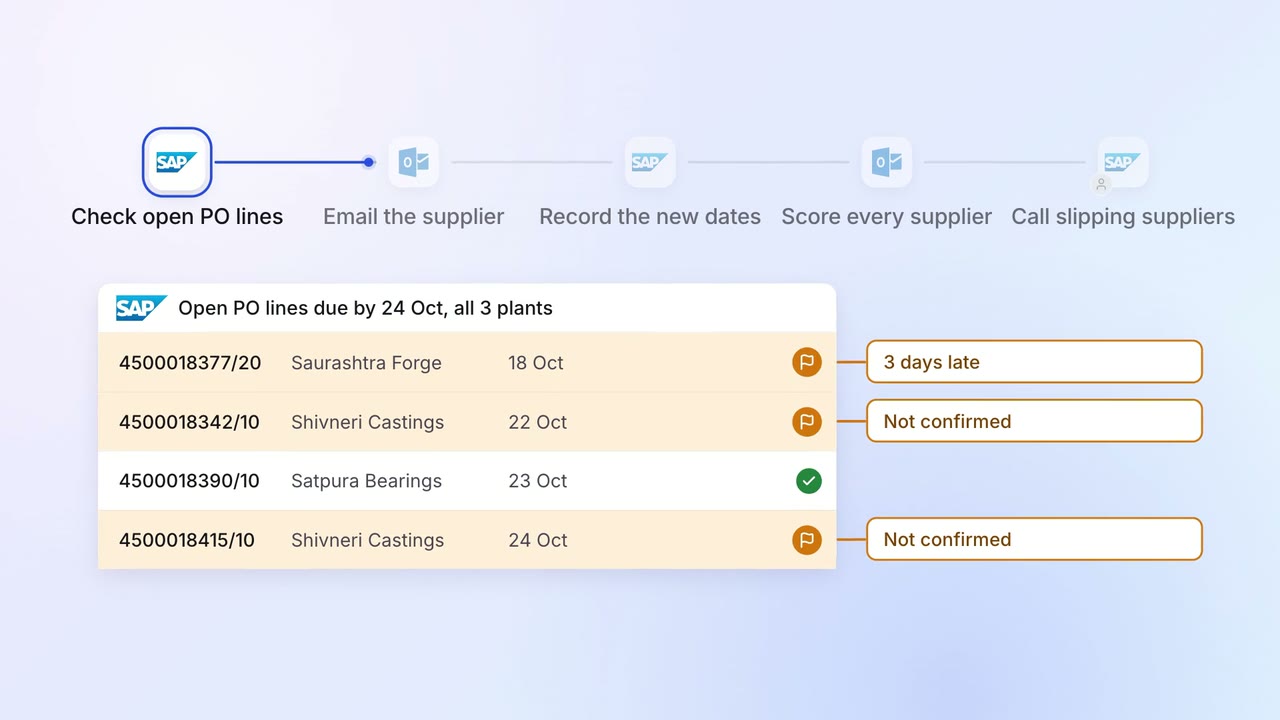
Operations Vendor management
Late supplier deliveries are chased every day, and buyers see who is slipping
- SAP S/4HANA
- Outlook